內容簡介
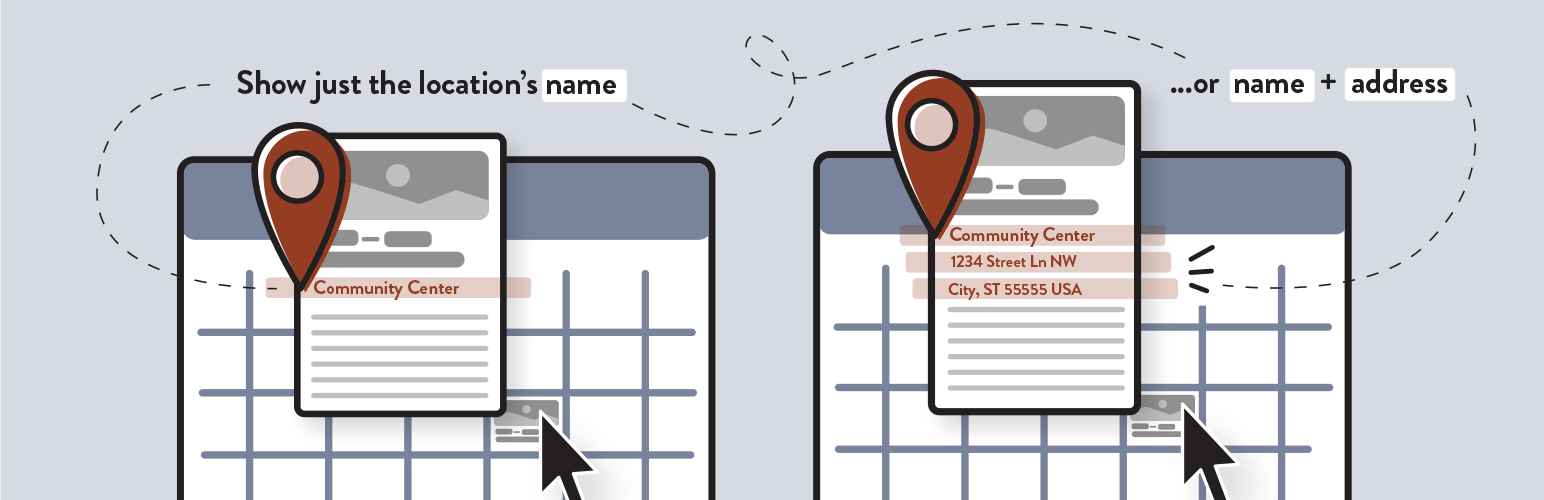
此外掛可自訂 The Events Calendar 或 The Events Calendar Pro 的事件提示工具,讓使用者在全月曆視圖上懸停事件時,顯示事件地點的名稱及完整地址,增強使用者體驗。
【主要功能】
• 顯示事件地點名稱
• 顯示完整街道地址
• 保留其他提示工具元素不變
外掛標籤
開發者團隊
② 後台搜尋「Display Event Location for The Events Calendar」→ 直接安裝(推薦)
📦 歷史版本下載
原文外掛簡介
This plugin overrides the template for the tooltip that is displayed when a user hovers over an event on the full month calendar view created by The Events Calendar or The Events Calendar Pro plugin. The name of the event’s venue/location that is entered with the event will be displayed under the date and time that the event occurs. The full street address for the location can also be displayed. All of the other elements of the tooltip remain unchanged.
The Events Calendar and The Events Calendar Pro are WordPress plugins developed by Modern Tribe.
Arbitrary section
CSS Classes:
.deltec-tooltip-message – A paragraph element that surrounds all of the information that is added to the tooltip by this plugin.
.deltec-location-name-prefix – A span element that surrounds the prefix message that you can set in the Display Event Location for The Events Calendar settings area in the textfield labeled Tooltip Message Before Venue/Location Name
.deltec-location-name – A span element that surrounds the name of the event’s venue/location name.
.deltec-street-address – A span element that surrounds the all elements of the street address for the event’s venue/location (if enabled in Display Event Location for The Events Calendar settings area)
Github Repository
The Github Repository for this plugin can be found here: https://github.com/mike-weiner/display-event-locations-tec.
References:
Below are resources and references that were used to help develop parts of this plugin.
https://support.theeventscalendar.com/153124-Themers-Guide
https://theeventscalendar.com/knowledgebase/k/custom-additional-template-locations/
https://gist.github.com/cliffordp/b76421f2490a8b8995493f203e11b331
Special Thanks:
A special thank you to user @cliffordp on Github for several helpful gists that were used as boilerplates to achieve certain functionality within this plugin.
Thank you to Danielle Attinella for her amazing work on designing a new icon and banner image for the plugin.