內容簡介
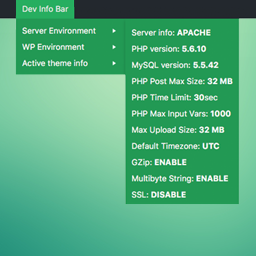
WordPress 5.5 引入了一種區分環境類型(開發、備試、正式)的方式。此外掛會在管理列顯示您網站的環境類型。
更多有關此新功能的資訊
外掛標籤
開發者團隊
原文外掛簡介
WordPress 5.5 introduced a way to differentiate between environment types (development, staging, production). This plugin shows your site’s environment type in the admin bar and the dashboard “At a Glance” widget.
More info about the feature
To gain additional control — for example, setting the environment or other values from the WP admin (when wp-config.php is writable) — consider installing our other plugin 0 Day Analytics.
Recommended Plugins
0 Day Analytics — a powerful plugin for sites that need more insight into errors and runtime behavior. It includes a Cron manager, a Transient manager (database-backed), DB manager, Snippet manager, Mail manager, Plugin Version Switcher available from the Plugins page and many more.