內容簡介
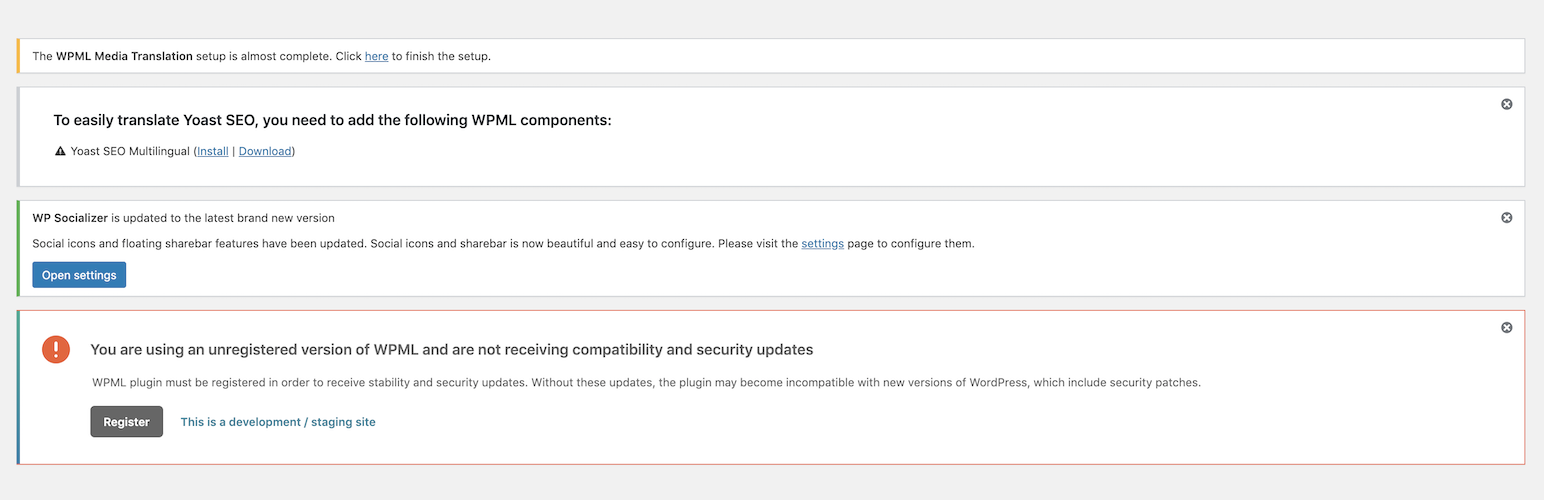
在所有使用者角色中顯示與外掛和佈景主題相關的通知並不是一個好主意。Disable WP Notification 幫助您禁用整個 WordPress 儀表板中的所有垃圾通知。
我知道有時需要接收通知,因此考慮到這一點,我們有經驗豐富的開發人員為您提供以下選項:
啟用所有通知
禁用所有使用者的通知
禁用所有使用者的通知,除了管理員
Disable WP Notification 功能
禁用所有垃圾通知並清空儀表板。
顯示所有已禁用通知的面板。
禁用所有使用者的通知,包括管理員。
禁用所有使用者的通知,不包括管理員。這意味著,除管理員外,其他使用者都會受到此功能的限制。
禁用佈景主題的更新和通知。
禁用外掛的更新。
只有管理員可以管理設定。
外掛標籤
開發者團隊
原文外掛簡介
Showing the notifications related to plugins and themes is not a good idea for all the user roles. Disable WP Notification helps you to disable all the spammy notifications from the entire wordpress dashboard.
I know sometimes it is require to get the notifications, so considering this, Our experienced developers provide you the following options:
Enable all notifications
Disable Notifications for all users
Disable Notifications for all users except admin
Disable WP Notification Features
Disable all the spammy notifications and clean the Dashboard.
A panel to show all the disabled notifications.
Disable the notifications for all the users including admin.
Disable the notifications for all the users excluding admin. That means, except admin this will work only on the other users.
Disable theme updates and notification.
Disable plugin updates.
Only Admin can manage the settings.