內容簡介
Direct Payments for WooCommerce 外掛讓 WooCommerce 商店擁有者能夠輕鬆接受各種本地及全球支付方式,無需支付交易手續費,並提供快速設置和安全交易的優勢。
【主要功能】
• 支援多種支付方式:銀行轉帳、行動支付、加密貨幣及 P2P 平台
• 零交易手續費:保留 100% 收入,無隱藏成本
• 快速設置:幾分鐘內完成安裝並開始收款
• 安全可靠:加密交易,直接通過首選支付網關處理
• 多幣別支援 [PRO]:全球銷售,支持多種貨幣
• 自訂支付彈窗 [PRO]:根據品牌風格自訂支付流程
外掛標籤
開發者團隊
② 後台搜尋「Direct Payments for WooCommerce – Bank Transfer, Mobile Money, Crypto and Peer-to-Peer (P2P) Payments」→ 直接安裝(推薦)
📦 歷史版本下載
原文外掛簡介
Say goodbye to traditional payment gateways that require developers, API keys, and complex KYC processes.
Direct Payments for WooCommerce makes it easy for WooCommerce store owners to accept payments directly through local and global methods with zero transaction fees. Set up Direct Payments for WooCommerce within minutes and give your customers the freedom to choose their preferred payment option.
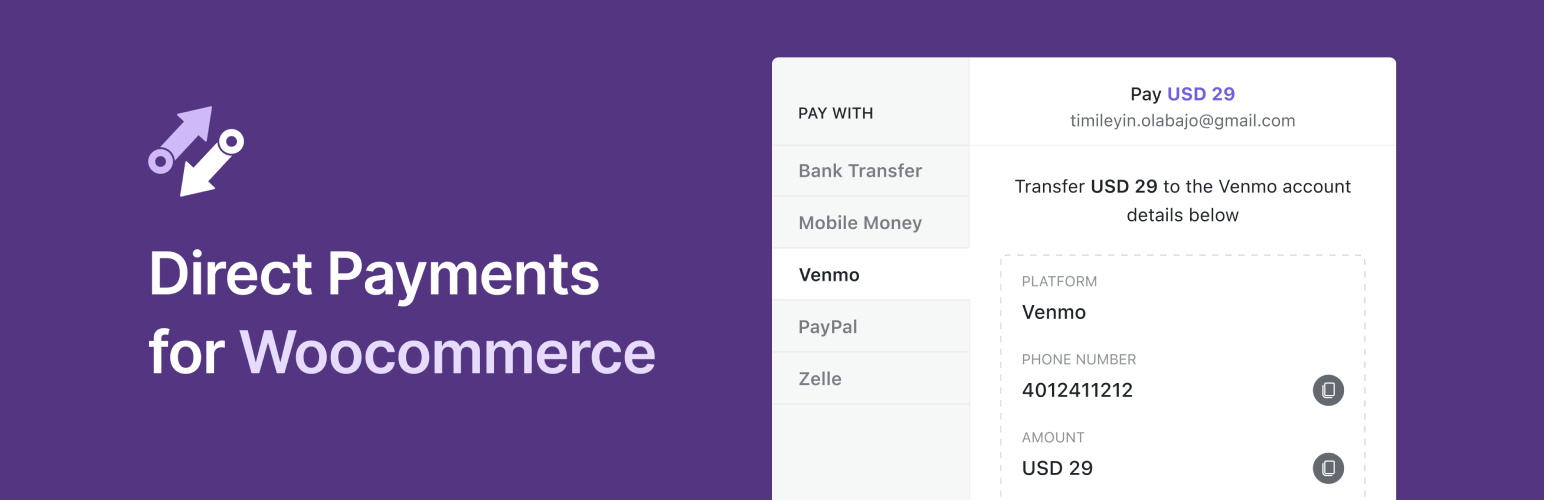
With Direct Payments for WooCommerce, you can accept payments via:
Bank Transfers – International & Local
Mobile Money – MTN MoMo, M-Pesa, Airtel, Vodafone, and many more
Crypto Payments – BTC, ETH, USDT, SOL, BNB, ADA, MATIC, and many more
Peer-to-Peer (P2P) Platforms – Zelle, Venmo, PayPal, GCash, Cash App, Apple Pay, Monzo, Google Pay, Payoneer, Skrill, Paytm, Monzo, Wise, and many more
QR Codes
Unlock all features with Pro Version
Demo Direct Payments | Free vs PRO
Why use Direct Payments for WooCommerce?
Any Payment Method: Let your customers pay with their preferred options — bank transfers, mobile money, crypto or P2P platforms.
Zero Transaction Fees: Keep 100% of your revenue with no hidden costs or fees.
Fast Setup: Go from installation to receiving payments in minutes, with no KYC or API keys required.
Secure & Reliable: Enjoy safe, encrypted transactions with payments processed directly through the preferred payment gateway.
Unlimited Payment Methods [PRO]: Upgrade from the single payment method in the free version to unlimited payment methods with Pro, allowing you to offer more flexibility to your customers and boost sales.
Geo-Currency: Improve checkout experience by automatically showing payment methods available in the customer’s location.
Multiple Currencies [PRO]: Sell globally with multi-currency support, with exchange rates set automatically or updated manually for full control.
Instant Payment Alert Notifications: Receive alerts to your Telegram and email for every payment, enabling you to manage transactions in real time.
Simple Dashboard Management: Confirm or cancel payments directly from your WordPress dashboard.
Customizable Payment Popups [PRO]: Customize the payment process to match your brand’s colors and style.
Email Payment Confirmation [PRO]: Easily confirm or cancel payments via email without logging in.
Translation Ready: Fully compatible with translation plugins like Loco Translate, making it easy to use in any language.
Premium Support [PRO]: Create support tickets and get fast, prioritized assistance to resolve any issues quickly.
📄 Quick Guides
How to Add Zelle Payment Option to WooCommerce
How to Accept QR Code Payments on WooCommerce
How to Accept Crypto Payments on Woocommerce
How to Accept Peer-to-Peer (P2P) Payments on WooCommerce
How to Accept Mobile Money Payments on Woocommerce
How to Accept Bank Transfer Payments on WooCommerce
Read more on our documentation
Other Plugins by Digages:
Direct Payments WP: Direct Payments WP is the ultimate plugin for WordPress users who want a simple and flexible way to accept payments. Whether you’re a freelancer, a small business owner, or running a membership site, Direct Payments WP empowers you to accept payments directly using customizable forms, invoices and payment pages.
SVG Editor: SVG Editor adds native support for editing SVG (Scalable Vector Graphics) files directly within your WordPress Media Library. With this plugin, you can easily change the colors of your SVG graphics without needing any external design software.