內容簡介
Dhruval Admin Command Palette 是一個簡單友好的搜尋工具,幫助使用者快速找到並打開 WordPress 設定畫面,節省尋找時間,提升管理效率。
【主要功能】
• 直接搜尋設定:用自然語言快速找到所需設定
• 即時更新設定:可直接從搜尋框更新網站設定
• 錯誤容忍:即使拼寫錯誤也能正常運作
• 變更預覽:提供變更前後的清晰比較
• 一鍵還原:輕鬆撤銷最近的變更
• 輕量快速:啟動迅速,不影響網站速度
外掛標籤
開發者團隊
② 後台搜尋「Dhruval Admin Command Palette」→ 直接安裝(推薦)
原文外掛簡介
Finding where specific settings are hidden in WordPress can be confusing and time-consuming. Dhruval Admin Command Palette is a simple, friendly search tool that helps you find and open any WordPress setting screen in seconds.
Video Demo
Or view the Video Demo on YouTube.
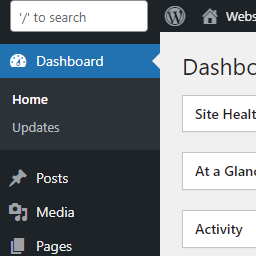
It adds a clean, floating search box to your admin dashboard (which you can open by clicking the search bar or pressing Ctrl + K / Cmd + K).
Instead of clicking through dozens of complicated menu options, just type what you want to do in plain, everyday language:
* “I want to update product ‘Premium Hoodie’ and set price as 39.99” -> instantly queries your catalog, highlights the target product, and previews the price edit.
* “where can I edit my homepage settings for the website?” -> bypasses menu navigation to direct you straight to your front-page reading settings.
* “help me change admin user role to subscriber” -> identifies the user account, parses the desired role, and schedules a secure update.
* “update my primary email address to [email protected]” -> finds the correct admin email settings and prepares the update card automatically.
* “set site address of my website to https://example.com” -> resolves the URL setting options in your database without opening general settings pages.
It is designed specifically for website owners, bloggers, WooCommerce store managers, and non-technical users who want to save time and manage their sites without frustration.
Upgrade to Pro for Direct Settings Editing & Reverts
Dhruval Admin Command Palette Pro allows you to update your site’s settings directly from the search bar without even opening the settings pages!
Easy Pro Features:
Instant Settings Updates: Change your website name, update your email address, reset user roles, or edit WooCommerce prices and stock levels directly from the search box.
Before/After Previews: Shows you a clear comparison of what is changing before you click save.
Database Safety Lock: Double-checks and secures all updates so your website settings are never messed up.
One-Click Reverts (Undo): Keeps a list of all changes you make, so if you make a mistake, you can undo it with a single click.
Helpful Command Templates: Displays friendly templates to click and use immediately.
Get Dhruval Admin Command Palette Pro Now
Features
Plain English Search: Understands synonyms, so typing “payments”, “checkout”, or “billing” will all guide you to the right place.
Quick Search Box: Click the search box at the top of your page or press Ctrl + K (Windows) / Cmd + K (Mac) to open it.
Simple Keyboard Navigation: Use the up and down arrow keys to highlight a result and press Enter to open it—no mouse click needed.
Typo Friendly: Works even if you make a spelling error (like typing “settigns” instead of “settings”).
Find New Plugins: Search the WordPress.org directory for new features directly from your search box.
Dark & Light Mode Integration: Automatically matches your dashboard colors to look clean and neat.
Lightweight & Fast: Opens in a fraction of a second and won’t slow down your website.