內容簡介
總結文案:
使用 DevLab Maintenance Mode 外掛,您可以在網站後台工作時向訪客展示美麗的「維修中」或「即將推出」頁面。無需編碼。不論您是在發布新網站、進行更新,或做出重大更改,該外掛確保您的訪客看到專業的停駐頁面,而不是錯亂的佈局或錯誤訊息。
問題與答案:
1. DevLab Maintenance Mode 外掛的目的是什麼?
- 回答:DevLab Maintenance Mode 外掛可讓您在正在後台工作時向訪客展示美麗的「維修中」或「即將推出」頁面。
2. DevLab Maintenance Mode 外掛有什麼特點?
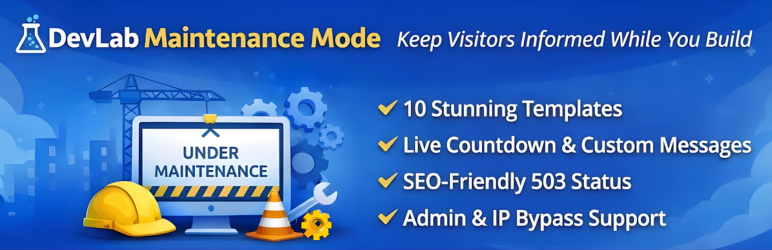
- 回答:其特點包括:零鎖定風險、10個極具設計感的模板可供選擇、多種繞過選項、適當處理SEO、一鍵激活、以及角色基礎的繞過等。
3. DevLab Maintenance Mode 外掛的安裝方式是什麼?
- 回答:只需進行簡單的安裝和設定,即可啟用或停用維修模式,並開始展示專業的停駐頁面。
4. DevLab Maintenance Mode 外掛適用於哪些場景?
- 回答:其適用於網站的發布和「即將推出」頁面、預定的維護窗口、重大的重新設計和遷移、WooCommerce 商店更新、開發和分段站點,以及開發期間的客戶預覽訪問等情況。
外掛標籤
開發者團隊
原文外掛簡介
DevLab Maintenance Mode lets you display a beautiful “Under Maintenance” or “Coming Soon” page to your visitors while you work on your site behind the scenes. No coding required.
Whether you’re launching a new site, performing updates, or making major changes, this plugin ensures your visitors see a professional holding page instead of broken layouts or error messages.
Why Choose DevLab Maintenance Mode?
Zero Lock-Out Risk – Maintenance mode is OFF by default. You control when it activates. Logged-in administrators always have access.
10 Stunning Templates – Not just one boring page. Choose from 10 professionally designed templates that match any brand or style.
Multiple Bypass Options – Grant access via user roles, IP addresses, or shareable secret links. Perfect for clients, team members, or testers.
SEO Done Right – Returns proper 503 status codes with Retry-After headers. Search engines understand your site is temporarily unavailable, not gone forever.
Features
One-Click Activation – Enable or disable maintenance mode instantly
10 Beautiful Templates – From minimal to animated, corporate to playful
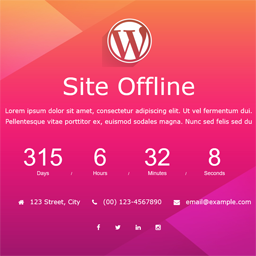
Live Countdown Timer – Show visitors when you’ll be back (Countdown template)
Custom Messages – Write your own text with full HTML support
Role-Based Bypass – Let editors, authors, or any role access the site
IP Whitelist – Always allow specific IP addresses through
Secret Access Links – Share yoursite.com?mmbd_bypass=secret for temporary access
Cookie-Based Sessions – Bypass visitors stay logged in for your configured duration
Theme Override Support – Copy templates to your theme for complete customization
Multisite Ready – Works perfectly on WordPress multisite networks
Clean Uninstall – Removes all data when deleted, leaves no trace
Template Collection
Your maintenance page should look as good as your site. Choose from:
Classic – Clean centered card with elegant purple gradient background
Minimal Dark – Ultra-modern dark theme with subtle cyan accents
Construction – Bold warning style with animated diagonal stripes
Gradient Wave – Smooth animated wave effect for a dynamic feel
Corporate – Professional business design with refined gold accents
Playful – Fun and friendly with floating colorful shapes
Neon – Cyberpunk-inspired with vibrant glow effects
Nature – Calm organic design with gentle leaf elements
Tech – Matrix-style digital aesthetic for tech brands
Countdown – Includes live countdown timer to your launch date
Developer Friendly
Override any template by copying it to your-theme/devlab-maintenance-mode/
Minimal footprint – single database query, lightweight hooks
Clean, documented code following WordPress coding standards
Filters and actions for extending functionality
Perfect For
Site launches and “Coming Soon” pages
Scheduled maintenance windows
Major redesigns and migrations
WooCommerce store updates
Development and staging sites
Client preview access during development