外掛標籤
開發者團隊
② 後台搜尋「Deviser Smart Product Configurator – Powerful Products Configuration Made Simple」→ 直接安裝(推薦)
原文外掛簡介
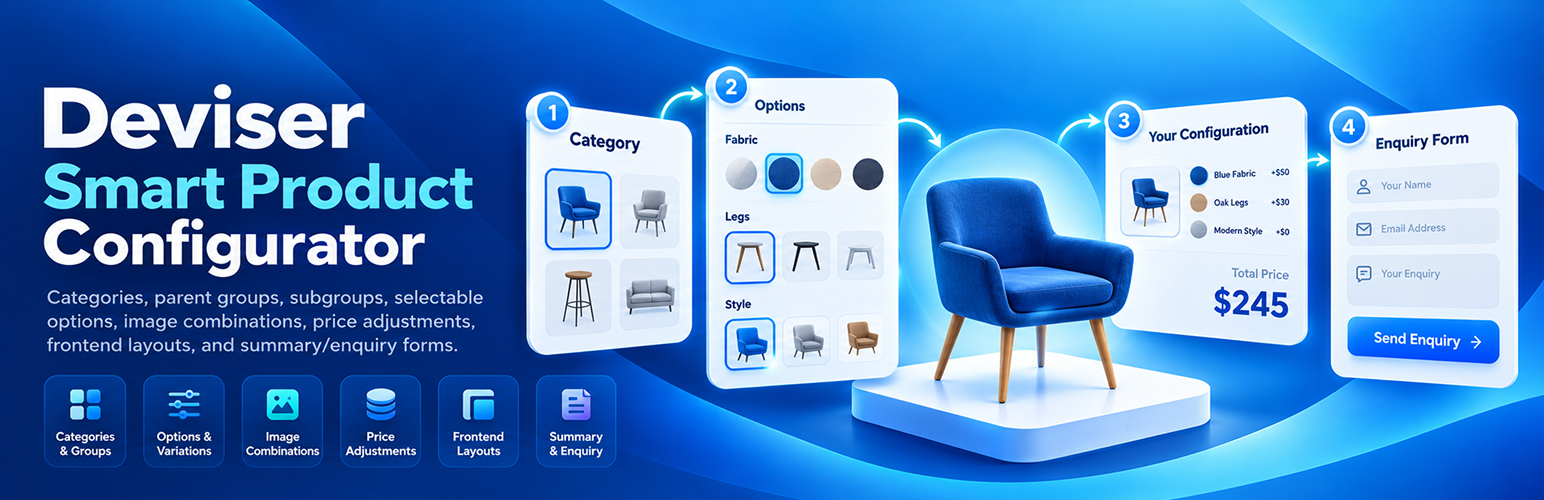
Deviser Smart Product Configurator is a WordPress plugin for configuring products with categories, parent groups, subgroups, and selectable options. It supports image combinations, configurable frontend layouts, price adjustments, and summary and enquiry forms.
Product setup and management
Manage configurator products through the dpcon_product custom post type.
Organize products using Product Types (dpcon_product_type) and Product Categories (dpcon_product_category).
Create hierarchical Configurator Groups (dpcon_group) and assign Configurator Options (dpcon_option) to groups.
Select product groups in the product editor, order selected groups, and drag to reorder options within a group.
Configure group display styles: button, radio, color swatch, image option, and dropdown.
Set option prices, option colors, and option images where applicable.
Set a base product price and a currency symbol, with live totals reflecting selected option prices.
Associate category/group/subgroup/option combinations with product images, including a default combination image (supports a limit of up to 20 image mappings per product).
Show configured groups and options even without a dedicated image mapping; image resolution can reuse a matching image from mapped selections.
Copy a product-specific shortcode directly from the Products admin listing.
Frontend configurator
Live product image preview, with progressive combination thumbnails when matching images are available.
Four per-product layouts: Default (image left), Reverse (image right), Equal Split, and Popup / Slide (options in a slide-in panel).
Responsive product configurator with category selection, group options, calculated totals, and a configuration summary.
Reset selected options to the starting configuration.
Optional sticky action bar with Reset button, controlled from plugin settings.
Review the current product, category, chosen options, pricing, and image information in the summary before submitting a form.
Forms and settings
Built-in custom form builder with Text, Email, Phone, and Message fields, including required-field controls.
Use the built-in Custom Forms builder for lead capture; external form plugins are not supported.
Configure global form selection and product-level form selection.
Pass configurator summary data into supported form workflows.
Enable or disable the sticky reset action button in plugin settings.
Adjust frontend typography using configurable font family, size, weight, style, and other available text settings; Google Fonts load when selected.
Shortcodes
[dpcon_product id="123"] - display a published configurator product.
The product shortcode accepts optional attributes: title="yes", price="yes", and description="yes"; set any to "no" to hide that part of the product heading area.
Source Code and Development
Deviser Smart Product Configurator is distributed under the GNU General Public License, version 2 or later.
The plugin’s custom PHP, JavaScript, and CSS source files are included in the distributed plugin package.
The custom JavaScript files are maintained in human-readable format and are loaded directly through WordPress.
The primary JavaScript source files are located in the following directory:
assets/js/
These include:
assets/js/dpcon-admin-builder.js
assets/js/dpcon-category-meta.js
assets/js/dpcon-form-integration.js
assets/js/dpcon-frontend.js
assets/js/dpcon-group-meta.js
assets/js/dpcon-option-meta.js
assets/js/dpcon-product-meta.js
assets/js/dpcon-settings.js
The plugin’s custom JavaScript functionality does not require a separate npm, webpack, or JavaScript compilation process.
Custom frontend and admin stylesheets are included in the assets/css/ directory.
Third-party libraries are documented separately below.
Third-Party Libraries
This plugin bundles the following third-party library to enhance functionality:
Select2
Library: Select2
Version: 4.1.0
Official Repository: https://github.com/select2/select2
Official Release: https://github.com/select2/select2/releases/tag/4.1.0
Original Source Code: https://github.com/select2/select2/tree/4.1.0/src
License: MIT
License URI: https://github.com/select2/select2/blob/4.1.0/LICENSE.md
Bundled Files: assets/js/select2.min.js, assets/css/select2.min.css
Bundled License File: licenses/select2-LICENSE.md
The plugin utilizes a locally bundled version of Select2.
It is served entirely from the local WordPress installation
and does not make requests to an external CDN.
External Services
This plugin can request Google Fonts when a website administrator selects a Google-hosted font in the Typography settings. There is no separate external-service consent switch. By default, no Google font is selected.
Google Fonts
Service Provider: Google LLC
Service Information: https://fonts.google.com/
Privacy Policy: https://policies.google.com/privacy
Terms of Service: https://policies.google.com/terms
Purpose: Allows website administrators to choose custom typography styles for the frontend product configurator.
Data Transmission & Privacy: No Google Fonts requests are made with default typography settings. When an administrator selects a Google font family, visitors viewing pages where the configurator typography styles are loaded may connect directly to Google Fonts servers to download the requested styles. During this standard browser request, the visitor’s IP address, browser user-agent, and requested font files are processed by Google. No product configurations, form fields, or user input data are sent to Google.
Privacy Information
The plugin includes a built-in Custom Forms builder that allows website visitors to submit enquiry information.
Depending on the fields configured by the website administrator, submitted information may include:
Name
Email address
Phone number
Message
Selected product configuration
Selected options and calculated prices
When a visitor submits a built-in enquiry form, the submitted details and selected product configuration are sent by email to the site administrator using the WordPress wp_mail() function. By default, the recipient is the site administration email address; developers can customize the recipient using the dpcon_custom_form_admin_email filter. If the visitor supplies an email address, the plugin also attempts to send a confirmation email to that address.
Email delivery depends on the website’s WordPress mail configuration and any mail delivery plugin or service configured on the site. The plugin does not operate a separate email delivery service. Site administrators should explain enquiry submissions and email processing in their own privacy notice.
Website administrators are responsible for providing appropriate privacy notices and handling submitted information according to applicable privacy laws.
The plugin’s use of Google Fonts is described in the External Services section above.