
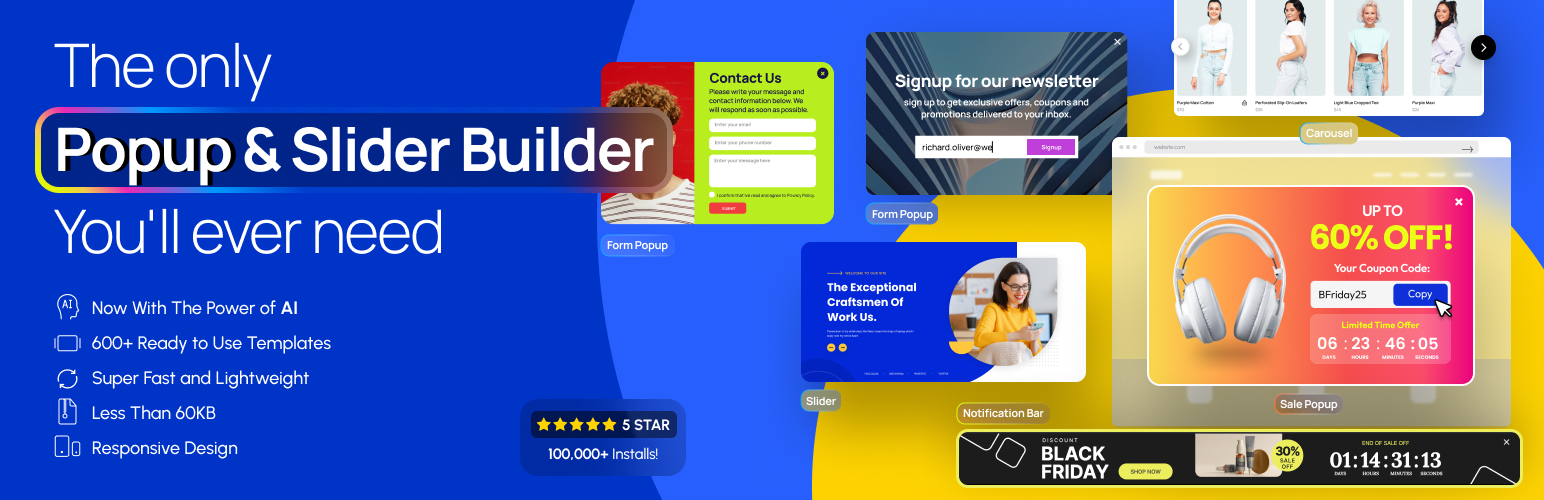
內容簡介
範例和演示 | 影片教學 | 支援
簡介
Depicter 是一款免費的 SEO 友好、響應式的圖片和視訊幻燈片外掛,可以平滑地運作在所有主要設備上,提供超高品質的硬體加速轉場效果。它支援觸控導航,提供純粹的滑動手勢操作,讓您從未體驗過的互動體驗。
功能
視覺化建構器-專業、直覺且簡單易懂的幻燈片建構器。
完整的素材庫-龐大且免費的素材庫,包括 3.2 百萬張圖片、30,000 段視訊、向量、模型、預先建構的模板和元素。
靈活性的配置和響應式設計-製作真正的響應式和行動裝置友善型幻燈片,適用於所有設備。
動畫和互動性-運用順暢的動畫和互動動作,捕捉使用者的注意力。
多功能影片撥放器-能夠回應式地播放任何影片,包括自行託管、YouTube 和 Vimeo 影片。
真正的可自定義性-透過簡單的幾個點擊,自訂影片控制、靜音、循環、自動播放和全螢幕切換!
現代化的圖片編輯工具-在幾個點擊內響應式地裁剪圖片,以及應用圖片濾鏡!
輕便且 SEO 友好-超輕量級和無任何依賴關係的幻燈片,可為搜索引擎優化您的內容。
全面的導航控制-透過拖放功能,為幻燈片添加矢量圖案、數字圖示、線條定時器、幻燈片控制和滾動指標。
觸控切換和滑鼠導航-支援滑鼠和鍵盤導航、自然觸控切換和滑鼠滑動手勢操作。
完完全全的響應式-將您的幻燈片的內容和呈現調整至每個設備,為每位訪問者提供最適化的體驗,不論他們是在桌面、平板電腦還是行動裝置上瀏覽網頁。
模板幻燈片-透過一個簡單的點擊,匯入超過 130 種高品質 的模板幻燈片。
專業支援-我們的專業支援團隊隨時為您提供幫助。您可以在支援論壇中提問,或直接透過即時聊天和獨家幫助台直接聯繫我們。
翻譯
德文翻譯
義大利文翻譯
荷蘭文(比利時)翻譯
俄文翻譯
中文翻譯
印度尼西亞文翻譯
從WordPress 翻譯服務開始翻譯 Depicter。
精選報導
在 HubSpot 上精選報導
喜愛 Depicter 嗎?
加入 Depicter Facebook 頁面。
在 YouTube 頻道上學習。
版本 1.7.0
發佈日期:2023-02-28
新增
現在您可以透過 YouTube 或 Vimeo 影片作為背景幻燈片(高級版)。
現在您可以在裁剪時透過縮放控制來調整圖片大小。
外掛標籤
開發者團隊
② 後台搜尋「Depicter — Popup & Slider Builder」→ 直接安裝(推薦)
📦 歷史版本下載
原文外掛簡介
Improve users engagement rate or sales by Depicter Popup, Notification Bar, and Slider builder.
You can create converting Popup and Notification Bar, like Email subscription popup, Exit intent popup, promotion popup, cart‑abandonment popup, campaign promoting notification bar. And you can also create engaging WordPress sliders, carousels, and slideshows like layer slider, video slider, image slider, fullscreen slider, post slider, product slider, WooCommerce slider, testimonial slider, gallery slider and Elementor slider.
Explore Popup, slider and more Templates
Popup Templates
Notification bar Templates
Slider Templates
Carousel Templates
Hero Section Templates
Create popups, notification bars, sliders, and carousels with an intuitive visual builder
Depicter provides a flexible way to design and display interactive elements on your WordPress site. You can create popups, sliding banners, hero sections, carousels, and other visual components without writing code.
Key Features
Unlimited items — Create as many popups, notification bars, sliders, and carousels as needed.
Template library — Start quickly with a wide collection of pre-designed layouts for various use cases.
AI tools — Generate slider layouts or content using built-in AI features to speed up your workflow.
Form builder — Add built-in forms to collect email, name, phone number, and other information.
Performance-friendly output — Uses WebP, adaptive images, lazy loading, and optimized asset delivery.
Visual editing — Design content through a simple, responsive editor supporting animations, effects, and custom fonts.
Popup and Notification Bar Features
Variety of popup templates and notification bar templates
Configure display conditions based on pages visited, device type, referrer, location, cookies, or user behavior.
Define scheduling rules for when a popup or notification bar should appear or expire.
Choose from multiple triggers: exit intent, scroll depth, time on page, inactivity, or user interactions.
Control reopening behavior: once per visitor, every visit, or after a specific delay.
Create multi-step popups for more complex interactions.
Customize mobile responsiveness and add animations or visual effects.
Slider and Carousel Features
Create fully responsive sliders and carousels that adapt to all device sizes.
Add animations, transitions, and parallax effects to enhance visuals.
Use arrows, bullets, timers, and swipe navigation for a more interactive experience.
Populate sliders with dynamic content including posts, WooCommerce products, or custom post types.
Compatible with major page builders: Elementor, Divi, Beaver Builder, Oxygen, and the WordPress block editor.
Add video backgrounds from YouTube or Vimeo.
Set scheduling rules to control when sliders or carousels appear on the site.
How to create a WordPress slider with Depicter
Create a WordPress slider with AI in seconds
Use of 3rd Party Services
To improve the user experience, Depicter may use the following 3rd party services if the required feature is enabled:
Google Places and Recaptcha are used to display location, reviews and recaptcha. Google’s TOS and Privacy Policy
Some Depicter features and services required to contact depicter website. These features and services are not used for tracking unless explicitly mentioned, requiring your approval and manual opt-in. Learn more in our TOS.














