內容簡介
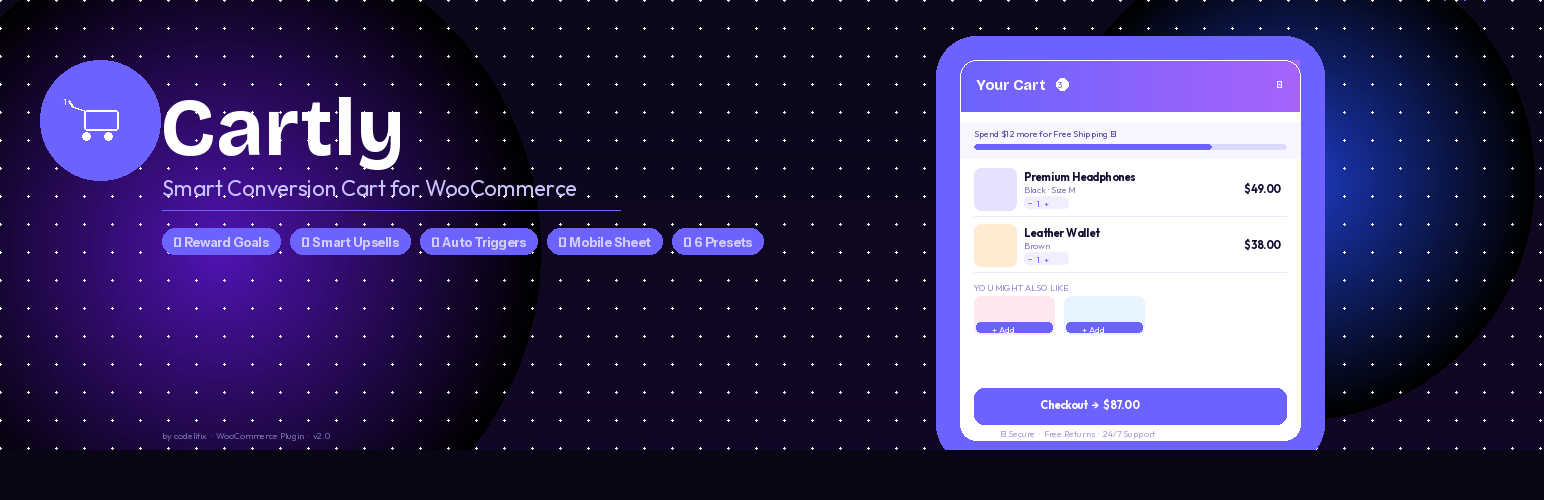
DeftCoders – Cartly Ajax Side Cart for WooCommerce 為您的 WooCommerce 商店增添現代化的滑動購物車抽屜,顧客可以即時查看和編輯購物車內容,無需重新加載頁面,提升結帳流程和轉換率。
【主要功能】
• 即時開啟購物車抽屜,無需頁面重載
• 可調整數量並即時更新小計
• 直接在抽屜內結帳按鈕
• 智能推薦相關產品
• 自訂免費運送進度條
• 支援各種優惠券類型
外掛標籤
開發者團隊
② 後台搜尋「DeftCoders – Cartly Ajax Side Cart for WooCommerce」→ 直接安裝(推薦)
原文外掛簡介
DeftCoders – Ajax Side Cart for WooCommerce adds a modern sliding cart drawer to your WooCommerce store.
Customers can view and edit their cart instantly without reloading the page, improving checkout flow and conversion rates. The cart drawer activates immediately after activation — no configuration required.
Perfect for:
WooCommerce stores looking for a better cart experience
Modern cart drawer UX
Mobile shopping
Faster checkout flow
AJAX Side Cart Drawer
Opens instantly when a product is added to cart — no page reload
Quantity controls with live subtotal update
Remove items without leaving the page
Direct checkout button inside the drawer
“View Cart” and “Continue Shopping” buttons in footer
Live cart item count badge on the floating button
Swipe to close on mobile
Sticky Add-to-Cart Bar
Appears on single product pages when the native Add to Cart button scrolls above the viewport
Shows product thumbnail, name, price, optional quantity selector, and Add to Cart button
Clicking adds to cart and immediately opens the drawer
Variable products display a “Select Options” link that scrolls to the native form
Fully configurable — enable/disable, custom button text, show/hide quantity
Smart Upsell Engine
Related product suggestions powered automatically by WooCommerce
Cross-sell products configured per product in WooCommerce
Same-category recommendations
Frequently Bought Together mode
One-click add to cart directly from inside the drawer
Optional sale/featured badges and star ratings
Configurable section title and card/row layouts
Multi-Tier Cart Goals
Up to 3 milestone goals on a visual progress track
Animated icon unlocks when each amount is reached
Progress message updates dynamically as items are added
Example: $50 → Free Shipping · $100 → Free Gift · $150 → 10% Off
Free Shipping Progress Bar
Fills as the customer adds items toward the threshold
Customizable messages with {amount} placeholder support
Animated success state when goal is reached
Behavior and Open Triggers
Auto-open on Add to Cart — recommended for highest conversion
Scroll trigger — opens after the customer scrolls a configurable percentage of the page
Delay trigger — opens automatically after a configurable number of seconds
Manual mode — floating button click only
Exit intent — opens when the cursor moves toward the browser address bar (desktop)
Countdown Urgency Timer
Three modes: Cart Reserved, Discount Expires, Free Shipping Ends
Configurable duration (minutes)
Resets each time the drawer opens
Colour-coded per mode
Coupons Inside the Cart
Collapsible coupon field in the cart footer
Apply and remove coupons without leaving the cart
Supports all standard WooCommerce coupon types
Visual Builder with Live Preview
6 fully designed style presets (Modern, Minimal, Dark, Glass, Gold/Luxury, Convert)
Full color controls: primary, secondary, background, text, button, shipping bar
Typography: font size, font weight, price font size
Layout: drawer width, border radius, shadow style
Custom CSS field
Mobile Experience
Bottom sheet layout on screens 600px and below — slides up from the bottom
Swipe down to close gesture
Floating button repositioned higher on mobile to avoid navigation overlap
Secure and Performant
Nonce verification on every AJAX request
Capability checks on all admin save and reset actions
All inputs sanitized, all outputs escaped
Minified CSS and JS in production
HPOS (High Performance Order Storage) compatible
WooCommerce Blocks compatible