內容簡介
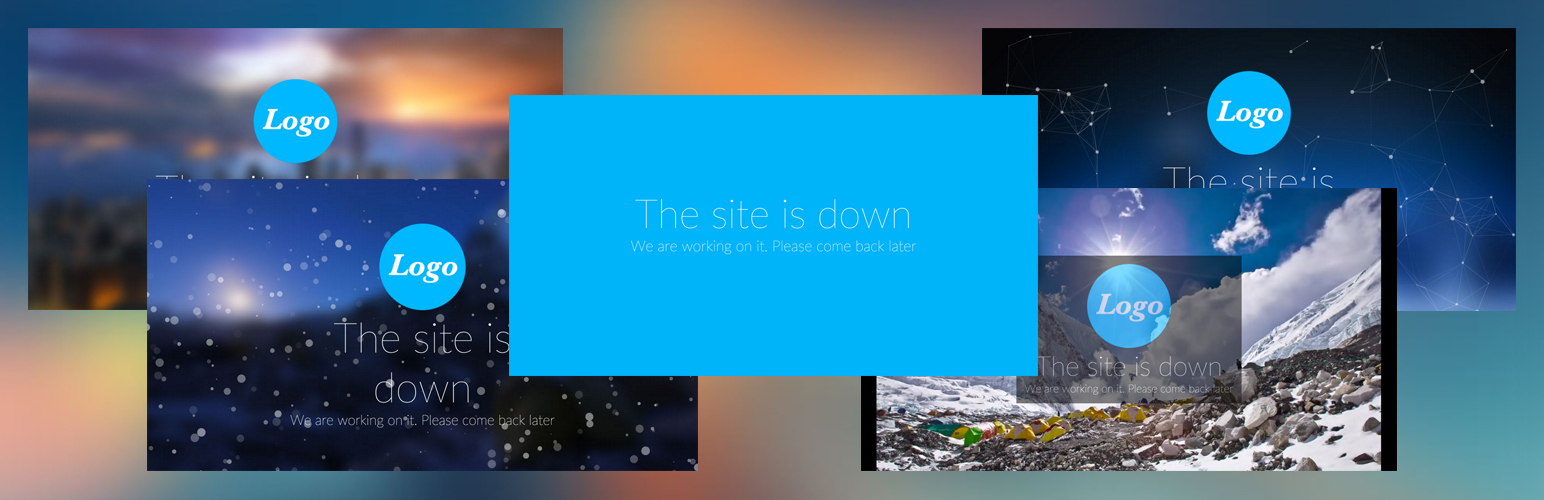
在 WordPress 網站託管期間,資料庫未回應是一個非常常見的問題。 DB Error Customizer 可以幫助您以專業的方式處理這個問題,而不是顯示一個空白頁面並顯示錯誤消息「Error establishing a database connection」。您不僅可以使用我們預定義的模板輕鬆自訂一個美觀的資料庫錯誤頁面,還可以告訴您的訪問者一切都在掌控之中。
高級支援
我們的團隊並不總是為 WordPress.org 上的 DB Error Customizer 外掛提供積極支援。單對單的電子郵件支援僅適用於購買 DB Error Customizer Premium 外掛的人。
請注意,DB Error Customizer Premium 外掛也有許多額外的功能,包括美觀的設計模板、動畫效果和自動電子郵件警報。這可能值得您的投資!
以下是 DB Error Customizer 的功能:
附帶基本的模板,並允許您自訂:
主訊息,以替換標準錯誤
主訊息下方的次要訊息
字型大小調整
字型顏色調整
背景顏色
在保存之前預覽自訂輸出
通知搜尋引擎錯誤頁面是暫時的(HTTP 500 內部伺服器錯誤標頭),不應將其緩存
自訂 DB 錯誤頁面
啟用 DB Error Customizer 後,您可以在「設定」>「DB Error Customizer」中使用此功能。以下是每個功能的說明:
模板:下拉式選單,供您選擇預先定義的模板。所選模板將解鎖其他不同的選項。(免費版本僅支援基本模板)
背景顏色:透過顏色選取器更改背景顏色。
字型顏色:透過顏色選取器更改主/次標題的顏色。
主題顏色:資料庫錯誤頁面的主標題。
主標題大小:主標題的大小。
次標題:資料庫錯誤頁面的次標題。
次標題大小:次標題的大小。
預覽:當您在儀表板底部按下「預覽」按鈕時,將在儀表板頂部出現一個訊息框,其中包含「預覽頁面已成功生成!點擊預覽以繼續。」的訊息。您可以按預覽鏈接啟動預覽頁面。
設定/更新 DB Error 頁面:當您在儀表板底部按下「設定/更新 DB Error 頁面」按鈕時,插件將保存您的設置並安裝此自定義資料庫錯誤頁面到您的 WordPress。當您的網站資料庫未回應時,此頁面將自動顯示給訪問者。
支援
請參考開發者網站 Centil Technology。如果您想提供反饋/聯繫我們或僅想給我們發電子郵件,請隨時通過 info[at]centil[dot]co 聯繫我們。
外掛標籤
開發者團隊
原文外掛簡介
Database not responding is a very common issue in hosting a WordPress website. Instead of showing a blank page with an error message Error establishing a database connection, DB Error Customizer helps you to handle it professionally. Not only you can easily customize a beautifully designed database error page using our predefined templates, it tells your visitors that everything is under control.
Premium Support
Our team does not always provide active support for the DB Error Customizer plugin on the WordPress.org. One-on-one email support is available to people who bought the DB Error Customizer Premium plugin only.
Note that the DB Error Customizer Premium plugin has many extra features too, including beautifully designed templates, animation effects and auto email alert. It might be well worth your investment!
Below are the features of DB Error Customizer:
Comes with basic templates and allows you to customize:
Main message to show your visitor, instead of standard error
Sub message below main message
Font size adjustment
Font color adjustment
Background color
Preview customized output before saving
Inform search engine that the error page is temporarily (HTTP 500 Internal Server Error header) and it should not cache it
Customize DB Error Page
After enabling DB Error Customizer, you can access it at Settings->DB Error Customizer. Below is description of each feature:
Template: Drop down option for you to select a predefined templates. The selected template will unlock different other options. (Free version only supports basic template)
Background Color: Change background color via color picker.
Font Color: Change main/sub title color via color picker.
Main Title: The main title of database error page.
Main Title Size: The size of main title.
Sub Title: The sub title of database error page.
Sub Title Size: The size of sub title.
Preview: When you press Preview button at the bottom of dashboard, a message box will apear at the top of dashboard with message Preview page generated successfully! Click Preview to proceed. You can press the Preview link to launch the preview page.
Setup/Update DB Error Page: When you press Setup/Update DB Error Page button at the bottom of dashboard, the plugin will save your settings and install this customized database error page to your WordPress. The page will automatically show up to visitor when your website’s database does not respond.
Support
Please refer the developer’s site at Centil Technology. If you would like to provide feedback/contact or just drop us an email, please feel free to contact us at info[at]centil[dot]co