內容簡介
安裝外掛後,您的管理員頁面將會顯示一個名為「GAPlugin」的新選單。
此選單內將包含一個「Darkmode」菜單。
在此處,您將能夠啟用一個影響網站主體的測試。
您可以修改您的 CSS(層疊樣式表)來管理您的深色主題:
- 對於淺色主題:使用 :root
- 對於深色主題使用 [data-theme=”dark”]
您可以在測試模式中查看如何使用它。
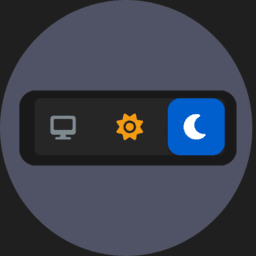
您只需在主題中使用縮略語即可顯示深色模式的複選框。
這是縮略語:[GAP-darkmode]
享受吧!
觀看我網站:GautierAntoine.com
外掛標籤
開發者團隊
📦 歷史版本下載
原文外掛簡介
After installing the plugin.
You’ll have a new menu in your admin page “GAPlugin”.
It will have a “darkmode” menu.
Here you’ll be able to activate a test affecting the body of your website.
You’ll be able to modify your CSS (Cascade Style Sheet) to manage your darktheme:
– for the light theme :root
– for the dark theme [data-theme=”dark”]
You can take a look in the test mode to see how to use it.
You just have to use the shortcode in your theme to display the checkbox for the darkmode.
Here is the shortcode to use: [GAP-darkmode]
Enjoy !
Take a look at my website GautierAntoine.com