內容簡介
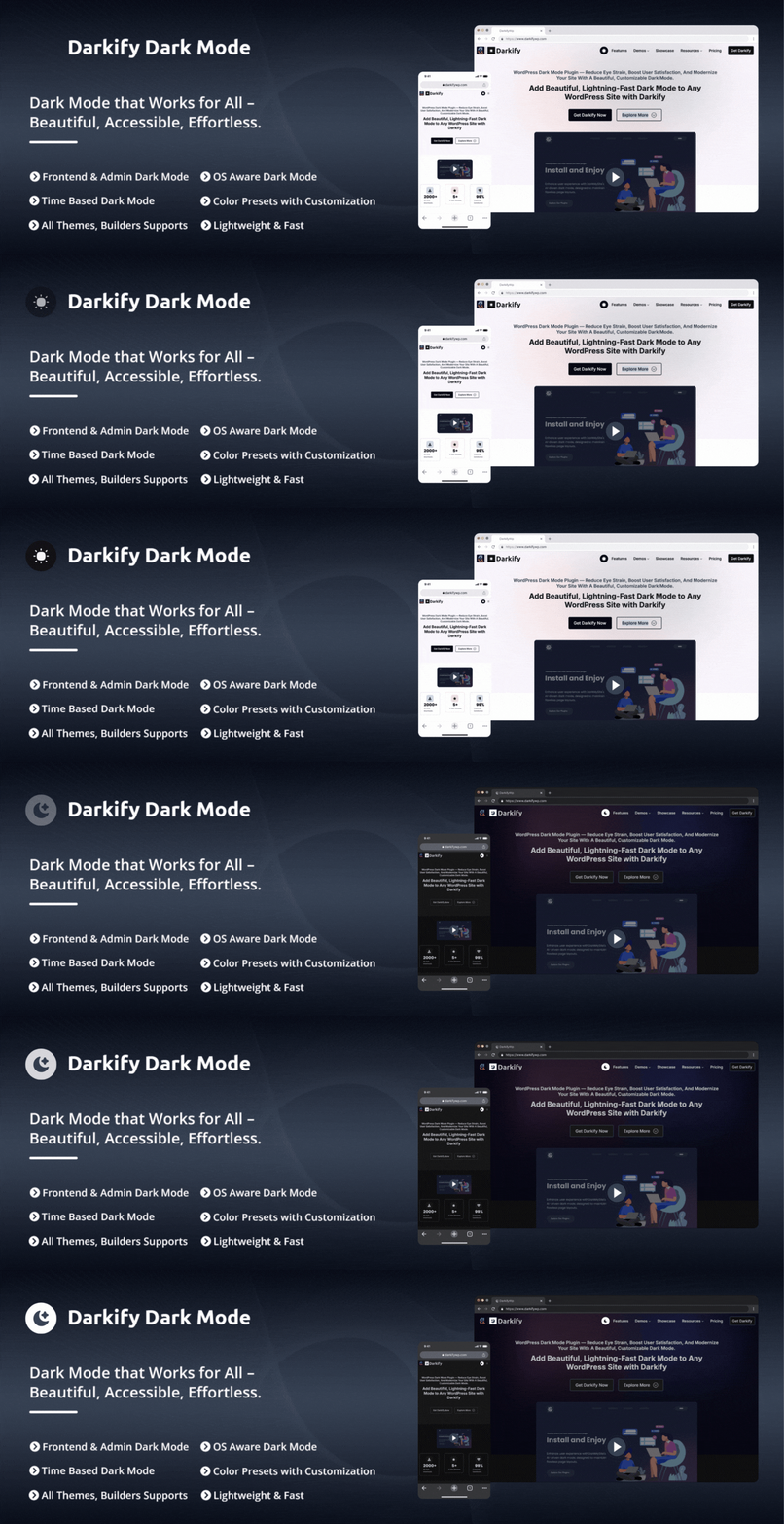
Darkify 是一款為 WordPress 網站與管理後台提供深色模式和夜間模式的外掛。訪客可以輕鬆切換亮色與深色主題,網站擁有者則可控制深色模式的行為,提升使用者體驗。
【主要功能】
• 前端深色模式切換
• 管理後台深色模式支援
• Gutenberg 和 Classic Editor 的專屬深色模式
• 時間排程與鍵盤快捷鍵
• 自訂深色模式顏色與切換
• 無需修改主題檔案
外掛標籤
開發者團隊
② 後台搜尋「Darkify – Dark Mode & Night Mode for Website & Admin (Dark Theme Included)」→ 直接安裝(推薦)
📦 歷史版本下載
原文外掛簡介
Darkify adds WordPress Dark Mode and Night Mode to both the website frontend and the WordPress admin dashboard. Visitors can switch between light and dark themes using a toggle, while site owners control how dark mode behaves across the frontend, admin panel, and editors.
Darkify supports frontend dark mode, admin dashboard dark mode, and editor-specific dark mode for Gutenberg (Block Editor) and the Classic Editor. It includes OS-aware detection, default dark mode, time-based scheduling, keyboard shortcuts, and multiple toggle placement options. Designed for performance and compatibility, Darkify works seamlessly with popular WordPress themes, page builders, and WooCommerce — without modifying theme files or requiring custom code.
Site owners can customize dark mode colors, switches, media handling, and element visibility. Darkify also provides controls for images, videos, scrollbars, mobile behavior, and page or element-level targeting to ensure dark mode integrates cleanly with different themes, builders, and layouts.
How Darkify Works
Darkify applies dark mode styling using configurable rules rather than modifying theme files. You can enable dark mode globally or limit it to specific areas, pages, posts, or elements. Settings can be adjusted from a centralized admin panel and reused across different sites using import and export tools.
Darkify is designed to work with popular WordPress themes, page builders, and multisite installations, allowing dark mode to be configured without requiring custom code.
Why Choose Darkify?
✔ Dark mode for frontend and admin dashboard
✔ Works with Gutenberg, Elementor, and popular builders
✔ OS-aware, scheduled, and manual switching
✔ Lightweight and performance-focused
✔ No theme modification required
Live Demo | Support | Documentation | Upgrade to Pro!
Key Features of Darkify Dark mode Plugin
Frontend Dark Mode: Enable dark mode on the public-facing website and allow visitors to switch between light and dark themes using a toggle.
Admin Dashboard Dark Mode: Apply dark mode to the WordPress admin area to provide a darker interface while managing site content and settings.
Editor-Specific Dark Mode: Enable dark mode independently for the WordPress Admin Panel, Block Editor (Gutenberg), and Classic Editor — darken the editor while the rest of the dashboard stays light, or the other way around.
Admin & Editor Color Presets: Choose a color preset for the WordPress admin and a separate one for the Block Editor. Both default to Auto, which derives a shade for every color on screen rather than forcing one background and one text color — so admin screens added by other plugins come out readable without being configured first.
Default Dark Mode: Load the website in dark mode by default while allowing visitors to switch back to light mode at any time.
OS-Aware Dark Mode: Detect the visitor’s operating system preference and automatically apply light or dark mode accordingly.
Time-Based Dark Mode: Schedule automatic switching between light and dark mode based on a defined time range.
Keyboard Shortcut: Allow users to toggle dark mode with a keyboard shortcut. Ctrl + Alt + D works out of the box, and you can record any key combination you prefer instead.
Multiple Floating Switch Designs: Choose from 5 floating switch styles — 16 in total with Pro — and pick the screen corner it sits in, with its own margin controls.
Switch Attention Effect: Enable an animation on the floating switch to draw visitor attention. Choose from multiple effect styles including Pulse to highlight the toggle without being intrusive.
Customizable Switch: Adjust the switch size, colors, icons, and styling to match the site’s design.
Switch in Menu: Insert the dark mode toggle into selected WordPress navigation menus.
Shortcode Switch: Place the dark mode toggle anywhere on the site using a shortcode, including pages, posts, widgets, or templates. Style it independently of the floating switch, or reuse the global settings.
Dark Mode Gutenberg Block: Instantly add a sleek dark mode toggle to any post or page using the Gutenberg block. Place it anywhere and give your visitors full control over their viewing experience.
Per-Block Switch Styling: Set the switch style, size, background, icon color, text color, border, corner radius, and alignment for each block directly inside the Gutenberg editor.
Dark Mode Elementor Widget: Seamlessly insert a customizable dark mode switch into any Elementor layout. Design it your way and match it perfectly with your site’s style.
Dark Mode Widget Support: Easily enable dark mode for WordPress widgets and keep your entire site visually consistent—no extra setup, no hassle.
Multiple Switch Placement Options: Display the dark mode toggle as a floating button, menu item, shortcode, or by targeting a custom CSS selector.
Mobile-Specific Controls: Control switch visibility, position, spacing, and behavior separately for mobile devices.
Color Presets & Customization: Choose from 5 predefined dark color presets — 11 in total with Pro — or manually configure background, text, link, and UI colors.
Dark Mode Scrollbar Styling: Optionally apply dark styling to browser scrollbars for a more consistent dark interface.
Advanced Image Control: Adjust image brightness, contrast, and grayscale settings to improve image visibility in dark mode.
Video Control: Modify video brightness and grayscale settings to better match dark mode layouts.
Element-Level Control: Include or exclude specific HTML elements, tags, classes, or IDs from dark mode styling.
Iframe Dark Mode: Keep embedded content in step with the active theme. Same-origin iframes are styled directly, and cross-origin embeds are notified of theme changes so they can follow along.
Live Preview: See your own site with your unsaved settings applied, right beside the settings — with desktop and mobile views, a refresh control, and a full screen mode.
Settings Search: Press Ctrl+K (Cmd+K on macOS) to jump straight to any setting from anywhere in the panel, without hunting through tabs.
Reset to Defaults: Restore a single section or every setting at once, each behind a confirmation step.
Settings Backup & Restore: Export plugin settings to a file and import them on another site or restore them later.
Clean Uninstall Option: Optionally remove plugin settings and data from the database when uninstalling the plugin.
Page Builder Compatibility: Compatible with popular page builders such as Elementor, Divi, WPBakery, Beaver Builder, Visual Composer, and Oxygen.
Easy Settings Panel: Manage every feature from one modern, centralized settings panel in the WordPress admin area — organized into clear sections, usable on phones and tablets, with instant saves and clear success and error messages.
Multisite Support: Configure dark mode settings for WordPress multisite networks, globally or per site.
Multilingual Ready: Translation-ready and compatible with multilingual WordPress setups.
Theme Compatibility: Designed to work with most WordPress themes without requiring theme-specific modifications.
Developer-Friendly: Provides a structured and extensible codebase that developers can customize using hooks and filters.
Cross-Browser Compatibility: Designed to work across modern browsers such as Chrome, Firefox, Safari, Edge, Opera, etc.
Documentation & Support: User guides, tutorials, and support are available through documentation and the WordPress.org support forums.
Full Features & Setup Guide
How to Add Dark Mode in Gutenberg (WordPress Block Editor)
How to Add Dark Mode in Elementor
Page Builder Compatibility
Gutenberg
WPBakery
Elementor
Beaver Builder
SiteOrigin
Divi
LayersWP
MotoPress
Cornerstone
Themify Builder
Spectra
Visual Composer
Brizy
Oxygen Builder
CoBlocks
GreenShift
Bricks Builder
JetEngine (Crocoblock ecosystem)
…and more
Compatible Themes (examples)
Hello Elementor
Astra
Divi
Kadence
Themify Ultra
OceanWP
Hestia
Inspiro
GeneratePress
Avada
Blocksy
Neve
Betheme
The7
Flatsome
BuddyBoss
Spacious
Responsive
Customizr
ColorMag
Phlox
Photograph
Sydney
Enfold
Uncode
Salient
Jupiter X
X Theme
Newspaper
Block Theme
…and more
↔ Slider Compatibility
Darkify is fully compatible with the most popular WordPress slider plugins:
Slider Revolution
Smart Slider 3
LayerSlider
MetaSlider
Soliloquy
Master Slider
RoyalSlider
Swiper (Theme-integrated sliders)
Owl Carousel–based sliders
Slick Slider integrations
Kadence Slider
Elementor Slides Widget
Divi Slider Module
Avada Slider (Fusion Slider)
Block Editor Slider Blocks
Ultimate Addons Slider Modules
…and more
WP Dashboard Dark Mode (examples)
Fluent SMTP
Fluent Forms
Fluent CRM
Ninja Tables
Fluent Booking
Fluent Snippets
Fluent Cart
WP Social Ninja
FluentAuth
PRO VERSION FEATURES
🎨 Design & Customization Options
16+ Floating Switch Designs
Choose from a diverse collection of floating switch styles to perfectly match your website’s look and feel.
Draggable Switch Positioning
Allow users to move the floating dark mode switch anywhere on the screen. This drag-and-drop flexibility ensures convenient access from any page or section.
Special Color Preset Customization
Customize your dark mode theme with advanced color settings. Change link colors, border colors, form field styling, and button appearances to align with your brand identity.
Custom CSS for Dark Mode
Add custom CSS styles that apply only in dark mode. This gives developers and designers complete control for fine-tuning the dark theme experience.
🖼️ Media Handling
Image Inversion
Automatically invert specific images for better visibility in dark mode. Improve both aesthetics and accessibility without needing to edit the original assets.
Image Replacement
Seamlessly replace specific images with dark-mode-optimized versions. Perfect for logos, banners, or illustrations that need a customized look in night mode.
Video Replacement
Automatically swap videos with dark-friendly versions to maintain a consistent design across your website’s visual elements.
🔧 Advanced Visibility Controls
Allow / Disallow Elements
Fine-tune your dark mode display by selecting which HTML elements or sections should use dark mode styling—and which should not.
Allow / Disallow Pages
Choose which individual pages display dark mode. Exclude landing pages, checkout flows, or any special content for a fully tailored user experience.
Allow / Disallow Posts
Decide which specific posts support dark mode. Maintain full editorial control over how your content appears across different post types.
External services
Darkify uses the Appsero SDK to collect some telemetry data upon the user’s confirmation. This helps us troubleshoot problems faster and make product improvements.
Appsero SDK does not gather any data by default. The SDK only starts gathering basic telemetry data when a user allows it via the admin notice. We collect the data to ensure a great user experience for all our users.
Integrating the Appsero SDK DOES NOT IMMEDIATELY start gathering data, without confirmation from users in any case.
If you decline the notice, the SDK sends one anonymous request recording that telemetry was declined — it contains a random site identifier only, and no data about you, your site or your visitors. Nothing further is sent, and the weekly telemetry schedule is never started.
Learn more about how Appsero collects and uses this data.
Third-Party Libraries
Darkify bundles Dark Reader (https://github.com/darkreader/darkreader), which renders dark mode in the WordPress admin. It is licensed under the MIT License, which is compatible with this plugin’s GPLv2-or-later license. The full copyright and permission notice is included at the top of both src/assets/js/vendor/darkreader.js and the minified build produced from it.
Dark Reader runs entirely in the browser on the pages you are already viewing. It makes no network requests of its own and sends nothing anywhere — it is a bundled library, not an external service.
OTHER AMAZING PRODUCTS FROM ThemeAtelier
➡️ ChatHelp – WhatsApp Chat Help Plugin – A flexible WhatsApp chat plugin that helps website visitors start instant conversations with you directly from your WordPress site.
➡️ Eventful – Events Showcase and Filter Bar for The Events Calendar – An event display plugin for The Events Calendar that helps you showcase events in clean, modern, and fully responsive layouts without any coding.
➡️ Greet – Video Bubble Warm Welcome Plugin – A video welcome bubble plugin that helps you greet visitors warmly and provide quick contact options to boost engagement.
➡️ Domain For Sale – A domain listing and offer management plugin that helps you list domains, collect buyer offers, and manage secure sales with escrow payments directly from WordPress.
➡️ Eventful for Elementor – Events Showcase For The Events Calendar and Elementor – An Elementor addon for The Events Calendar that lets you design and display events using Elementor widgets with advanced, responsive layouts.
➡️ Better Chat Support For Messenger – A Facebook Messenger chat plugin that allows visitors to contact you instantly through Messenger with customizable chat bubbles.