
內容簡介
Link Manager 是一款 WordPress 外掛,提供網站內部連結結構的可視化,評估內容的連結權重,並自動將關鍵字轉換為連結,幫助用戶優化網站的連結策略。
【主要功能】
• 內部連結與外部連結的專屬報告儀表板
• 互動式連結圖,顯示網站連結結構
• 連結權重分析,評估優化狀態
• 自動關鍵字連結創建,具細緻的目標設定
• 每篇文章的連結統計直接顯示在列表中
• 支援 CSV 格式導出報告
外掛標籤
開發者團隊
② 後台搜尋「Link Manager – Analyze, Automate, and Monitor Links」→ 直接安裝(推薦)
📦 歷史版本下載
原文外掛簡介
Link Manager is a WordPress plugin that gives you visibility into your internal linking structure, estimates link equity across your content, and automatically converts keywords into links.
The plugin adds to WordPress the following features:
A Dashboard with dedicated reports for internal links, external links grouped by domain, and automatic links
An interactive Link Graph that displays the link structure of your website
Link equity analysis
An algorithm that evaluates the internal links optimization status
Link statistics for each post directly in the WordPress post listing
Automatic keyword-based link creation with granular targeting and matching options
Export of automatic link rules, categories, and target groups
Pro Version
A Pro Version is also available with additional features, including:
Broken link monitoring with HTTP status code checking
Click tracking for every link on your site, automatic or manual, internal or external
Internal links suggestions in the post editor, scored by title overlap, categories, tags, and post type
A custom link equity value for each post, configurable in the post editor
Bulk creation of automatic link rules from a spreadsheet
Exportable reports in CSV format for dashboard statistics, link equity, click tracking, and broken links
Import of plugin data from XML files
Bulk deletion of auto link rules, categories, target groups, and tracked clicks
Access control to configure which user roles can access each plugin menu and editor panel
Monitor your links
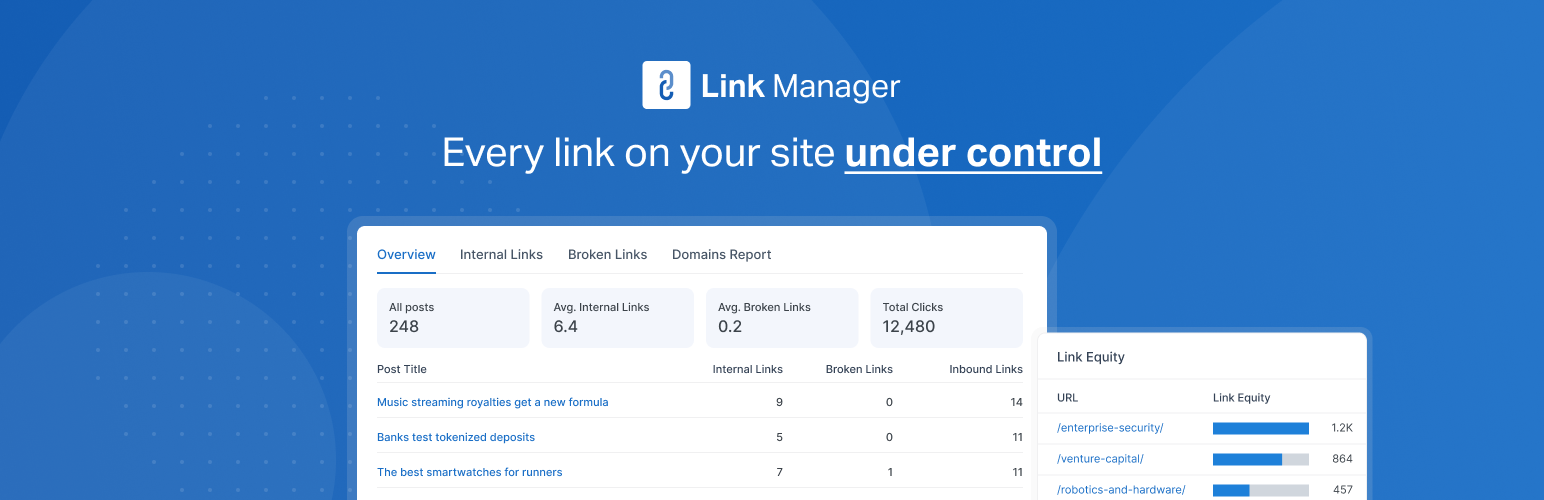
Keep track of the links in your content with the Dashboard menu, organized in dedicated tabs:
Overview – Every post with its content length, internal links, automatic links, and inbound internal links
Internal Links – The manual and automatic internal links of each post, its inbound internal links, and its optimization status compared with the recommended number of internal links
Automatic Links – The number of automatic links applied to each post
Domains Report – Every external domain your content links to, with the posts and the links that point to each domain
The filter and search tools let you quickly find specific posts or sort the data by any available metric.
Visualize your link structure
The Link Graph tab of the Dashboard displays your content as an interactive graph, with posts as nodes and internal links as connections. Size the nodes by link equity or number of links, color them by post type or optimization status, and use the filters to isolate orphan posts, heavily linked pages, or the main cluster of connected content.
Review link statistics in the post listing
The Link Stats column displays the number of inbound internal links, outbound internal links, and outbound external links of each post directly in the WordPress post listing, so you can review your content without leaving the Posts or Pages screen.
Calculate the link equity
Visit the Link Equity menu to receive an estimate of the link equity for all the URLs linked in your content.
Use this information to improve the distribution of link equity across your site, strengthen your most important pages, or improve the SEO performance of your product pages.
Automate keyword-based linking
Define a keyword and a target URL once, and the plugin automatically converts every matching occurrence into a link across your eligible content. You can restrict each rule to specific post types, categories, or tags, and configure advanced keyword boundary and matching options to control exactly which occurrences are converted.
Optimize the number of internal links
Receive information about the optimization status of your internal links while editing a post with the Internal Links Optimization panel. The panel compares the current number of internal links against a recommended range calculated from the post’s content length.
Customize the plugin behavior
Use the Settings menu to control how the plugin analyzes your content, configure the automatic links algorithm, set default rule values, configure the Link Graph, and adjust technical parameters such as PHP memory limits and the maximum number of analyzed posts. These options help support larger websites.