
內容簡介
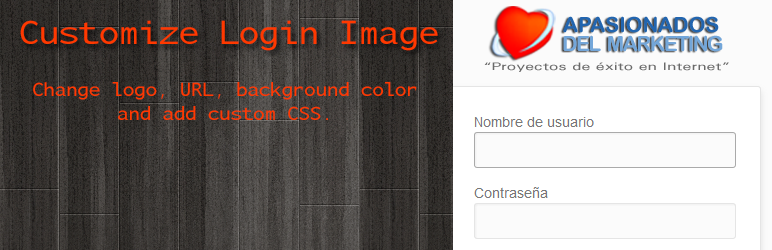
此外掛允許您自訂 WordPress 登入畫面的圖像和外觀。您可以更改: 徽標、徽標的鏈接和背景顏色。
這裡有三個我們喜歡的功能:
1) 如果沒有上傳徽標,預設的 WordPress 徽標會顯示。
2) 您可以上傳 PNG 格式的自訂徽標到 WordPress 上傳資料夾(您只需將其命名為 customize-login-image.png),並且如果沒有設置徽標的 URL 或未上傳徽標,插件將查看此檔案是否存在並使用它。
3) 您可以將插件翻譯成自己的語言。到目前為止,英語和西班牙語翻譯已經包括在其中。只需翻譯/lang/資料夾中的.po檔案即可。
4) 您可以選擇是否在登入畫面上顯示伺服器IP和/或伺服器主機名稱。
我可以使用此外掛來做什麼?
您可以為登入畫面上傳自定義圖像,並指定連接到徽標的鏈接。預設情況下,您將被重新導向到您網站的主頁。
您還可以為登入畫面設置自訂背景顏色。在版本 3.5 之前,您還可以添加自己的 CSS,但根據更新的 WordPress 外掛安全規範,現在已經不可能實現此功能。
您可以選擇是否在登入畫面上顯示伺服器IP和/或伺服器主機名稱。當更改 WordPress 安裝的伺服器時,我們認為這是非常有用的。如果您啟用了兩個複選框,您將立即知道是否在正確的伺服器上登錄。
此外掛的創意來自於什麼?
我們一直在使用 WordPress 外掛 Customize Admin 但我們不喜歡預設的徽標是 VanderWikj Consultancy logo(vanderwijk.png)這導致我們在更新客戶網站時出現問題,因為這個徽標顯示在他們的登入畫面上。這使他們誤以為他們的安裝出現了問題。我們不喜歡這個外掛的另一個設置,我們只希望插件更改登入外觀而已。
這就是為什麼我們決定創建一個新的外掛,它不具備我們在使用 Customize Admin 時發現的這兩個問題。儘管如此,這是 Johan van der Wijk 的一個很棒的工作。
用您的語言自定義登入圖像外掛!
此首次發布版本提供英語和西班牙語。在 /lang/ 資料夾中,我們已經包括了翻譯此外掛所需的檔案。
如果您希望以自己的語言使用此外掛並且擅長翻譯,請在聯絡我們。
進一步閱讀
您可以在此處以西班牙語訪問此外掛的描述:Customize Login Image en español。
聯絡
欲瞭解更多信息,請發送電子郵件至此處。
外掛標籤
開發者團隊
原文外掛簡介
This plugin allows you to customize the image and the appearance of the WordPress Login Screen. You can change: The logo, the link of the logo and the background color.
There are three features we love:
1) If no logo is uploaded, the default WordPress logo is shown.
2) You can upload your own logo in PNG format to the WordPress UPLOADS folder (you just have to name it customize-login-image.png) and if no URL for the logo was set or no logo was uploaded, the plugin looks if this file exists and uses it.
3) You can translate the plugin into your own language. So far English and Spanish translations are included. Just translate the .po file in the /lang/ folder.
4) You can choose if you want to show the server IP and/or server hostname on the login screen.
What can I do with this plugin?
You can upload a custom image for the login screen and specify the link attached to the logo. By default you are redirected to the homepage of your site.
You can also set a custom background color for the login screen. Until version 3.5 you could also add your own CSS now this is not possible following the updated WordPress Plugin Security guidelines.
You can choose if you want to show the server IP and/or server hostname on the login screen. We find this extremly useful when changing the server of a WordPress installation. If you activate both checkboxes you will know inmediately if you are login in on the correct server.
What ideas is this plugin based on?
We had been using the WordPress plugin Customize Admin but we didn’t like that the default logo was the VanderWikj Consultancy logo (vanderwijk.png). This has been causing us problems with customers when updating their sites and this logo displaying on their login screen; because they though that something was wrong with their installation. Another thing we didn’t like about this plugin was the other settings it included; we want a plugin to change the login appearance and only that.
This is why we decided to create a new plugin that doesn’t have the two issues we found while using Customize Admin. Nervertheless it is a freat work from Johan van der Wijk.
Customize Login Image Plugin in your Language!
This first release is avaliable in English and Spanish. In the “lang” folder we have included the necessarry files to translate this plugin.
If you would like the plugin in your language and you’re good at translating, please drop us a line at Contact us.
Further Reading
You can access the description of the plugin in Spanish at: Customize Login Image en español.
Contact
For further information please send us an email.














