內容簡介
Content Blocks 外掛可以透過捷徑在 widget 或內容區域中顯示特定自訂文章的內容。
雖然您可以使用 WordPress 預設的文字 widget 來顯示內容,但使用本外掛有以下幾點優勢:
Content Blocks 外掛可以使用所見即所得 (WYSIWYG) 編輯器來編輯內容並添加圖片。
如果您使用標準的 WordPress 文字 widget 來在模板的各個區域中顯示內容,則這些內容只能由擁有管理員權限的使用者編輯。如果您希望非管理員帳戶可以修改 widget 內容,您可以使用本外掛,讓他們可以訪問提供 widget 內容的自訂文章。
您甚至可以使用「特色圖片」功能來在 widget 中顯示圖片。
Content Blocks 外掛與 WPML 多語言外掛相容,並會自動顯示正確的語言於 widget 區域。
Content Blocks 可以使用內建的捷徑功能將其包含在文章和頁面中。
此外掛建立了一個名為「content_block」的自訂文章類型。您可以選擇在頁面上顯示標題,或使用它來描述內容塊的內容和 widget 位置。請注意,這些內容塊只能在頁面上下文中顯示。我將「public」=> false 添加到自訂文章類型中,這意味著它無法在頁面上下文之外訪問。
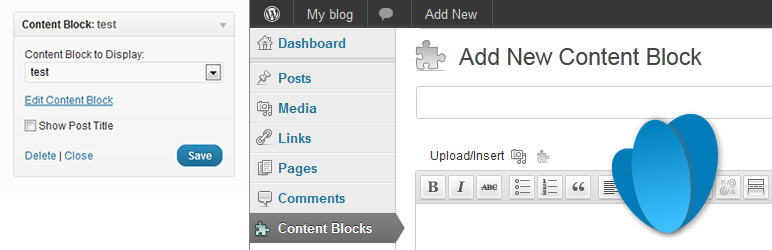
要將內容添加到 widget 中,請將其拖放到側邊欄中所需的位置,然後在 widget 配置中選擇自訂文章的標題。
包括以下翻譯:
由 Andreas Larsson 翻譯的瑞典語 (sv_SE)
由 IBIDEM GROUP 翻譯的西班牙語 (es_ES)
由 Ronaldo Chevalier 翻譯的葡萄牙語 (pt_BR)
由 Kuba Skublicki 翻譯的波蘭語 (pl_PL)
由 Johan van der Wijk 翻譯的荷蘭語 (nl_NL)
由 Martin Kucera 翻譯的捷克語 (cs_CZ)
歡迎提供更多的翻譯!
外掛標籤
開發者團隊
② 後台搜尋「Content Blocks (Custom Post Widget)」→ 直接安裝(推薦)
📦 歷史版本下載
原文外掛簡介
The Content Blocks allows you to display the contents of a specific custom post in a widget on in the content area using a shortcode.
Even though you could use the text widget that comes with the default WordPress install, this plugin has some major benefits:
The Content Blocks plugin enables users to use the WYSIWYG editor for editing the content and adding images.
If you are using the standard WordPress text widgets to display content on various areas of your template, this content can only be edited by users with administrator access. If you would like non-administrator accounts to modify the widget content, you can use this plugin to provide them access to the custom posts that provide the content for the widget areas.
You can even use the featured image functionality to display them in a widget.
The Content Blocks plugin is compatible with the WPML Multi-Language plugin and automatically shows the correct language in the widget area.
The Content Blocks can be included in posts and pages using the built-in shortcode functionality.
This plugin creates a ‘content_block’ custom post type. You can choose to either display the title on the page or use it to describe the contents and widget position of the content block. Note that these content blocks can only be displayed in the context of the page. I have added ‘public’ => false to the custom post type which means that it is not accessible outside the page context.
To add content to a widget, drag it to the required position in the sidebar and select the title of the custom post in the widget configuration.
Includes the following translations:
Swedish (sv_SE) by Andreas Larsson
Spanish (es_ES) by IBIDEM GROUP
Portuguese (pt_BR) by Ronaldo Chevalier
Polish (pl_PL) by Kuba Skublicki
Dutch (nl_NL) by Johan van der Wijk
Czech (cs_CZ) by Martin Kucera
More translations are very welcome!