
內容簡介
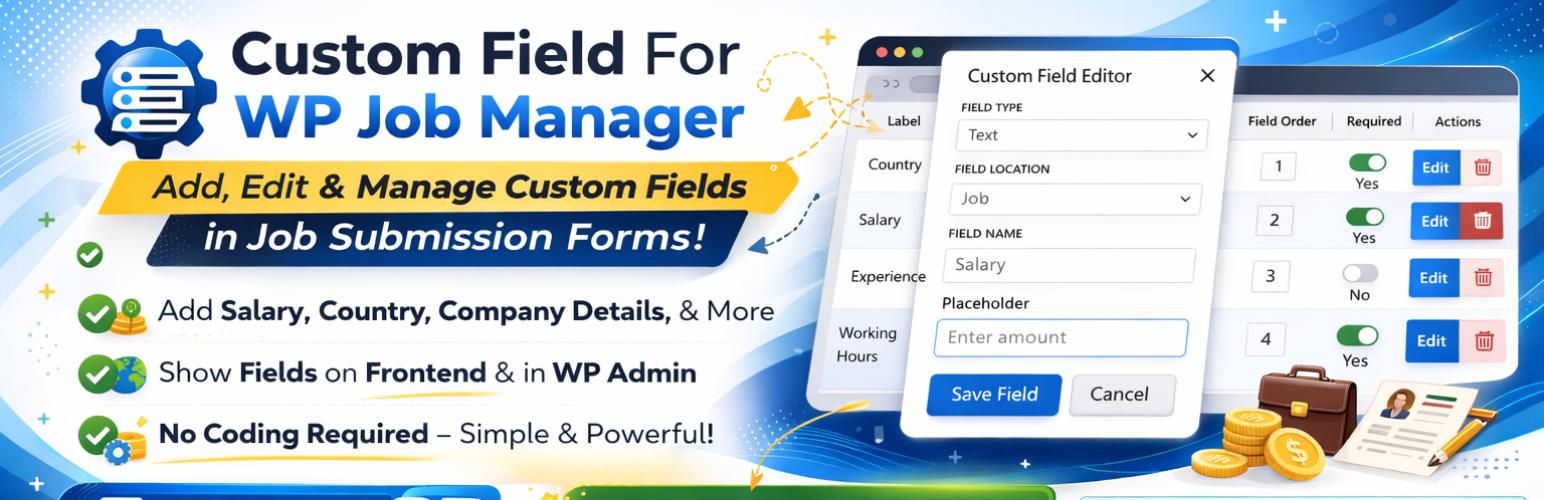
Extra Field For WP Job Manager 可以讓您快速且輕鬆地將自訂欄位新增至 WP Job Manager 頁面的管理員和前端。您只需要透過我們的啟動管理員頁面在WP Job Manager中添加您想要的欄位名稱即可。
示範 | Pro 版本 | 支援
例如,如果您需要在 WP Job Manager 中新增薪資欄位,您可以在 WP Job Manager 中的自訂欄位中新增。
WP Job Manager 新增新欄位外掛程式為您提供一種在後端和前端設定欄位的簡單方式,您可以使用該外掛程式在您的網站上進行配置。它也可以作為 WP Job Manager 欄位編輯器。
WP Job Manager 欄位編輯器可以在 Custom Field For WP Job Manager 中的欄位名稱和佔位符上新增欄位操作。
通常,您可以透過代碼來新增自訂欄位,但是透過 Extra Field WP Job Manager 的使用最多的是此外掛程式。
您可以在 WP Job Manager 中編輯工作提交欄位,以使用 WP Job Manager 欄位編輯器。
功能
✅ 僅點擊即可安裝
✅ 在 WP Job Manager 中支援文字、文字區和欄位類型
✅ 工作提交欄位在新增欄位中支援
✅ 工作管理員欄位在編輯和更新欄位中支援
✅ 選項可選擇是否保留必填或非必填
✅ 易於使用
✅ 自動顯示欄位於單一的工作頁面上
✅ 支援 shortcode [cm_fieldshow key=’_field_cfwjm13′ job_id=’15’]
PRO 版本功能
✅ Select、Multi Select、Radio、Checkbox、Date、File、WPEditor 也可用
✅ 可使必填欄位
如何使用 Custom Field For WP Job Manager 簡碼
[cm_fieldshow key=’_field_cfwjm13′ job_id=’15’] 在該「key」是必要的,如果您沒有添加「job_id」,則會使用預設的工作文章 ID。
如何使用 Custom Field For WP Job Manager
進入 Custom Field For WP Job Manager 中的管理員 > 選擇新增欄位,只需添加欄位名稱,即可在前端和後端 WP Job Manager 欄位中自動顯示文字欄位,以在工作列表中添加自訂欄位。
外掛標籤
開發者團隊
② 後台搜尋「Custom Field For WP Job Manager」→ 直接安裝(推薦)
原文外掛簡介
Custom Field For WP Job Manager is a powerful, lightweight, and SEO-friendly field editor designed to give you full control over your job board’s submission forms. Whether you need to add a “Salary Range,” “Working Hours,” or “Required Experience,” this plugin makes it possible in seconds.
Why use this plugin?
Adding custom fields usually requires complex PHP coding and hooks. This plugin automates that entire process. It is built to be “developer-friendly” but “beginner-easy.” It uses standard WP Job Manager filters (submit_job_form_fields) to ensure 100% compatibility with your theme and other add-ons.
Essential Links
🌐 Live Demo
⚡ Upgrade to Pro
🛠️ Priority Support
Features
🛠️ 13+ Supported Field Types
Create a truly unique job board with a wide variety of input types:
* Text & Textarea: Perfect for titles, descriptions, or short notes.
* Number & Range: Ideal for salaries or percentage scales. (Pro)
* Email, URL, & Telephone: Capture contact info with built-in validation. (Pro)
* Select & Multiselect: Create dropdowns for categories or skill sets. (Pro)
* Radio & Checkboxes: Quick options for job types or “Agree to Terms.” (Pro)
* File Uploads: Allow candidates to upload resumes or portfolios. (Pro)
* WP Editor: Enable the full WordPress Rich Text Editor for long descriptions. (Pro)
⚙️ Per-Field Advanced Settings
Every field you create comes with a suite of customization options:
* Custom Placeholders: Guide your users on what to type.
* CSS Classes: Easily style fields to match your theme’s design.
* Input Constraints: Set Minimum, Maximum, and Step values for numeric data.
* Visibility Control: Toggle visibility for “Frontend Forms” vs “Admin Meta Boxes.”
* Custom Output: Use {label} and {value} placeholders to display data exactly how you want on the listing page. (Pro)
How It Works
Create: Go to the “Form Customizer” tab in your WP Admin.
Configure: Click “Add Field,” choose your type (e.g., Number), and set it as “Required.”
Display: The field automatically appears on your frontend job submission form.
View: Once submitted, the data is displayed on the single job listing page using your custom format.
Shortcode
You can display any saved custom field anywhere on your site using our flexible shortcode:
[cm_fieldshow key="_field_cfwjm13" job_id="123"]
key: The meta key of your custom field (e.g., _field_salary).
job_id: (Optional) Provide a specific Job ID, or leave blank to auto-detect the current post.
Developer Notes
For developers looking to extend the plugin:
* Storage: Fields are stored as a Custom Post Type (wpjmcf).
* Meta: All settings are stored as post meta using the _cfwjm suffix.
* Hooks: We use the standard submit_job_form_fields filter