
外掛標籤
開發者團隊
② 後台搜尋「Custom Digits for Elementor Counter」→ 直接安裝(推薦)
原文外掛簡介
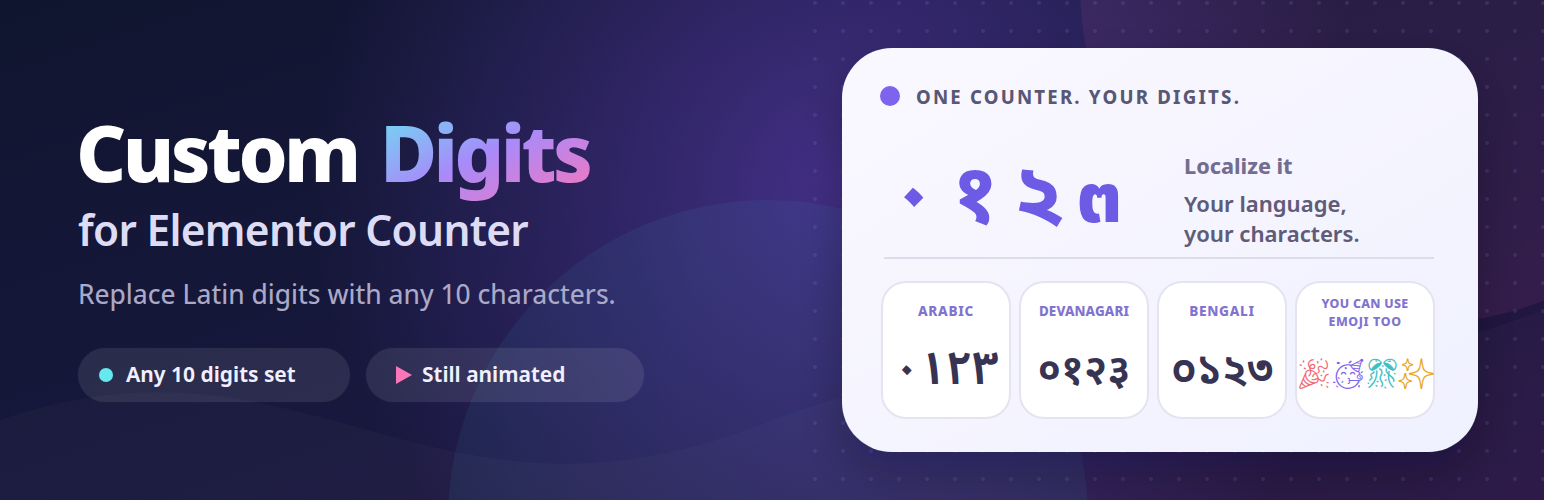
Elementor’s Counter widget always counts in Latin numerals — 1, 2, 3. This plugin adds a Custom Digits field to that widget so you can supply your own ten characters and have the counter display and animate with those instead.
It does not add a new widget. It extends the Counter widget you already use, so your existing layout, styling and animation settings are untouched.
Use your own numerals
Enter ten comma-separated characters, in order from zero to nine:
Arabic-Indic — ٠,١,٢,٣,٤,٥,٦,٧,٨,٩
Eastern Arabic-Indic — ۰,۱,۲,۳,۴,۵,۶,۷,۸,۹
Devanagari — ०,१,२,३,४,५,६,७,८,९
Bengali — ০,১,২,৩,৪,৫,৬,৭,৮,৯
Or any ten characters you like
No flash of Latin digits
The substitution happens in PHP while the page is rendered, so the counter’s very first paint already shows your characters. Visitors never see Latin numerals flick over to something else on load.
The animation is converted too
Elementor rewrites the counter’s text on every frame of its count-up animation. This plugin watches the element and re-applies your digit set as those frames run, so the counter stays in your numeral system for the whole count, not just at the final value.
Validation while you type
The field accepts exactly ten single characters separated by commas. Anything else — too few entries, too many, or an entry longer than one character — is rejected as a whole rather than half-applied. The field is outlined in red in the editor the moment the value stops being valid, and the same rule is enforced again on the server when the page renders.
Safe by default
Leave the field empty and nothing changes. Counters render exactly as Elementor renders them, and no conversion code runs.
Translation plugins
Each counter keeps its own digit set, saved with the rest of its settings, so every language can show its own digits — Latin on the English page, Arabic-Indic on the Arabic one. Polylang and Loco Translate work with this as-is; WPML, TranslatePress and GTranslate need a few steps.
Polylang — no setup needed. Every language has its own page, with its own widgets. Open the translation in Elementor, select the counter and enter that language’s digit set in its Custom Digits field.
Loco Translate — no setup needed. Loco Translate translates theme and plugin text, not page content, so each page has a single version. Enter the digit set once in the counter’s Custom Digits field, and every visitor sees it.
WPML — requires WPML Multilingual CMS and WPML String Translation. WPML only translates Elementor widgets while String Translation is active.
Fill in the Custom Digits field on the original page, even if that language uses Latin digits. WPML only sends fields that have a value, so an empty field never reaches the translation editor. For Latin digits, enter 0,1,2,3,4,5,6,7,8,9 — the counter looks exactly as it did before.
Translate the page. The value appears as Counter: Custom Digits. In the Classic Translation Editor it is listed with the counter’s other fields, like any other text. The Advanced Translation Editor hides it by default, because it treats content made only of numbers and punctuation as not needing translation — search for the value in the editor’s search bar to make it appear.
Enter the target language’s digits, keeping the plain comma between them, for example ٠,١,٢,٣,٤,٥,٦,٧,٨,٩. A localized comma such as the Arabic ، is rejected, and the counter falls back to Latin digits — worth checking if you use automatic translation.
TranslatePress
Fill in the Custom Digits field on the original page, even if that language uses Latin digits. A counter with an empty field has no digit set to translate. For Latin digits, enter 0,1,2,3,4,5,6,7,8,9.
Translate the digit set in TranslatePress’s editor. Open the page with Translate Page, switch to the target language and select the counter’s digit set: it is listed with the page’s other strings, and the counter shows TranslatePress’s pencil icon. Enter that language’s digits, keeping the plain comma between them, for example ٠,١,٢,٣,٤,٥,٦,٧,٨,٩.
View the page in that language. The counter shows the translated digits from the first moment and counts up in them.
Counters with the same digit set share one translation, because TranslatePress translates identical text once. To show different digits on two counters in the same language, give them different digit sets on the original page. Automatic translation skips the digit set, since it could replace the plain comma with a localized one, so enter it by hand.
GTranslate — requires the free GTranslate Visual Addon plugin, which stores manual translation fixes. GTranslate’s own translation can’t change the counter: the count-up redraws the number on every frame.
Fill in the Custom Digits field on the original page, even if that language uses Latin digits. A counter with an empty field is left alone in every language. For Latin digits, enter 0,1,2,3,4,5,6,7,8,9.
In GTranslate Visual Addon, open the language’s tab and use New translation: set Original text to the counter’s digit set, as entered in the field, and Your custom translation to that language’s digits, keeping the plain comma between them, for example ٠,١,٢,٣,٤,٥,٦,٧,٨,٩.
Switch the page to that language. Once GTranslate has translated the page, the counter changes to the saved set, including the count-up.
Counters with the same digit set share one pair. The free version of the addon allows 10 pairs in one language. Tested with GTranslate’s free widget; its paid plans translate pages on GTranslate’s servers and have not been tested.














