內容簡介
CursorCraft 是一款專為 Elementor 設計的外掛,讓使用者可以視覺化地創建自訂滑鼠游標,提升網站互動性,打破傳統游標的單調。透過簡單的拖放操作,使用者能夠設計出獨特的游標樣式,增強網站的吸引力。
【主要功能】
• 使用 Elementor 容器設計自訂游標
• 一鍵複製實用類別至剪貼簿
• 輕鬆導入與導出自訂游標模板
• 全球游標設定,快速應用於整個網站
• 動態速度物理效果,增強游標互動性
外掛標籤
開發者團隊
② 後台搜尋「CursorCraft – Cursor Builder for Elementor」→ 直接安裝(推薦)
📦 歷史版本下載
原文外掛簡介
Tired of boring default cursors? CursorCraft revolutionizes the way visitors interact with your website. Whether you use Elementor, Gutenberg, Bricks, Divi, Breakdance, or standard WordPress themes, CursorCraft lets you design high-performance, interactive custom cursors with ease.
⚡ Quick Builder (Works on Any Theme or Builder): Design, style, and preview lightweight custom cursors directly inside your WordPress dashboard with zero dependencies.
🎨 Elementor Visual Canvas: For Elementor users, design unlimited cursor layouts visually using any native container, widget, icon, or animation.
✨ TRY THE LIVE DEMO | 🎬 WATCH VIDEO TUTORIAL ✨
🌟 Free Features
Quick Builder Mode (Works Without Elementor): Design, style, and preview custom cursors directly inside your WordPress dashboard without needing Elementor, featuring 6 base shapes, spring physics, and a live preview sandbox.
Universal Utility Classes: Easily add dynamic hover reactions anywhere on your site without writing CSS! Use cc-grow, cc-shrink, cc-hide, cc-default, cc-with-default, cc-invert, cc-reset, cc-glow, cc-blur, cc-spin, cc-magnetic, and cc-tilt in any Elementor widget or container’s CSS Classes.
In-Editor 1-Click Copy Cheatsheet: Copy any utility class directly to your clipboard from inside the Elementor Custom Cursor panel with instant copy buttons and live tooltips.
Container as Cursor: Use Elementor Containers to design anything from simple dots to complex animated widgets, and set them to follow the mouse.
1-Click Export & Import: Export and import your custom cursor templates across any website with simple drag-and-drop.
Global Cursors: Instantly apply your custom cursor across your entire WordPress website.
Smooth Physics: Choose between instant tracking or smooth, spring-like physics with a customizable speed slider.
Dynamic Velocity Physics: Organic squash & stretch physics that dynamically elongates the cursor along the angle of motion and squashes perpendicularly based on speed.
Interactive Scaling: Automatically scale the cursor up or down when the user hovers over clickable elements (links, buttons, inputs).
Interactive Cursor Hover Effects: Elevate your cursors with smooth hover transformations including customizable Hover Rotation (-360° to 360°), Opacity fade, Invert Colors, and Micro-Animation presets (Continuous Spin, Pulse / Heartbeat, Playful Wiggle) with 60/120fps hardware acceleration.
Dedicated Hover State Cursors: Design an entirely separate Elementor Container that dynamically swaps in when users hover over links and buttons.
Dual-Layer Hover Visibility: Keep default precision cursors active while floating auxiliary preview cards/widgets appear above them on hover.
Interactive Dot Grid Widget: A beautiful, responsive grid of dots that magnetically repel away from your cursor using high-performance canvas physics.
Scratch-off Reveal Mask Widget: Create a captivating “scratch-off” effect that reveals a hidden image underneath as the user moves their mouse.
Volumetric Smoke Background Widget: An ultra-fluid, colorful smoke simulation that reacts dynamically to the user’s cursor movements.
Interactive Portfolio List Widget: A creative-agency style text list that reveals massive, gorgeous floating images that seamlessly follow the cursor behind the text.
Custom Text Highlight: Automatically override the browser’s default blue text selection color to perfectly match your custom cursor!
Click Shrink Feedback: Add subtle tactile feedback that smoothly shrinks the cursor when you press down on elements.
1-Click Duplicate: Easily duplicate your entire custom cursor and all of its settings with a single click.
Advanced Blend Modes: Apply CSS mix-blend-modes (like Difference or Exclusion) so your cursor dynamically reacts to and inverts the background colors behind it.
Fully Responsive: Easily hide the custom cursor on tablets and mobile devices to save performance and battery life.
🚀 Pro Features (Unlock Your True Potential)
Take your designs to the absolute limit with CursorCraft Pro.
Upgrade to CursorCraft Pro Here!
Quick Builder Pro Suite (Works Without Elementor): Configure GPU WebGL Shaders, 2D Canvas Particle Trails, Click Reaction Bursts, Scroll Progress Ring, Magnetic Snapping, and 3D Card Tilt directly inside your WordPress dashboard.
Dynamic Auto-Hover Text Labels: Transform your cursor into an interactive morphing badge on hover over any Container or Section with custom text (e.g., “VIEW PROJECT ↗”, “PLAY 4K”, “SHOP NOW”), smart auto-contrast inheritance, custom colors, and typography controls.
3D Card Tilt & Interactive Parallax: Transform any container or card on your website into a 3D tilting card with glossy specular glare reflections and multi-depth parallax.
Gradient Ribbon Streamer: Paint sleek, tapering neon gradient ribbons behind the cursor with Dual-Color gradients (Head to Tail) or dynamic Rainbow spectrum flow, customizable thickness tapering, and neon glow shadows.
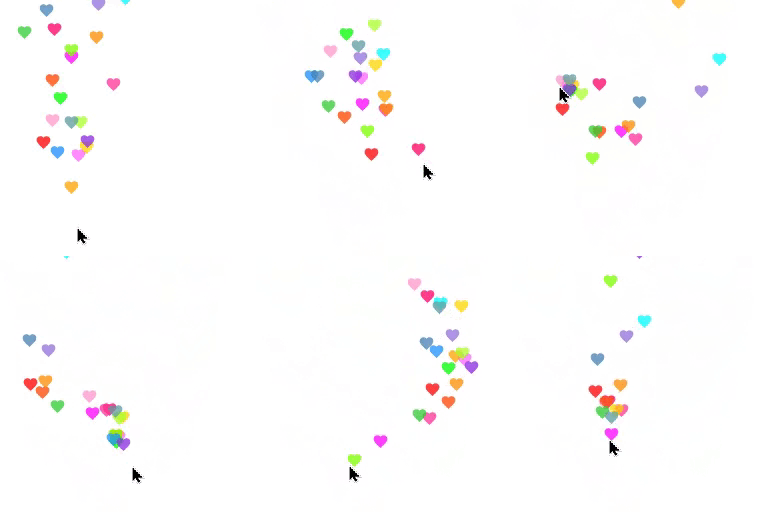
Emoji Particle Trails: Emit multi-emoji particle streams (✨,🔥,💖,⭐,🚀,🌸,💫) with custom physics (float up, gravity fall, scatter drift, spiral) and continuous rotational spin.
Custom Text Particle & Follow Trails: Snake individual letters of any custom phrase behind the cursor in an elastic snake chain, or emit sequential text particle streams.
Advanced Visual Effects: Unlock jaw-dropping real-time shaders including Liquid Fluid Waves, Electric Aura & Lightning, Starfield Warp Speed, Stardust Glow Particles, Fire & Flame Embers, and Swirling Spiral Vortex.
Click Animation & Bursts: Trigger exciting dynamic particle bursts and ripple waves whenever users click (Ripple Wave, Confetti Pop, Neon Shockwave, Liquid Splash, Sparkle Burst, Electric Spark).
9 Premium Particle Trails: Gradient Ribbon Streamer, Ghost Clones, Comet Tail, Magic Stars, Floating Bubbles, Image Sequences, Custom Particles, Emoji Trails, and Text Trails.
Spinning Circular Text: Wrap continuous rotating text around your cursor that dynamically tracks movement.
Scroll Progress Ring: Wrap an elegant, customizable SVG ring around your cursor that perfectly tracks reading progress as users scroll down the page.
Backdrop Invert (Glass Effect): Invert colors behind the cursor like a floating glass magnifying lens.
Magnetic Snapping: Automatically pull and snap your cursor to the exact center of buttons and icons for a premium, app-like feel.
Custom Hover Text: Write and display your own custom text badges or call-to-action labels (e.g., “VIEW”, “PLAY”, “BUY”, “EXPLORE”) directly inside your cursor.
Advanced Display Rules: Target all pages, all posts, front page, 404 & search pages, specific page/post IDs, or custom CSS selectors.
Multiple Display Conditions: Stack and combine multiple display rules on a single cursor for precise, granular control.
36+ Starter Templates: Instantly import from 36 ready-to-use designer templates (8 Free & 28 Pro) including Liquid Fluid Waves, Hyperdrive Warp Speed, Quantum Vortex Swirl, and Electric Lightning Aura.