300+
安裝啟用
★★★★★
5/5 分(2 則評價)
4436 天前
最後更新
—
問題解決
WordPress 2.9+ v1.1 上架:2014-01-22
內容簡介
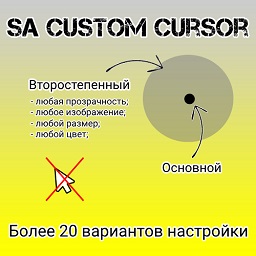
使用本外掛能夠輕鬆上傳自訂圖片,例如您的網站標誌,作為您的預設滑鼠指標。您也可以控制連結與按鈕的指標圖像,以及文字輸入的指標圖像。您可以透過 WordPress 管理面板上的「設定 > 指標控制」上傳您的指標圖像,支援 png、jpg 和 gif 檔案格式。最大指標尺寸為 128 x 128 像素,但建議使用較小的圖像。這些指標圖像與 Firefox、Chrome 和 Safari 相容,但在 Internet Explorer 上無法使用。
外掛標籤
開發者團隊
原文外掛簡介
Easily upload a custom image, for example your website logo, to use as your default cursor. You can also control the cursor image to use for links and buttons, as well as for text inputs. You can upload your cursor images via your WordPress admin > Settings > Cursor Control. You can upload png, jpg, and gif files. Maximum cursor dimensions are 128 x 128 pixels, but smaller images recommended. The cursor images are compatible with Firefox, Chrome and Safari. It will not work in Internet Explorer.