內容簡介
Currency.Wiki Crypto Price Ticker 外掛可在數秒內將即時加密貨幣價格添加至您的 WordPress 網站。使用者無需註冊或配置,即可輕鬆顯示多種加密貨幣的最新價格。
【主要功能】
• 四種小工具樣式:滾動價格走馬燈、單幣卡片、熱門幣市場列表、加密貨幣轉換器
• 無需 API 金鑰:即時價格從快速的全球 CDN 加載
• 支援 60 多種加密貨幣:包括 Bitcoin、Ethereum、Solana 等
• 9 種顯示貨幣:USD、EUR、GBP、JPY 等
• 實時更新:價格每幾分鐘自動刷新
• Gutenberg 區塊:原生區塊編輯器,提供即時預覽
外掛標籤
開發者團隊
② 後台搜尋「Currency.Wiki Crypto Price Ticker」→ 直接安裝(推薦)
原文外掛簡介
Currency.Wiki Crypto Price Ticker adds live cryptocurrency prices to your WordPress site in seconds. Choose from four styles — a full-width scrolling price ticker for your header, a single-coin card, a top-coins market list, or a crypto ↔ fiat converter. Prices update automatically in the visitor’s browser, so there is no API key, no sign-up, and nothing to configure to get started.
View the Visual Builder
Key Features
4 Widget Styles — Scrolling Ticker, Coin Card, Market List, Crypto Converter
No API key — live prices load from a fast global CDN; nothing to sign up for
60+ coins — Bitcoin, Ethereum, Solana, XRP, BNB, Dogecoin, Cardano, and more
9 display currencies — USD, EUR, GBP, JPY, INR, BRL, RUB, TRY, IDR
Full-width ticker — automatically stretches to fill your header or footer
Live updates — prices refresh in the browser every few minutes
Gutenberg Block — native block editor with a live preview
Shortcode — use [cwiki_crypto] in any post, page, or text widget
Themes & colors — Light, Dark, or Auto, plus any accent color
Localized labels — in-widget text in 40+ languages
Lightweight — loads asynchronously, no impact on page speed
Privacy-friendly — no cookies, no personal data collected
Widget Styles
Price Ticker (full-width x 56) — scrolling marquee of live prices, perfect for headers
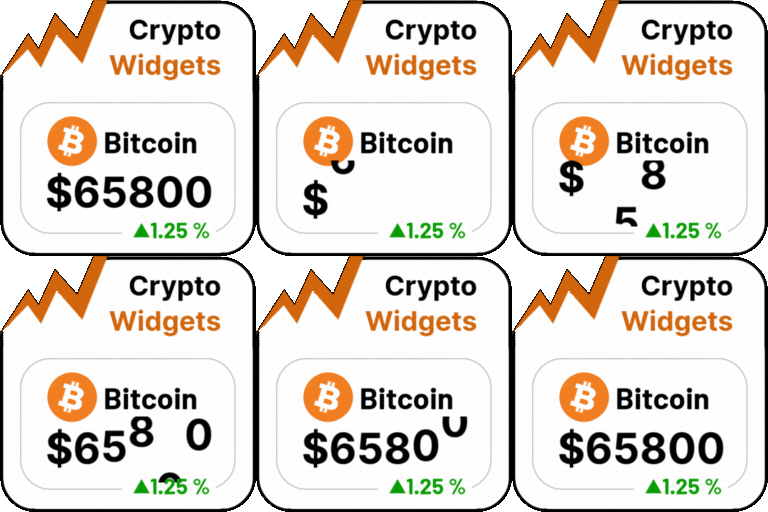
Coin Card (260×190) — one coin with live price, 24h change, market cap and volume
Market List (300, height scales) — top coins with prices and 24h change
Crypto Converter (300×240) — convert between crypto and fiat, live
Usage
Gutenberg Block:
Add a block, search for “Crypto Price Ticker”, and adjust the settings in the sidebar. A live preview updates as you type.
Shortcode:
[cwiki_crypto]
With options:
[cwiki_crypto style="ticker" coins="BTC,ETH,SOL,XRP" theme="dark"]
[cwiki_crypto style="coin" coin="BTC" quote="EUR" accent="f7931a"]
[cwiki_crypto style="list" coins="BTC,ETH,SOL,XRP,ADA" quote="USD"]
[cwiki_crypto style="converter" from="BTC" to="USD" amount="0.5"]
Shortcode Attributes
style — ticker, coin, list, converter (default: ticker)
theme — auto, light, dark (default: auto)
accent — hex color without # (default: 6d5efc)
coins — coins for ticker/list styles, up to 20: BTC,ETH,SOL (default: top coins)
coin — coin for the single-coin card (default: BTC)
quote — display currency: USD, EUR, GBP, JPY, INR, BRL, RUB, TRY, IDR (default: USD)
from — converter “from” currency, crypto or fiat (default: BTC)
to — converter “to” currency, crypto or fiat (default: USD)
amount — converter default amount (default: 1)
scroll — ticker auto-scroll, 1 or 0 (default: 1)
lang — language code for in-widget labels (default: your site language)
External services
This plugin relies on an external service to render the widget and to supply live prices: Currency.Wiki, operated by CurrencyWiki Technologies LLC.
What the service is and what it is used for
The widget is drawn by a small JavaScript widget hosted at widget.currency.wiki, which reads cryptocurrency prices from a CDN-cached quotes file at cdn.currency.wiki. The plugin does not bundle that script or the price data; it builds an embed URL and loads them from the service. This is what keeps the plugin small and lets prices stay current without a plugin update.
What data is sent, and when
On every page view where the widget is displayed, the visitor’s browser requests the widget script from https://widget.currency.wiki/crypto/v3/script.js, and then the price file from https://cdn.currency.wiki/crypto/quotes.json. The script request carries the display settings you configured (style, theme, accent color, coin list, quote currency, language) as URL parameters, plus a source=wp marker indicating the request came from the WordPress plugin. As with any web request, the visitor’s IP address and user agent are visible to the server.
No personal data is collected, and no cookies are set. Prices are public market data; nothing about your visitor is sent beyond the ordinary contents of an HTTP request.
In the WordPress admin, two screens show live previews from https://widget.currency.wiki/crypto/v3/embed (each flagged preview=1 so it is not counted as a site using the widget), which send the same display settings listed above: the plugin’s settings screen renders a small gallery of the four styles, and the block editor renders a live preview while you configure a block. No personal data is sent from the admin; these are the same public price requests described above.
Terms and privacy
Terms of Service: https://currency.wiki/terms-of-service
Privacy Policy: https://currency.wiki/privacy-policy