內容簡介
CurrencyFlow 是一款現代化、輕量級的多幣別外掛,專為希望擴展全球市場的 WooCommerce 商店設計。它與 WooCommerce 的高效能訂單儲存(HPOS)完全相容,並能無縫整合至區塊佈景主題。
【主要功能】
• 支援 157 種 ISO 幣別,自動更新匯率
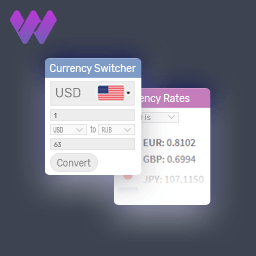
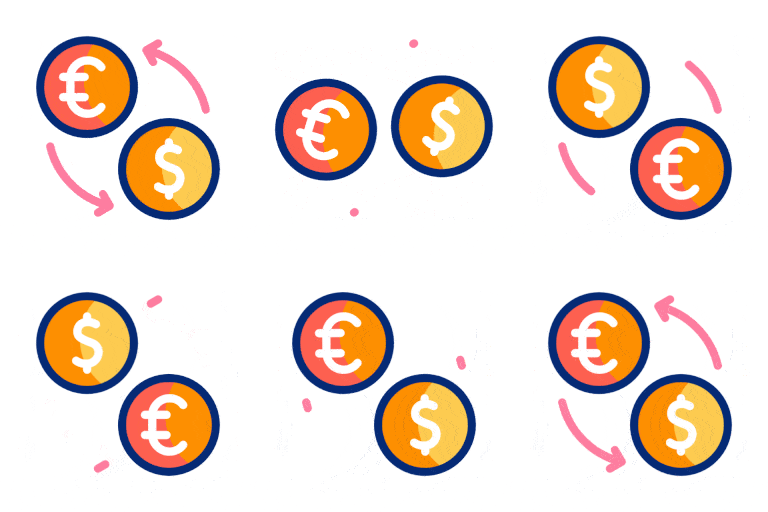
• 提供 6 種切換器模板選擇
• 具備 Gutenberg 區塊和 Elementor 小工具
• 每產品可設定自訂價格(免費版限 5 個產品)
• 地理位置建議橫幅,無自動重導
• 分析儀表板顯示切換次數及趨勢
外掛標籤
開發者團隊
② 後台搜尋「CurrencyFlow – Multi Currency Switcher for WooCommerce」→ 直接安裝(推薦)
原文外掛簡介
CurrencyFlow is a modern, lightweight multi-currency plugin built for WooCommerce stores that want global reach without the bloat. Fully compatible with WooCommerce’s High-Performance Order Storage (HPOS), native to Cart Blocks and Checkout Blocks, and works out of the box with Block Themes.
Why choose CurrencyFlow?
Truly modern stack – HPOS declared compatible, native Cart/Checkout Blocks integration, FSE (Full Site Editing) friendly.
Lightweight footprint – Under 200KB total zipped. No telemetry SDK, no third-party analytics scripts.
Privacy-first – No IPs, user IDs, or personal data are collected. Honors visitors’ Do Not Track header.
Built-in switcher analytics – See exactly which currencies your visitors use, on which devices. Recorded in your own database — no third-party service.
Zero-config geolocation – Uses Cloudflare’s CF-IPCountry header when available, falls back to WooCommerce’s MaxMind GeoLite2. No account signups required.
Fully functional free version – Core multi-currency features work without any purchase. Pro adds advanced conversion and analytics features.
Core features (Free)
157 ISO currencies with automatic rate updates from two free providers (open.er-api.com and European Central Bank)
6 switcher templates: dropdown with flags, symbols, or text; sticky left/right edge; floating button
Gutenberg block with server-side render and Inspector controls
Elementor widgets (Switcher and Sticky)
Classic sidebar widget
Shortcode generator with live preview and saved presets
Per-product custom pricing (up to 5 products in Free — unlimited in Pro)
Geolocation suggestion banner (visitor stays in control — no auto-redirect)
Country to currency mapping table
Analytics dashboard with total switches, top currencies, device breakdown, and 30/90-day trend
System status panel, activity log, and JSON export/import for easy migration
Diagnostic report (.txt) for support tickets
WPML and Polylang compatibility through translation filters
Perfect for
WooCommerce store owners selling to multiple countries
Agencies managing multiple stores
Freelancers wanting a straightforward multi-currency solution
Marketers focused on conversion optimisation
Developers who need a clean, extensible base
Compatibility
WordPress 6.4+
WooCommerce 7.0+
PHP 8.1+
HPOS (High-Performance Order Storage) — fully compatible
Cart Blocks and Checkout Blocks — native Store API integration
Classic Themes and Block Themes (FSE)
Elementor (widgets registered when active)
WPML / Polylang (currency labels translatable via String Translation)
Multisite compatible
Pro features
Unlimited per-product custom pricing
Per-variation custom pricing for variable products
Rate markup rules (percentage or fixed) per currency
Bulk CSV import/export for pricing
Auto-redirect by country (not just suggest)
Country lock for tax/compliance
Premium IP database integration (IP2Location / MaxMind Premium)
Revenue by currency and conversion correlation
Geographic heatmap
Extended analytics retention (1 year vs 90 days) and CSV export
Priority email support
Learn more at https://webtend.net/swytch-for-woocommerce-pro
Support
Free support is available via the wordpress.org support forum. Pro users receive email support with a typical response within 24 hours.
Third-party services
CurrencyFlow does not include any third-party tracking scripts. However, to fetch live exchange rates, the plugin makes outbound HTTP requests to the following free public APIs:
open.er-api.com — Free, open exchange-rate API. Terms: https://www.exchangerate-api.com/terms. Privacy policy: https://www.exchangerate-api.com/privacy
European Central Bank (ECB) — Free public reference rates. Terms: https://www.ecb.europa.eu/services/disclaimer/html/index.en.html
Only currency codes and rate data are exchanged with these services. No visitor or admin personal data is transmitted. Rate fetching can be disabled entirely by selecting the “Manual” rate provider in Settings → General.
Optionally, geolocation is resolved via Cloudflare’s CF-IPCountry HTTP header (only when your site is fronted by Cloudflare — no outbound calls are made by the plugin itself) or via WooCommerce’s built-in MaxMind GeoLite2 integration if already enabled in your WooCommerce settings.