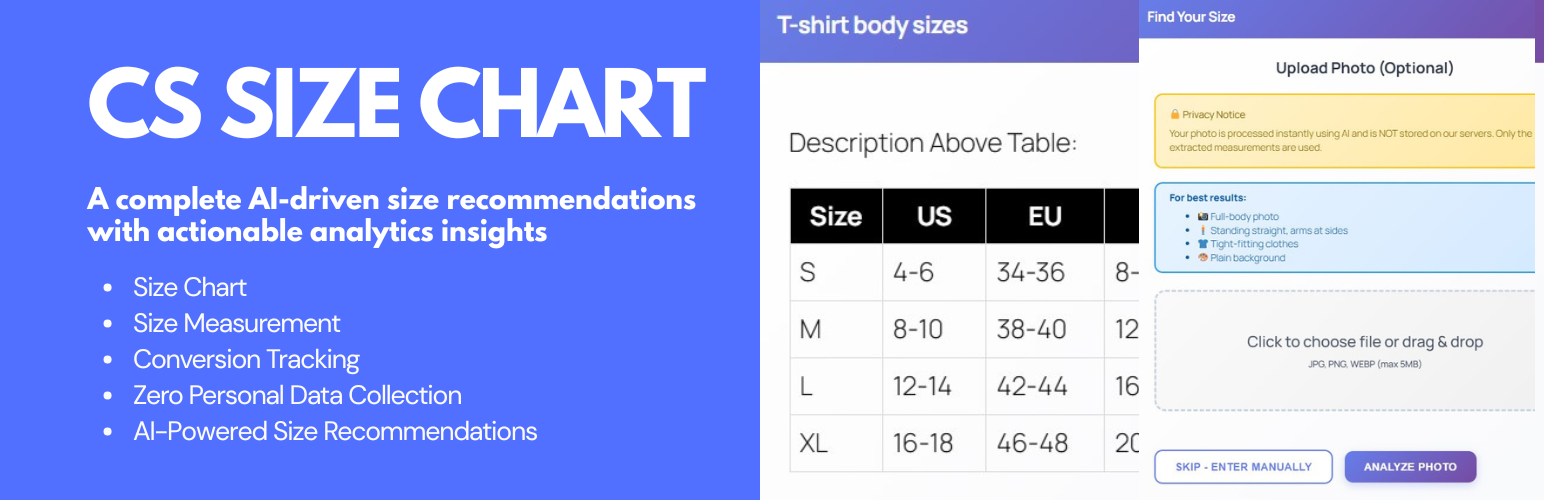
內容簡介
總結:CS Size Chart是一個WooCommerce外掛程式,可讓商店擁有者為其產品創建和展示清晰的尺碼表。這有助於顧客選擇正確的尺碼,並通過提供結構化的測量信息來減少混亂。
問題與答案:
1. CS Size Chart是針對哪一種電子商務平台開發的外掛程式?
- 答案:WooCommerce。
2. 使用CS Size Chart的商店擁有者可以如何幫助顧客選擇正確的尺碼?
- 答案:透過提供清晰的尺碼表和結構化的測量信息。
3. 使用CS Size Chart的商店擁有者在沒有配置OpenAI API密鑰的情況下,AI功能是否會預設啟用?
- 答案:所有AI功能都會被預設禁用,只有在商店擁有者配置自己的OpenAI API密鑰後才能啟用。
4. CS Size Chart支援哪些尺碼表建立和展示方式?
- 答案:手動建立尺碼表、模板和使用AI助手進行尺碼建議。
5. 如果啟用了選用的分析功能,CS Size Chart的外掛程式會追蹤哪些活動?
- 答案:追蹤匿名的尺碼表互動和建議事件,如尺碼表檢視、AI建議要求、建議尺碼和信心值。
6. 如何在CS Size Chart中創建一個尺碼表?
- 答案:進入尺碼表→新增,使用表格建立工具或選擇模板,添加描述或測量說明,發布尺碼表。
外掛標籤
開發者團隊
原文外掛簡介
CS Size Chart is a WooCommerce plugin that allows store owners to create and display accurate size charts and size guides on product pages.
By providing clear measurement tables and sizing instructions directly within the shopping experience, the plugin helps customers choose the correct size before purchasing, reducing confusion and minimizing size-related returns.
Store owners can create unlimited size charts, use predefined templates, and assign charts globally, by category, or per individual product. The plugin is suitable for clothing, footwear, and apparel stores that use regional or international sizing systems.
CS Size Chart is designed to be lightweight, privacy-friendly, and easy to use. Core functionality runs entirely on your WordPress site and follows WordPress coding standards.
Optional AI-powered size recommendations are available but disabled by default. These features only work if the site owner provides their own OpenAI API key and explicitly enables them.
Try demo | Get support
Key Features
Reduce size-related returns with clear and structured size charts
Create unlimited WooCommerce size charts
Assign charts globally, by product category, or per product
Visual table builder with no coding required
Pre-built templates for common apparel sizes
Fully responsive and mobile-friendly design
Display charts as a product tab, popup modal, or shortcode
Optional local analytics stored in your database
Optional AI-based size recommendations using your own OpenAI API key
All AI-related functionality is optional, disabled by default, and only runs after manual configuration.
How It Works
Create a size chart
Go to Size Charts → Add New
Use the table builder or select a template
Add measurement instructions
Publish the chart
Assign the chart
Globally for all products
By product category
Per individual product
Display the chart
As a WooCommerce product tab
In a modal popup
Using the shortcode:
[cssc_size_chart id=”123″]
Analytics (optional)
Chart views
AI recommendation requests
Recommended sizes and confidence values
No personally identifiable information is stored.
AI size quiz and photo measurements (optional)
Quiz may collect height, weight, and fit preference
Optional photo-based measurement support
Requires an OpenAI API key
Features remain inactive unless enabled in settings
Third Party Services
OpenAI API
* Used only for optional AI size recommendations
* Data sent: quiz inputs and optional photos
* Data stored: recommendation results only
* Privacy Policy: https://openai.com/privacy
* Terms: https://openai.com/terms
The plugin is not affiliated with or endorsed by OpenAI.