內容簡介
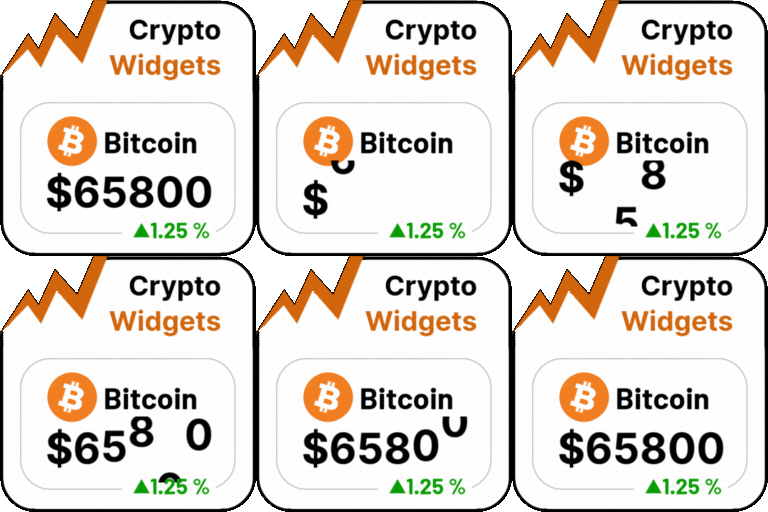
Crypto 外掛可在您的 WordPress 網站上動態且美觀地顯示最新的加密貨幣價格,支援 DScroll API 和 CoinMarketCap API,無需 API 金鑰即可輕鬆使用。
【主要功能】
• 支援 DScroll 和 CoinMarketCap API
• 無需 API 金鑰即可使用 DScroll API
• 完全整合 Gutenberg 區塊編輯器
• 支援 Elementor 小工具拖放編輯
• 提供三種佈局主題選擇
• 本地暫存以降低 API 請求次數
外掛標籤
開發者團隊
📦 歷史版本下載
原文外掛簡介
Display the latest cryptocurrency prices on your WordPress site dynamically and beautifully using DScroll API or CoinMarketCap API. DScroll API works out of the box with no API key required. High-performance design features local transient caching to reduce API requests. Fully integrated with both the Gutenberg Block Editor and Elementor Page Builder for easy drag-and-drop visual editing.
Features
DScroll & CoinMarketCap API Support: Retrieve real-time cryptocurrency price data using DScroll API or CoinMarketCap API.
No API Key Required: Use DScroll API as your provider and get started instantly without needing any API key.
Gutenberg Block Support: Native WordPress Block Editor block featuring full GUI side panel configurations and live server-side rendering previews.
Elementor Widget Support: Drag-and-drop Elementor widget with options panel and live editor preview.
Premium Themes: Includes three layout themes: Glassmorphism (Glass), Sleek Dark (Dark), and Clean Light (Light).
Multiple Layouts: Choose between full detailed price Cards or compact inline Badges.
Local Transient Caching: Extremely efficient local caching that significantly reduces API rate limits and credits.
Fallback Mode: Keeps displaying the last known prices if the connection/API is temporarily unavailable.
Shortcode Support: Easy to use [crypto_price] shortcode with customizable parameters.
Page Builders & Editors
This plugin provides native integration with popular page builders and editors:
WordPress Block Editor (Gutenberg)
Open the Block Editor on any Post or Page.
Click the + icon and search for “Crypto Price”.
Add the block and use the settings sidebar to configure:
Cryptocurrency Symbol: Type any supported coin symbol (e.g. BTC, ETH).
Currency / Convert To: Select your target currency.
Layout: Switch between Card and Badge.
Theme: Choose Glassmorphism, Dark, or Light.
A live server-side preview will automatically render in the editor.
Elementor Page Builder
Edit any page with Elementor.
In the widget panel, search for “Crypto Price”.
Drag and drop the widget into your section.
Customize the widget using the Content Panel options.
Shortcode Guide
Use the shortcode anywhere in your pages, posts, or widgets.
Standard Usage
[crypto_price symbol="BTC"]
Displays a premium glassmorphic price card for Bitcoin in your default currency.
Customizing Currency
[crypto_price symbol="ETH" convert="EUR"]
Displays the price of Ethereum converted to Euros.
Layout & Theme Customization
[crypto_price symbol="SOL" layout="badge" theme="dark"]
Displays Solana price in a compact badge format with the dark theme.
Attribute Reference
symbol – Token symbol (e.g. BTC, ETH, SOL). Default is BTC.
convert – Target fiat or crypto currency for conversion (e.g. USD, EUR, GBP, BTC). Default is your default currency settings.
layout – Display layout options: card (detailed card format) or badge (compact inline badge). Default is card.
theme – Layout theme options: glass, dark, or light. Default is glass.