內容簡介
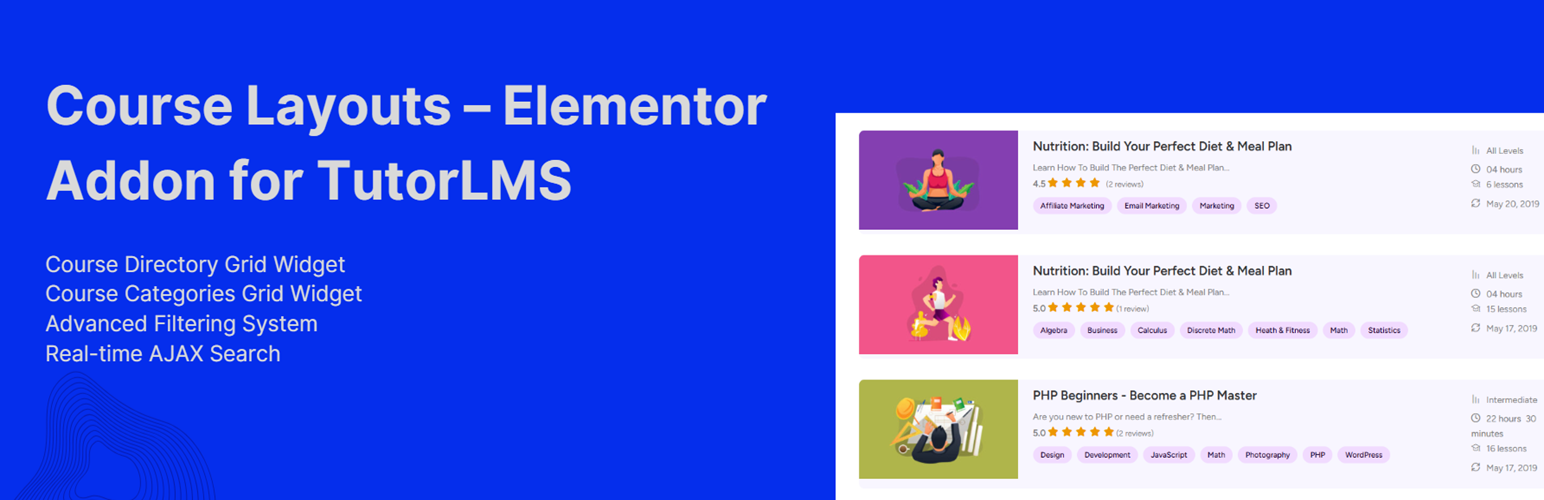
Course Layouts – Elementor Addon for TutorLMS 提供一整套 Elementor 小工具,讓使用者能夠設計課程發現頁面、學生儀表板及講師目錄,無需撰寫程式碼,提升 Tutor LMS 的使用體驗。
【主要功能】
• 一體化課程發現系統
• 完全自訂的佈局設計
• 可組合的佈局選項
• 個性化學習體驗顯示
• 轉換率導向的課程卡片
• SEO 支援的課程結構
外掛標籤
開發者團隊
② 後台搜尋「Course Layouts – Elementor Addon for TutorLMS」→ 直接安裝(推薦)
原文外掛簡介
Course Layouts – Elementor Addon for TutorLMS gives you a complete set of Elementor widgets to design course discovery pages, student dashboards, and instructor directories for Tutor LMS—without writing code.
Place filters in a sidebar, search in a header, and the course grid anywhere on the page. Link them with a shared Listing ID and they work together instantly via AJAX. Every layout is fully customizable in Elementor, with responsive column controls, extensive style options, and optional Elementor Loop Item templates for pixel-perfect course cards.
Why use Course Layouts?
All-in-one course discovery — Grid, filters, search, sort, chips, and pagination in one cohesive system
Design freedom — Built-in cards or your own Elementor Loop Item / Saved Template designs
Composable layouts — Split discovery controls across your page (sidebar filters, top search, bottom grid)
Personalized experiences — Show enrolled, in-progress, completed, or wishlisted courses per student
Theme Builder ready — “Current Query” mode respects archive taxonomies, authors, and search in AJAX
Conversion-focused cards — Smart price labels, enrollment CTAs, progress bars, badges, and wishlist
SEO support — Optional ItemList / Course JSON-LD schema on course grids (3+ courses)
Accessible & fast — ARIA labels, live result announcements, skeleton loading, and debounced AJAX
Elementor Widgets (10)
All widgets live under the Essential TutorLMS category in Elementor.
Course Directory Grid
The main course listing widget. Responsive 1–6 column grid, built-in card or Loop Item skin, embedded or standalone filters/search, pagination, and full styling controls.
Course Categories Grid
Display course categories in a card or list layout with image, title, description, course count, and optional view button. Sort by name, slug, ID, course count, description, or random.
Course Filter Panel
Standalone filter sidebar or horizontal bar. Connects to any Course Directory Grid via Listing ID. Up to 8 configurable filter fields with Clear All.
Course Search
Standalone debounced search box linked to a course listing by Listing ID.
Active Filter Chips
Removable filter pills that reflect the current filter state—ideal for zero-results recovery and quick filter removal.
Sort & Result Count
Standalone sort dropdown (newest, title, popularity, price) plus live “Showing X–Y of Z” result count.
My Courses
Student dashboard grid (extends Course Directory Grid) pre-set for enrolled, in-progress, completed, or wishlisted courses with progress display.
Continue Learning
Highlights the student’s most recent in-progress course with thumbnail, next lesson, progress bar, and resume button.
Instructor Directory
Browse Tutor instructors in a responsive grid with search, category filter, ratings, course/student counts, bio, and profile CTA.
Composable Discovery (Listing ID + CLETA.Bus)
Version 1.3 introduces a pub/sub architecture so discovery widgets can live anywhere on the page:
Set a Listing ID on the Course Directory Grid (default: courses).
Add Filter Panel, Search, Active Filter Chips, and Sort & Result Count widgets anywhere.
Give each the same Listing ID—they sync automatically via CLETA.Bus.
Filters, search, sort, and pagination update the grid over AJAX without a full page reload. Filter state can be written to URL parameters for bookmarking, sharing, and browser Back/Forward navigation.
Filtering & Search
Filter field types: category, level (Tutor 4.x meta), tags, instructor, price, rating, duration, and custom meta key.
Filter styles: dropdown, checkbox, radio buttons, and range slider (price, rating, duration use real catalog min/max/step values, cached for performance).
Smart facets: option counts beside each value; empty options hidden automatically.
Auto-apply: filters apply on change; range sliders debounce before reload.
Search: debounced AJAX search across course titles and related fields; works embedded in the grid or via the standalone Search widget.
Combine filters: up to 6 filter fields in the grid widget, up to 8 in the standalone Filter Panel.
Query Sources
Control which courses appear in the grid:
All courses — full catalog (optionally limited by category)
Current Query — respects Theme Builder archive context (category, tag, author, search)
Enrolled — courses the logged-in student is enrolled in
Not enrolled — courses the student has not joined
In progress — started but not completed
Completed — finished courses
Wishlisted — courses on the student’s wishlist
Personalised sources require a logged-in student. My Courses defaults to enrolled with quick switching between student-specific lists.
Course Cards
Built-in card skin toggles for:
Featured image with configurable size
Title, excerpt (configurable length), and whole-card link
Price (free, sale, membership, subscription-aware labels)
Rating, duration, lesson count, enrollment count
Instructor name and link
Categories, level, tags, and benefits
State-aware CTA: Enroll / Buy / Start / Continue
Progress bar for enrolled students
Badges: New, Free, Bestseller (enrollment threshold filterable)
Wishlist heart (integrates with Tutor LMS wishlist)
Skeleton loading placeholders during AJAX updates
Loop Item / Saved Template skin lets you design cards in Elementor Pro Loop Items or any Saved Template, bind Tutor Dynamic Tags, and use them in the grid—including during AJAX filter, load-more, and pagination responses.
Elementor Dynamic Tags
A Tutor LMS (CLETA) dynamic tag group exposes course fields for use in any Elementor widget or Loop Item:
Course Title
Course Price
Course Level
Course Duration
Course Lesson Count
Course Enrollment Count
Course Rating
Course Instructor Name
Course Instructor URL
Course Progress %
Course Enrollment Status
Course URL (permalink)
Pagination
Page numbers — classic numbered pagination with position control
Load More — append next page on button click
Infinite scroll — auto-load as the user scrolls
Configurable courses per page (1–100)
Accurate “Showing X–Y of Z” counts
Sorting
Default sort in widget settings or via the Sort & Result Count bar:
Date (newest / oldest)
Title (A–Z / Z–A)
Popular (review count)
Price (low to high / high to low)
ID, name, modified, menu order, random
Instructor Directory
Responsive 1–4 column grid
Filter by course categories taught
Minimum rating threshold (3+, 4+, 5 stars)
Sort by name, newest, or highest rated
Front-end search and category filter
Card toggles: avatar, name, job title, bio (truncated), course count, rating, student count, profile CTA
Pagination
SEO Schema Markup
The Course Directory Grid outputs JSON-LD ItemList schema with nested Course entities when 3 or more courses are displayed. Includes title, description, URL, image, instructor, provider, and pricing where available.
Auto-injection on single course pages is intentionally disabled to avoid conflicts with Tutor LMS, Yoast SEO, or Rank Math.
Performance & Security
Assets register globally; widgets enqueue only what they need
Widget settings cached in transients (server-authoritative on AJAX—client cannot override)
Filter catalog stats (price, duration, level facets) cached and busted on course save/delete
Nonce verification on all AJAX endpoints
Debounced search and range sliders to reduce server requests
Accessibility
ARIA labels on filter and search controls
aria-live regions for result count and grid updates
aria-busy during AJAX loading
Enter-key handling for search and filter fields
Screen-reader text on sort controls
Responsive Design
Both course and category grids include responsive column breakpoints for desktop, tablet, and mobile. Filter panels support vertical (sidebar) and horizontal (toolbar) layouts.
Tutorials & Guides
17 Awesome Websites Made with Tutor LMS
The Complete List of Tutor LMS Shortcodes and How to Use Them – Tutor LMS
Sending Reminder Emails to Inactive Students – Tutor LMS
Tutor LMS – Get Student Information in PHP
How to Hide, Remove or Disable Reviews or Star Rating in Tutor LMS
Create a User Directory with Elementor
Best WordPress LMS Plugins to Create and Sell Courses Online
More Plugins by UserElements
Personalized User Menu for TutorLMS
WP User Data
User Broadcast Email
Elementor Product Table for WooCommerce
Support
For technical support, feature requests, or general questions, please visit userelements.com or create a support ticket in the WordPress.org plugin forum.