內容簡介
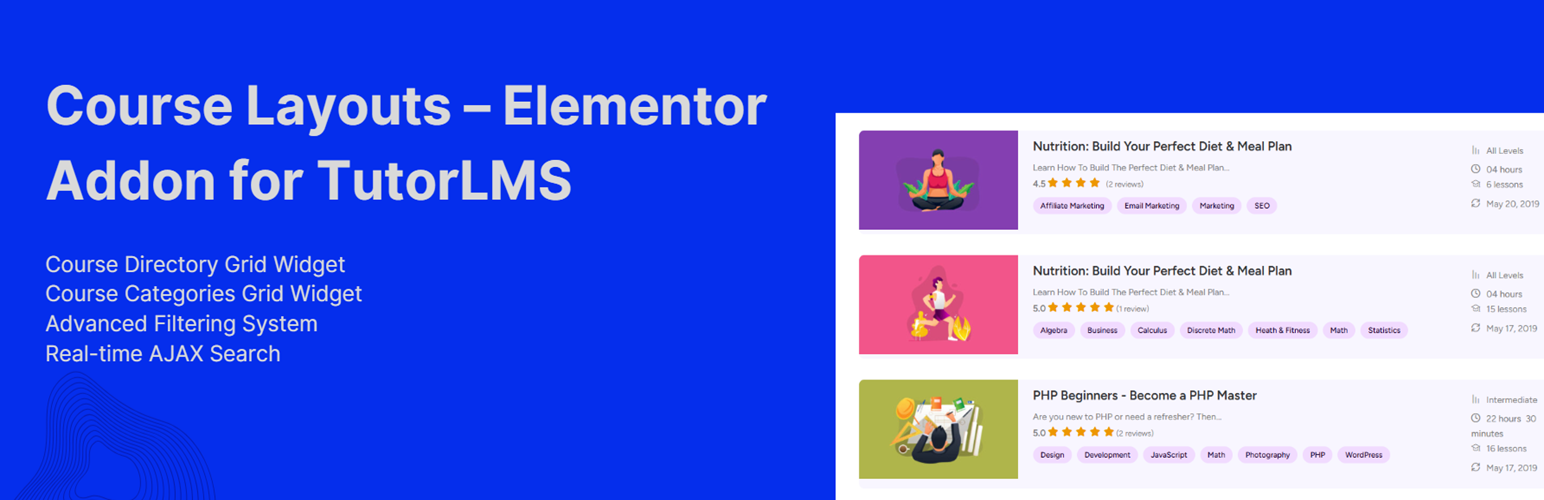
總結:Course Layouts - Elementor Addon for TutorLMS 是一個全面的擴展,通過強大的 Elementor 小工具,將您的 TutorLMS 課程展示進行改造,包括先進的網格布局、智能篩選、即時搜索和通過 SEO 優化的結構標記。
問題與答案:
1. 這個擴展的核心功能有哪些?
- 課程目錄網格小工具:以美觀、可定制的網格布局展示 TutorLMS 課程,提供豐富的樣式選項。
- 課程類別網格小工具:以具有自定義外觀的響應式網格布局展示課程類別。
- 先進的篩選系統:通過類別、水平、授課老師、標籤、價格範圍、評分和持續時間篩選課程。
- 即時 AJAX 搜索:提供按鍵入延遲輸入的即時搜索功能,以取得最佳性能。
- 多種分頁選項:提供編號分頁、載入更多按鈕及無限滾動功能。
- 響應式設計:完全響應式佈局,完美適應桌面、平板和移動設備。
- SEO 結構標記:自動生成結構化數據,以獲得更好的搜索引擎可視性。
- 鍵盤導航:支援完整鍵盤可訪問性,提升用戶體驗。
- URL 參數支持:保留在網址中的篩選狀態,以供書籤和分享使用。
2. 這些小工具的功能有哪些?
課程目錄網格小工具:
- 多種佈局類型(網格、列表、磚塊)
- 可定制的列(1-6 列,具有響應式斷點)
- 課程圖像展示與滑鼠懸停效果
- 課程標題、摘要和元信息展示
- 價格、評分、時長和課時數量展示
- 授課老師信息和報名數量
- 課程類別、水平和標籤展示
- 課程利益和進度指示器
- 針對所有元素的廣泛樣式控制
課程類別網格小工具:
- 響應式類別網格佈局
- 類別圖像、標題和描述展示
- 每個類別的課程數量
- 可定制的樣式和滑鼠懸停效果
- 分類選項(名稱、數量、日期)
外掛標籤
開發者團隊
② 後台搜尋「Course Layouts – Elementor Addon for TutorLMS」→ 直接安裝(推薦)
原文外掛簡介
Course Layouts – Elementor Addon for TutorLMS is a comprehensive extension that transforms your TutorLMS course display with advanced grid layouts, intelligent filtering, real-time search, and SEO-optimized schema markup through powerful Elementor widgets.
Core Features
Course Directory Grid Widget: Display TutorLMS courses in beautiful, customizable grid layouts with extensive styling options
Course Categories Grid Widget: Show course categories in responsive grid layouts with customizable appearance
Advanced Filtering System: Filter courses by category, level, instructor, tags, price range, rating, and duration
Real-time AJAX Search: Instant search functionality with debounced input for optimal performance
Multiple Pagination Options: Numbered pagination, load more buttons, and infinite scroll capabilities
Responsive Design: Fully responsive layouts that adapt perfectly to desktop, tablet, and mobile devices
SEO Schema Markup: Automatic generation of structured data for better search engine visibility
Keyboard Navigation: Full keyboard accessibility support for enhanced user experience
URL Parameter Support: Filter state preserved in URL for bookmarking and sharing
Widget Features
Course Directory Grid Widget:
* Multiple layout types (grid, list, masonry)
* Customizable columns (1-6 columns with responsive breakpoints)
* Course image display with hover effects
* Course title, excerpt, and meta information display
* Price, rating, duration, and lesson count display
* Instructor information and enrollment count
* Course categories, level, and tags display
* Course benefits and progress indicators
* Extensive styling controls for all elements
Course Categories Grid Widget:
* Responsive category grid layouts
* Category image, title, and description display
* Course count per category
* Customizable styling and hover effects
* Sorting options (name, count, date)
Tutorials & Guides
17 Awesome Websites Made with Tutor LMS
The Complete List of Tutor LMS Shortcodes and How to Use Them – Tutor LMS
Sending Reminder Emails to Inactive Students – Tutor LMS
Tutor LMS – Get Student Information in PHP
How to Hide, Remove or Disable Reviews or Star Rating in Tutor LMS
Create a User Directory with Elementor
Best WordPress LMS Plugins to Create and Sell Courses Online
More Plugins by UserElements
Personalized User Menu for TutorLMS
WP User Data
User Broadcast Email
Elementor Product Table for WooCommerce
Support
For technical support, feature requests, or general questions, please visit userelements.com or create a support ticket in the WordPress.org plugin forum.