
內容簡介
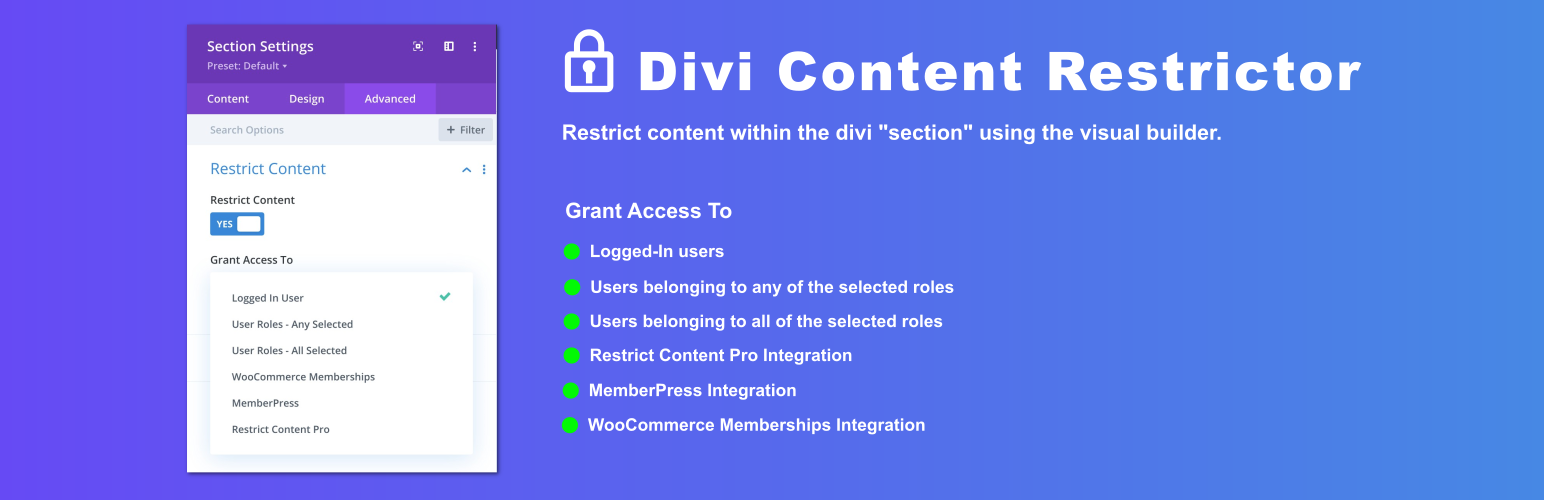
這是一個能夠條件式限制 Divi 網頁部分內容的外掛程式,能夠與 Divi 視覺化建構器相容。允許已登入的使用者、屬於任何/全部指定角色的使用者存取,也能夠與像是「WooCommerce Membership」、「MemberPress」、「Restrict Content Pro」和「Custom WordPress Filter」等第三方外掛整合。
Divi網頁部分限制內容
條件式限制Divi網頁部分內容的存取
100%相容Divi視覺化建構器。
這個外掛程式可以限制Divi網頁部分的內容。它適用於Divi視覺化建構器。
我們在Divi網頁部分模組中新增了「限制內容」和「未授權的文字設定」開關。它在進階選項卡上。
在「限制內容」切換中,設定限制內容的所有條件,例如:
顯示內容給已登入的使用者
顯示內容給具有特定角色的使用者(進階版)
根據第三方外掛設定顯示內容,例如:
Restrict Content Pro(進階版)
MemberPress(進階版)
WooCommerce Membership(進階版)
在「未授權的文字設定」切換中,設定未經授權的文字訊息和文字樣式。
限制所有網頁部分的內容。例如常規、全寬和特殊Divi網頁部分
進階版
進階版外掛程式可以在https://wptools.app/wordpress-plugin/divi-content-restrictor/購買。
進階版功能:
使用者角色的內容限制
使用「WooCommerce Memberships」外掛程式進行內容限制
使用「Restrict Content Pro」外掛程式進行內容限制
使用「MemberPress」外掛程式進行內容限制
使用「Custom WordPress Filter」進行內容限制
外掛標籤
開發者團隊
原文外掛簡介
Conditionally restrict partial content on divi page. Divi visual builder compatible. Grant access to logged-in users, users belonging to any/all selected roles. Integration with third-party plugins like “WooCommerce Membership”, “MemberPress”, “Restrict Content Pro” & “Custom WordPress Filter”.
Restrict Content On Divi Page
Conditionally restrict access to partial content on a divi section
100% divi visual builder compatibility.
This plugin restricts content on divi section. Its 100% compatible with divi visual builder.
We’ve added Restrict Content & Un-Authorized Text settings toggle on divi section module. Its on the Advanced tab
In the Restrict Content toggle, setup all the conditions for restricting content like
Show content to logged-in users
Show content to users with specific roles (Premium Version)
Show content based on third-party plugin’s like
Restrict Content Pro (Premium Version)
MemberPress (Premium Version)
WooCommerce Membership (Premium Version)
In the Un-Authorized Text settings toggle, set the un-authorized text message and text styles.
Restrict content on all section types. For example regular, full-width and specialty divi sections
Premium
Premium plugin is available at https://wptools.app/wordpress-plugin/divi-content-restrictor/
Features are:
Content restriction using User Roles
Content restriction using WooCommerce Memberships plugin
Content restriction using Restrict Content Pro plugin
Content restriction using MemberPress plugin
Content restriction using Custom WordPress Filter