內容簡介
### 摘要
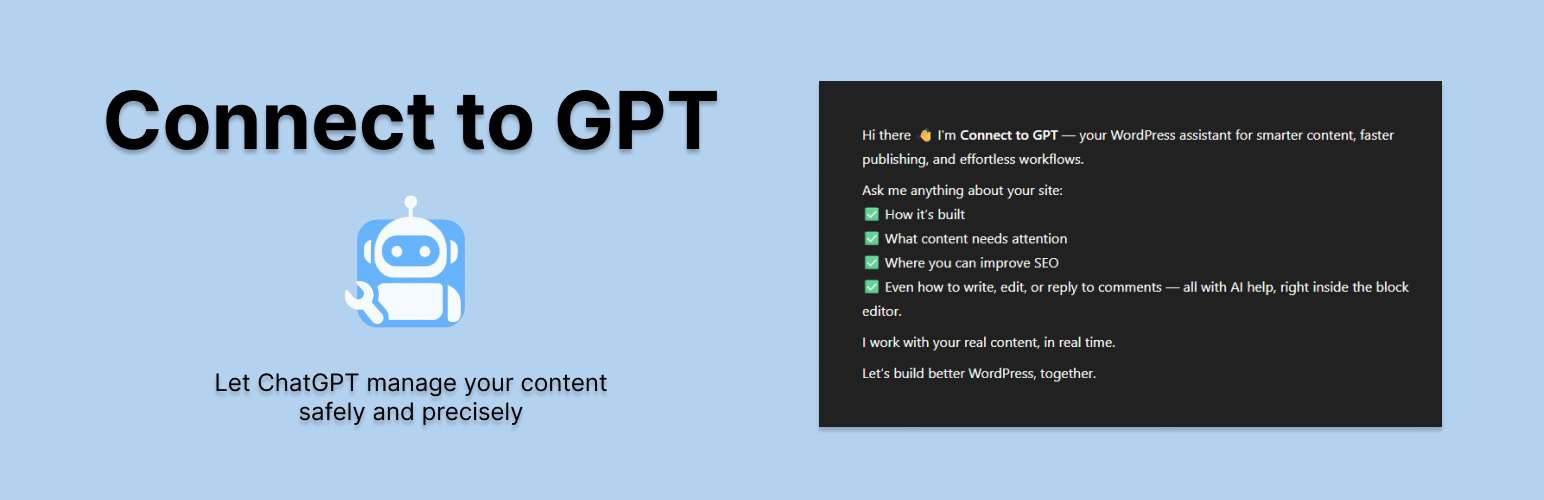
Connect to GPT 是一款開創性的 WordPress 外掛,通過將其連接到 ChatGPT 中的自定義 GPT,改變了您與網站互動的方式。與將 AI 嵌入 WordPress 的插件不同,Connect to GPT 創建了一個安全、輕量級的 API 橋樑,讓您的自定義 GPT 可以通過 ChatGPT 內部的自然語言命令管理您的網站。
### 問題與答案
1. 什麼是 Connect to GPT? Connect to GPT 是一款令人驚歎的 WordPress 外掛,將您的網站與 ChatGPT 中的自定義 GPT 連接,改變了您與網站互動的方式。
2. Connect to GPT 可以幫助您做什麼?
- 創建和更新內容:為您的網站撰寫博客文章、頁面或自定義文章類型(如產品),包括類別、標籤、元字段和媒體嵌入。
- 定位特定區塊:基於內容、位置或屬性附加、替換或更新單個 Gutenberg 區塊。
- 管理評論:檢索最近的評論,審核(批准、刪除、標記為垃圾郵件)或根據自然提示進行回覆。
- 搜索您的網站:通過單個結構化查詢找到帖子、頁面、用戶、媒體、分類法、插件或主題。
- 獲取網站見解:查看類似儀表板的概述,包括帖子計數、最近活動和草稿。
3. Connect to GPT 有哪些獨特之處?
- 針對自定義 GPT 設計:與 ChatGPT 的自定義 GPT 構建器無縫集成,通過結構化端點實現對 WordPress 網站的自然語言控制。
- 區塊級精度:在頁面或帖子內進行精確編輯,而無需依賴脆弱的提示解釋或混亂的短代碼。
- WordPress 中無人工智能:通過專用 API 層在外部處理 AI,使您的網站保持簡潔、安全並具有未來擴展性。
- 默認安全模式:所有內容更新都保存為草稿並進行驗證,直到您允許為止,不會立即發佈。
- 用戶友好的入職流程:基於 OpenAI 的 GPT 設置,提供簡單的逐步指南,使非開發人員可以輕鬆連接和使用。
4. Connect to GPT 適合哪些人?
- 如果您使用 ChatGPT 並擁有 WordPress 網站,那麼 Connect to GPT 就是適合您的。無論您是博主、電子商務所有者、開發人員還是營銷人員,此外掛讓您可以使用對話式人工智能自動化和優化網站管理。無需編碼,只需一個 ChatGPT Plus 帳戶和想要更聰明工作的渴望。
外掛標籤
開發者團隊
原文外掛簡介
Connect to GPT is a groundbreaking WordPress plugin that transforms how you interact with your site by connecting it to a Custom GPT in ChatGPT. Unlike plugins that embed AI into WordPress, Connect to GPT creates a secure, lightweight API bridge, allowing your Custom GPT to manage your site using natural language commands from within ChatGPT.
With Connect to GPT, you can:
– Create and update content: Write blog posts, pages or custom post types like products—complete with categories, tags, meta fields and media embeds.
– Target specific blocks: Append, replace or update individual Gutenberg blocks based on content, position or attributes.
– Manage comments: Retrieve recent comments, moderate (approve, trash, spam) or reply contextually using natural prompts.
– Search your site: Find posts, pages, users, media, taxonomies, plugins or themes with a single structured query.
– Get site insights: View a dashboard-like overview with post counts, recent activity and drafts.
What Makes Connect to GPT Unique:
– Built for Custom GPTs: Seamlessly integrates with ChatGPT’s Custom GPT builder, enabling natural language control over your WordPress site through structured endpoints.
– Block-Level Precision: Make surgical edits inside pages or posts—without relying on brittle prompt interpretation or messy shortcodes.
– No AI in WordPress: Keeps your site lean and secure by processing AI externally through a dedicated API layer.
– Safe Mode by Default: All content updates are saved as drafts and verified—nothing goes live until you allow it.
– User-Friendly Onboarding: A simple step-by-step guide mirrors OpenAI’s GPT setup, making it easy for non-developers to connect and use.
Who’s It For?
If you use ChatGPT and have a WordPress site, Connect to GPT is for you. Whether you’re a blogger, e-commerce owner, developer or marketer, this plugin lets you automate and streamline site management using conversational AI. No coding required. Just a ChatGPT Plus account and a desire to work smarter.
How It Works:
1. Install and activate Connect to GPT.
2. Follow the intuitive onboarding wizard to configure your Custom GPT, including name, instructions and API authentication.
3. Use natural language in ChatGPT to manage your site, like “Create a new blog post titled ‘Summer Sale’” or “Show my latest comments.”
4. Your Custom GPT interacts with your WordPress site via a secure API, performing actions and returning results.
Not an AI Plugin:
Connect to GPT doesn’t add AI to your WordPress site. It’s a purpose-built API for your Custom GPT, keeping your site fast, secure and future-proof.
Additional Information
Support: Visit the WordPress.org support forum for help or check the plugin’s documentation in the WordPress admin.
Future Plans: Expect updates with navigation management, advanced site settings and deeper integration with Custom GPT capabilities.
Contribute: Join our GitHub repository to suggest features or report issues.