內容簡介
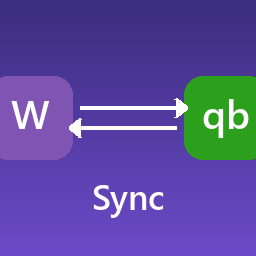
Combidesk - QuickBooks for WooCommerce 外掛可自動將 WooCommerce 訂單資料同步至 QuickBooks,省去手動轉移的麻煩,確保資料即時更新且無誤,讓您能專注於業務發展。
【主要功能】
• WooCommerce 訂單自動同步至 QuickBooks
• 根據電子郵件地址創建客戶
• 可依訂單狀態設定同步時間
• 收入報表和增值稅申報即時更新
• 支援轉移現有訂單至 QuickBooks
• 包含折扣碼及購物車折扣
外掛標籤
開發者團隊
② 後台搜尋「Combidesk – QuickBooks for WooCommerce」→ 直接安裝(推薦)
原文外掛簡介
With this integration you never have to transfer order data from WooCommerce to QuickBooks again. As a result, your data is always up-to-date, error-free and you have time to do what you do best!
Key features
WooCommerce orders are automatically synced to QuickBooks.
Customers in WooCommerce are created as a debtor in QuickBooks based on the email address.
Determine when you want to sync based on the order status.
The income statement and VAT return are updated immediately.
Existing orders will be transferred from WooCommerce to your QuickBooks account (paid functionality).
Order information products (product name, quantity, amount of the order line and VAT) and shipping costs are taken over.
Discounts, both discount codes and cart discounts are included.
You save time, work more efficiently and increase your job satisfaction.
Advantages
This integration is synchronized every 60 minutes. (usually faster)
Completed orders are transferred from the first time of installation.
Order history can be automatically included.
Customers are created in QuickBooks based on a unique email address.
Use QuickBooks as an affordable and easy accounting package. We recommend that invoicing be carried out from WooCommerce.
Data Synchronisation
What information is being exchanged?
WooCommerce orders are automatically synchronized to QuickBooks.
Customers in WooCommerce are created as a customer in QuickBooks.
Determine when to synchronize, based on the order status.
The income statement and VAT return are updated immediately.
Existing orders are transferred from WooCommerce to your QuickBooks account (paid functionality).
Order information products (product name, quantity, amount of the order line and VAT) and shipping costs are taken over.
Discounts, both discount codes and shopping cart discounts are included.
You save time, work more efficiently and increase your job satisfaction.
Cost
The trial period is 30 days, after which the link costs € 20 per administration per month. If you opt for an annual license, you will receive a 2-month discount every year.
Service level
You can always change the Service level. The price will be adjusted for the next payment period.
BASE
Sync approximately every 120 minutes.
Support questions can be asked via chat and are handled in the order they are received.
+ €6.00 per month
PRO
Like BASE
+ synchronize in near real-time.
+ €18.00 per month
PREMIUM
Like PRO
+ Support questions via the CHAT are treated with the HIGHEST priority.
+ Questions can be asked via a special EMAIL address and PHONE NUMBER.
Support
Chat with us
We can best help you by using the chat button at the bottom right.
Leave your e-mail address there if we don’t answer immediately.
But you can also email!
If there is no rush, you can of course also send an email. You can do this at [email protected].
Helpcenter
Find more information about connecting your business software here.