內容簡介
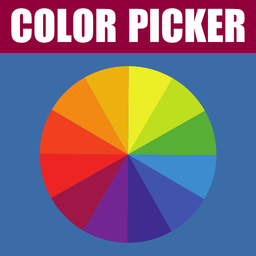
Color Picker For Contact Form 7 可以讓您在聯絡表單中加入顏色欄位。
您可以在 Contact Form 7 WordPress 外掛中建立顏色選擇器欄位。此外掛可添加聯絡表單中的顏色欄位。
文件
實際展示
功能:
必要欄位
添加預設顏色值
設定顏色選擇器欄位的 ID 與 Class (選擇性)
外掛標籤
開發者團隊
② 後台搜尋「Color Picker for Contact Form 7」→ 直接安裝(推薦)
原文外掛簡介
Color Picker for Contact Form 7 is a lightweight and easy-to-use WordPress plugin that extends Contact Form 7 with a dedicated color picker field. Whether you are building a design request form, a product customization form, or any form where users need to select a color, this plugin gives you a seamless, visually rich color input.
Using the built-in CF7 tag generator, you can insert a color picker field into any Contact Form 7 form in seconds — no coding required. The color value selected by the user is automatically included in the form submission and can be included in notification emails using the standard CF7 mail-tag system.
Powered by the popular JSColor library, the color picker popup is fully configurable: choose between hex and RGBA color formats, set the popup background color, control its dimensions, position, and preview size — all from within the Contact Form 7 form editor.
Useful Links:
– Documentation
– Live Demo
– Get Pro Version
🎨 Why Use Color Picker for Contact Form 7?
Contact Form 7 is the most popular WordPress form plugin, but it does not natively support color input fields. This plugin fills that gap perfectly. Instead of asking users to type a color code manually (and risk errors), you can provide a professional, interactive color picker that makes the experience intuitive and accurate.
Common use cases include:
Design and branding request forms
Product customization and printing order forms
Interior design or decoration inquiry forms
T-shirt, merchandise, or print-on-demand order forms
Website or logo design request forms
Event planning and decoration forms
✅ Free Version Features
Color Picker Field Tag Generator
Adds a new “color_picker” tag type inside the Contact Form 7 form editor. Use the visual tag generator panel to configure the field without writing any code.
Required Field Support
Mark the color picker field as required. If the user tries to submit the form without selecting a color, CF7’s standard validation will trigger and prevent submission.
Default Color Value
Set a pre-selected default color that is shown in the field when the form first loads. Accepts any valid hex color value (e.g. #b5428d). This gives users a starting point and ensures the field is never empty.
Color Format Selection — Hex or RGBA
Choose how the selected color value is captured and submitted. Two formats are supported:
– Hex — standard 6-digit hexadecimal color code (e.g. #ff6600)
– RGBA — red, green, blue, and alpha (opacity) value (e.g. rgba(255, 102, 0, 1))
Color Picker Popup Background Color
Customize the background color of the color picker popup panel. This is useful for matching the color picker’s appearance to your site’s design. Accepts any hex value (default: #333).
Color Picker Popup Width
Set the width of the color picker popup in pixels. Default value is 180px.
Color Picker Popup Height
Set the height of the color picker popup in pixels. Default value is 180px.
Color Picker Popup Padding
Control the internal padding of the color picker popup. Default value is 18px.
Color Preview Size
Set the size of the color preview swatch displayed inside the input field, in pixels. Default value is 80px.
Color Picker Popup Position
Choose where the color picker popup appears relative to the input field. Four positions are available:
– Left
– Right
– Top
– Bottom (default)
Custom ID and Class
Optionally assign a custom HTML id and/or CSS class to the color picker field for styling or JavaScript targeting purposes.
Mail Tag Support
The selected color value is fully compatible with the Contact Form 7 mail system. Insert the generated mail-tag into the Mail tab to include the chosen color in submission notification emails.
🔒 Pro Version Features
The Pro version of Color Picker for Contact Form 7 unlocks powerful additional functionality for advanced forms.
Multiple Color Picker Fields Per Form
In the free version, only one color picker field is active per form page. If more than one color picker field is added, additional fields display a message prompting the user to upgrade. With the Pro version, you can add unlimited color picker fields to a single form — ideal for forms where users need to specify multiple colors (e.g. primary and secondary brand colors, background and text colors, etc.).
👉 Upgrade to Pro