內容簡介
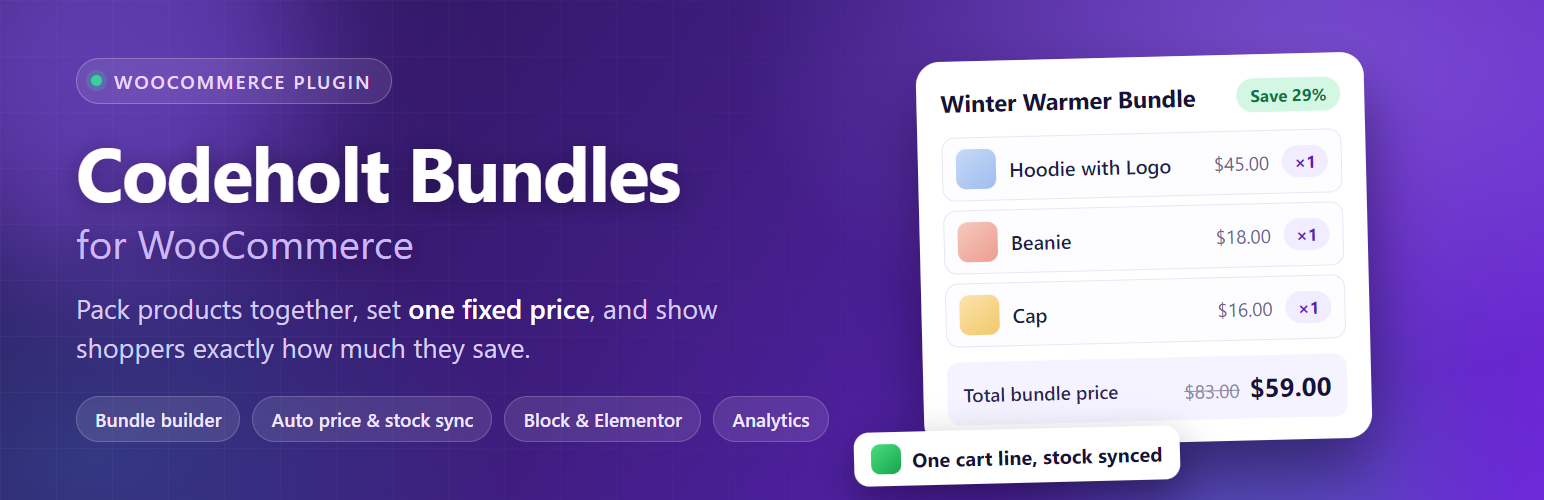
Codeholt Bundles for WooCommerce 為您的商店新增一種輕量級的「捆綁」產品類型,讓您可以將多個產品組合成一個以固定折扣價或自動計算價格的捆綁包,提升每筆訂單的平均價值,並簡化產品包裝。
【主要功能】
• 支援將多個產品組合成捆綁包
• 提供自動計算或固定價格選項
• 實時顯示客戶節省的金額
• 便捷的庫存管理功能
• 一鍵加入購物車,簡化結帳流程
外掛標籤
開發者團隊
② 後台搜尋「Codeholt Bundles for WooCommerce」→ 直接安裝(推薦)
原文外掛簡介
Codeholt Bundles for WooCommerce adds a lightweight, native “Bundle” product type to your store. Combine multiple products into one bundle with a fixed discounted price (or auto-calculated price), show customers exactly how much they save, and sell more per order — one cart line, correct stock handling, and native WooCommerce price fields so sorting and filtering keep working.
Need percentage discounts, quantity limits, extra product page layouts, a custom CSS panel or advanced reports? Check out Codeholt Bundles for WooCommerce Pro.
Why bundles?
Increase Average Order Value (AOV)
Improve cross-selling and upselling
Reduce cart abandonment with clear savings
Simplify product packaging
Bundle builder
Search, add, remove and drag & drop reorder products right on the product edit screen’s Bundled Products tab. Each item gets its own quantity and an optional “hide on frontend” toggle, with a live totals preview while you build.
Flexible pricing
Auto calculate — the bundle price is the sum of its products’ prices.
Fixed bundle price — set a flat price and the plugin shows an automatic “Save $X (Y%)” badge.
Automatic price sync — the bundle’s price and savings recalculate whenever a bundled product’s own price changes.
Prices live in WooCommerce’s native price fields, so bundles sort, filter and show up in price-range widgets like any other product.
Stock management
Validates and reduces bundled product stock on purchase, prevents overselling when a child product runs low or out of stock, restores stock on cancellation/refund, and keeps bundle availability live-synced to its children.
Cart, checkout & orders
The whole bundle adds to cart as one line item, with its contents and total savings shown — fully working in both the classic cart/checkout and the WooCommerce Cart & Checkout blocks. The same details carry through to the order-received page, order emails, and the admin order screen.
Product page layouts
Two built-in layouts, Table and Compact, selectable as a site-wide default or overridden per bundle from WooCommerce → Bundles → Settings.
Settings
Set the default product-page layout and bundle-listing card style, customize the “included products” section heading, and toggle the savings badge on or off — all from WooCommerce → Bundles → Settings.
Analytics overview
A cached, HPOS-aware dashboard under WooCommerce → Bundles showing total bundles sold, total revenue, total customer savings, the top-selling bundle, and a per-bundle sales table with revenue-share bars.
Import / Export
Export every bundle as a re-importable JSON file (matches bundled products by SKU) or as a CSV report, and import bundles back in through a simple drag-and-drop dropzone.
Display anywhere
Shortcode — [cbfw_bundle id="123"]
Gutenberg block — “Product Bundle”, pick the bundle, layout and display options right in the block editor
Elementor widget — “Product Bundle” widget with its own style controls
SEO, accessibility & performance
Enriched structured data for bundles (bundle contents exposed to search engines)
ARIA labels on interactive frontend markup
Conditional asset loading — no bundle assets load on pages that don’t need them
Cached analytics queries and full HPOS (High-Performance Order Storage) compatibility
Developer friendly
Actions and filters throughout (pricing, layouts, admin tabs, import/export, settings) and fully overridable templates. See the Other Notes tab for the full hook list.
Compatibility
WooCommerce HPOS (High-Performance Order Storage)
WooCommerce Cart & Checkout Blocks
Gutenberg and Elementor
Any well-coded theme
🚀 Pro Features
Need more than the basics? Codeholt Bundles for WooCommerce Pro adds:
Percentage discount pricing mode — X% off the bundled products total
Discount scheduling — start/end dates using WooCommerce’s native sale schedule
Min/max quantity rules per order
Custom savings badge text template, plus a shop-page badge
Three extra product page layouts — List, Grid, Inline — plus a Custom layout builder (columns, item style, image size, toggles)
A Custom CSS panel, loaded on top of the free layouts
Advanced reports — 7/30/90/365-day date ranges and CSV export, right inside the Overview tab
Automatic one-click plugin updates
Priority support
Get it at https://codeholt.com/products/codeholt-bundles-for-woocommerce-pro/
📖 Documentation
Full documentation, including Pro, is available at https://ashrafulsarkar.github.io/codeholt-bundles-for-woocommerce/
Template overrides
Copy any file from the plugin’s templates/ directory into yourtheme/codeholt-bundles-for-woocommerce/, keeping the same sub-folder structure, and edit your copy:
templates/bundle-card.php — the card used by the shortcode, block and Elementor widget.
templates/single-product/add-to-cart/bundle.php — the bundle area on the single product page.
Filters
cbfw_bundled_products — ( array $resolved, CBFW_Product_Bundle $bundle ) Resolved bundled items before they are used.
cbfw_can_bundle_product — ( bool $can, WC_Product $product ) Whether a product may be bundled.
cbfw_pricing_modes — ( array $modes ) Registered pricing modes. Default array( 'auto', 'fixed' ).
cbfw_custom_mode_prices — ( null|array $prices, CBFW_Product_Bundle $bundle, string $mode, array $totals ) Return array( 'regular' => …, 'sale' => … ) to supply prices for a custom mode.
cbfw_product_layouts — ( array $layouts ) Registered single-product layouts.
cbfw_bundle_layout — ( string $layout, CBFW_Product_Bundle $bundle ) Layout used for one bundle.
cbfw_bundle_card_html — ( string $html, CBFW_Product_Bundle $bundle, array $args ) Rendered card markup.
cbfw_show_savings_badge — ( bool $show, WC_Product $product ) Whether the savings badge is shown.
cbfw_savings_badge_text — ( string $badge, WC_Product $product, array $pricing ) Badge text. Must be escaped.
cbfw_inline_css — ( string $css, array $settings ) Extra CSS appended to the frontend stylesheet.
cbfw_structured_data — ( array $markup, CBFW_Product_Bundle $bundle ) Bundle structured data.
cbfw_save_bundled_items — ( array $items, WC_Product $product ) Sanitized items before they are saved.
cbfw_save_settings — ( array $settings ) Settings before they are written to the database.
cbfw_bundle_choices_limit — ( int $limit ) Max bundles listed in pickers. Default 200.
cbfw_overview_days — ( int $days ) Reporting period for the analytics overview. Default 30.
cbfw_child_search_help — ( string $text ) Help tip under the bundle builder’s product search.
Actions
cbfw_loaded — Fires once the plugin is fully loaded.
cbfw_bundle_synced — ( CBFW_Product_Bundle $bundle ) After a bundle’s price and stock are resynced.
cbfw_order_line_item_created — ( WC_Order_Item_Product $item, CBFW_Product_Bundle $bundle ) After bundle meta is written to an order line item.
cbfw_import_bundle — ( CBFW_Product_Bundle $bundle, array $bundle_data ) After a bundle is created from an import row, before prices are resynced.
cbfw_before_bundled_items / cbfw_after_bundled_items — ( CBFW_Product_Bundle $bundle ) Around the included-products list on the product page.
cbfw_pricing_fields — ( WP_Post $post ) Extra fields in the product data pricing area.
cbfw_after_builder_panel — ( WP_Post $post ) After the Bundled Products panel.
cbfw_settings_sections — ( array $settings ) Extra sections on the Settings tab.
cbfw_layout_card_fields — ( array $settings ) Extra fields inside the layout settings card.
cbfw_overview_actions — ( int $days ) Toolbar area of the analytics overview.
cbfw_admin_tab_{$tab} — Renders the body of a custom admin tab.