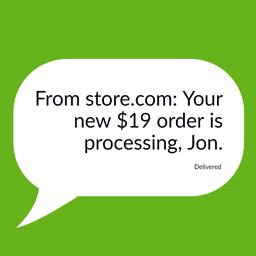
內容簡介
CodeAtoZ – Cloud Messaging for WooCommerce 將您的 WooCommerce 商店直接連接至 Meta 的 WhatsApp Business Cloud API,讓您能夠透過全球最受歡迎的即時通訊應用程式,向客戶發送訂單確認、處理更新、運送通知及交貨提醒,無需支付第三方中介費用。
【主要功能】
• 直接連接 WhatsApp Business Cloud API
• 發送訂單確認及運送通知
• 提供免費的每月 1,000 條服務訊息
• 新增「立即聊天」按鈕功能
• 設置健康檢查工具
• 訊息日誌中的重新發送按鈕
外掛標籤
開發者團隊
② 後台搜尋「CodeAtoZ – Cloud Messaging for WooCommerce」→ 直接安裝(推薦)
原文外掛簡介
CodeAtoZ – Cloud Messaging for WooCommerce connects your WooCommerce store directly to Meta’s WhatsApp Business Cloud API. Send order confirmations, processing updates, shipping notifications, and delivery alerts to your customers on the world’s most popular messaging app — without paying any third-party BSP middleman.
You pay Meta’s per-message pricing directly. No markup, no monthly platform fees, no vendor lock-in. Meta gives every business phone number 1,000 free service messages per month, and order notifications are billed at Meta’s cheaper Utility rate with volume discounts.
✨ What’s new in 1.5.1
🆕 Click-to-Chat button — finally shipped. A “Chat with us” button that opens WhatsApp with your number and an optional pre-filled message. Place it automatically on product pages, with the [wcwa_chat_button] shortcode, or as a block. This was listed as a free feature since 1.0 but had never actually been implemented — only the share button existed. It needs no Meta credentials, so it works on day one.
🆕 Site Health checks. Tools → Site Health now reports on your connection, webhook, message queue and delivery failures, and adds a WhatsApp Commerce panel to the Info tab that is safe to paste into a support request (it reports whether credentials are set, never their values).
🆕 Re-send from the message log. Each outbound row gets a Re-send button. It rebuilds the message from the template and the order’s current details rather than replaying the old payload, so fixing a variable mapping and re-sending actually produces a corrected message.
📖 Setup Guide now documents the 1.5.0 features. An “Once you are connected” section covering the variable mapper, Usage & Costs and the preference centre, plus four new FAQ entries (wrong values in messages, error #132000, how customers unsubscribe, custom order statuses).
🐛 Fixed: the in-plugin Setup Guide still described Meta’s retired per-conversation pricing, including “$0.005–$0.05 per conversation”. It now describes per-message billing and the October 2026 change, matching the Usage & Costs screen.
🐛 Fixed: uninstall left order data behind on HPOS stores. Cleanup only cleared wp_postmeta, but with High-Performance Order Storage enabled order meta lives in wp_wc_orders_meta, so customer phone numbers and consent flags survived uninstall. Both layouts are now cleaned.
✨ What’s new in 1.5.0
Four new free features, six bug fixes, and WordPress 7.1 / WooCommerce 11.2 compatibility. Everything below is in the free version — nothing moved behind the Pro plugin.
🆕 Template variable mapper — Pick your Meta-approved template from a dropdown instead of typing its name, then map each {{1}}, {{2}} placeholder to the order value it should receive, with a live preview. This eliminates Meta error #132000 (“number of parameters does not match”), which was by far the most common setup problem.
🆕 Usage & Costs screen — See how many messages you sent this month, broken down by the Meta billing category that determines what each one costs, plus a meter for your 1,000 free monthly service messages. Matters more than ever now that Meta bills service and in-window utility messages.
🆕 Customer preference centre — A “WhatsApp” tab under My Account where customers update their number or unsubscribe themselves. Satisfies GDPR Article 7(3) (withdrawing consent must be as easy as giving it) and cuts support email.
🆕 Official WooCommerce checkout field — The Blocks checkout opt-in now uses WooCommerce’s own Additional Checkout Fields API, so the field also appears in My Account and on the admin order screen. Existing orders are unaffected.
🐛 Fixed: “Order Confirmed” notifications never fired. The setting was stored under a key no WooCommerce status ever matches, so the toggle did nothing. Your existing configuration is migrated automatically on update.
🐛 Fixed: dead “Notify Me” button. Free installs rendered a back-in-stock form on every out-of-stock product that always failed, because the handler ships only in Pro.
🐛 Fixed: two public REST endpoints returned a PHP fatal error. /notify-me and /verify-otp were registered publicly on every free install but called classes that ship only in Pro, so any request to them produced an HTTP 500 and an error-log entry.
🐛 Fixed: custom order statuses from plugins like Order Status Manager are now configurable, instead of only the nine hardcoded events.
⚠️ Graph API upgraded from v21.0 to v25.0. v21.0 stops working on 21 January 2027, after which Meta silently downgrades calls to an older version. Updating is strongly recommended.
Why use WhatsApp for order notifications?
98% open rates — compared to ~20% for email. Customers read WhatsApp messages within minutes.
No SMS costs — WhatsApp Cloud API is dramatically cheaper than SMS gateways in most countries.
Two-way conversation — customers can reply with questions, change requests, or feedback.
Mobile-first — works perfectly on every smartphone, no app installation needed by the customer.
Trusted channel — customers already use WhatsApp daily, no learning curve.
Features (Free version)
Order Status Notifications
Send a WhatsApp message automatically on every WooCommerce order status change:
Pending payment
Processing (payment received)
On hold (manual review)
Shipped (triggered when a tracking number is added)
Completed
Cancelled
Refunded
Failed
✨ New in 1.5.0: any custom order status registered by another plugin (WooCommerce Order Status Manager and similar) — the event list is now read from WooCommerce itself rather than hardcoded
Each event has its own message template with full variable substitution — order number, customer name, total amount, shipping address, tracking URL, and more.
✨ New in 1.5.0 — Template picker & variable mapper
Choose a template from a dropdown of your Meta-approved templates, fetched live from your account — no more typing template names and discovering the typo three orders later
The plugin reads each template’s structure from Meta and shows you one row per {{1}}, {{2}} placeholder
Map every placeholder to the exact order value it should receive — customer name, order number, total, tracking number, and 15 more
Live preview shows how the finished message will read, using sample data
Maps text headers and dynamic URL buttons too, not just the message body
Templates you haven’t mapped keep working exactly as before — mapping is opt-in per template
This is the fix for Meta error #132000, the most common cause of messages failing to send
✨ New in 1.5.0 — Usage & Costs
Meta moved from per-conversation to per-message billing, and since 1 October 2026 also bills service messages and utility templates sent inside the 24-hour service window. A new Settings → Usage & Costs screen shows:
Messages sent this calendar month, grouped by Meta billing category (Utility / Marketing / Authentication / Service)
A meter for your 1,000 free service messages per month, which turns amber at 80% and red once the allowance is used up
What each category actually costs you, in plain language
This month’s delivery rate, with failures broken out
A matching card on the dashboard so you notice before the invoice does
It deliberately shows message counts rather than a currency estimate — Meta’s rates vary by recipient country and volume tier, and a wrong number would be worse than no number.
GDPR-Compliant Opt-In
Customizable consent checkbox at checkout (classic and Blocks Checkout supported)
Configure the checkbox wording, default state, and required/optional behavior
Records opt-in consent with timestamp and IP address (legal compliance)
Integrates with the WordPress Personal Data Exporter and Eraser tools
Compatible with Cookie/GDPR consent banner plugins
✨ New in 1.5.0: the Blocks checkout opt-in now uses WooCommerce’s official Additional Checkout Fields API, so the same field also appears under My Account and on the admin order screen — and benefits from WooCommerce’s own validation. Classic checkout is unchanged, and existing orders keep working untouched.
✨ New in 1.5.0 — Customer preference centre
A “WhatsApp” tab under My Account where customers manage their own subscription
Update the phone number, or unsubscribe, without emailing your support desk
Satisfies GDPR Article 7(3): withdrawing consent is now as easy as giving it, which a checkout-only checkbox arguably was not
Works even if you later disconnect your Meta credentials, so a subscriber can always opt out
Enable or disable it from the settings; the URL slug is translatable via a filter
STOP-Keyword Auto-Unsubscribe
Customers can reply “STOP”, “UNSUBSCRIBE”, “QUIT” or “END” to any message to opt out
Automatic recognition — no manual subscriber management needed
Confirmation message sent back to the customer
Opt-out preserved across orders — you never need to remember it manually
Easy admin re-opt-in tool for accidental unsubscribes
Staff Notifications (Single Phone)
Alert your phone via WhatsApp the moment a new order arrives
Alert on failed payments and refund requests
Configurable per-event triggers
(Multi-staff notification lists are available in the Pro version)
Click-to-Chat & Share Buttons
✨ New in 1.5.1: WhatsApp “Chat with us” button — configurable phone number, button text, pre-filled message and position
Place it automatically on product pages, with the [wcwa_chat_button] shortcode, or as a block (works in full-site-editing templates)
Needs no Meta credentials, no approved template and no opt-in — it is a plain wa.me link, so it works before you connect the Cloud API
Pre-filled message supports {product}, {product_url}, {store} and {page_url}
WhatsApp share button so customers can share products with friends
✨ New in 1.5.1 — Site Health & diagnostics
Tools → Site Health checks your connection, webhook configuration, queue backlog and recent delivery failures
Each check explains the consequence, not just the state — e.g. a missing App Secret means STOP opt-outs are never processed
A WhatsApp Commerce panel on the Site Health Info tab collects the environment facts support usually has to ask for
Contains no credentials — only whether each is set — so it is safe to paste into a public forum
✨ New in 1.5.1 — Re-send from the message log
A Re-send button on every outbound row in the message log
Rebuilds the message from the template using the order’s current details, so correcting a variable mapping and re-sending produces a fixed message rather than repeating the original failure
Built-in Message Log
Every outgoing and incoming WhatsApp message is logged with status (Sent → Delivered → Read → Failed)
Click any log entry to see the full payload, error code, and Meta message ID
Filter by status, phone, date range, or specific order
Configurable retention (default 90 days) to keep the database lean
In-Plugin Setup Guide
6-step walkthrough takes new merchants from “just installed” to “first message sent”
Click-to-copy webhook URL and verify token
Live FAQ covering Cloud API pricing tiers, template rejection causes, message delivery troubleshooting
Accessible both as a top-level menu item and inside Settings
Technical Excellence
Direct Meta Graph API integration (no proxy, no third-party server in the middle), pinned to Graph API v25.0 and overridable via a wp-config.php constant
Encrypted access-token storage (OpenSSL AES-256-CBC)
HMAC-verified webhook for delivery and read receipts
Action Scheduler queue with WP-Cron fallback (reliable delivery even under load)
HPOS (High-Performance Order Storage) compatible
Blocks Checkout compatible
Translation-ready with .pot file and 9 sample .po translations included
Modern WordPress admin UI with charts (Chart.js bundled locally — no CDN loads)
All code escapes output, sanitizes input, verifies nonces, checks capabilities
Who is this for?
Online stores that want to stop losing customers to email-overload — WhatsApp gets read, email doesn’t.
Stores in WhatsApp-heavy markets (India, Brazil, Indonesia, Spain, Mexico, Italy, Argentina, Saudi Arabia, etc.) where customers prefer WhatsApp over SMS.
Direct-to-consumer (DTC) brands that want a personal, mobile-first customer experience.
B2B / wholesale stores that need fast confirmation and shipping updates to business buyers.
High-ticket stores where lost orders are expensive and proactive communication directly affects conversion.
Cash-on-Delivery (COD) markets where confirmation messaging dramatically reduces fake orders (basic version free; OTP verification in Pro).
Pro version
A Pro add-on plugin is available on codeatoz.com that unlocks advanced commerce automation modules:
Abandoned Cart Recovery — automatic follow-up sequences for incomplete checkouts (configurable delay + max messages + multi-step cadence)
COD Verification with OTP — verify Cash-on-Delivery orders before fulfillment (massive fake-order reduction)
Back-in-Stock Alerts — “Notify Me” widget on out-of-stock products, auto-message when restocked
Review Collector — request product reviews a configurable number of days after delivery
Payment Reminders — automated reminders for pending bank-transfer / unpaid orders, with auto-cancel option
Address Confirmation — interactive button confirmation for high-value or risky orders
WhatsApp Returns Flow — full conversational return request, photo upload, refund/exchange selection
Catalog Sync — push your WooCommerce product catalog to WhatsApp Business Catalog
WhatsApp OTP Login — passwordless customer login with phone + WhatsApp one-time code
Unlimited staff phones (free is limited to 1)
Multi-language template auto-detection for non-English markets
Quiet Hours engine — respect customer timezones, avoid 3 AM notifications
Analytics dashboard — charts, per-module breakdown, delivery rates, revenue recovered
Inline-send architecture — sub-second message delivery using fastcgi_finish_request
Premium template library + priority email support
The Pro version is a separate, standalone plugin — not a paid feature unlock of this free plugin. If you only ever use the free version, every free feature listed above will keep working forever with no nag screens or time limits.
External Services
This plugin connects to and uses the following external services to deliver its core functionality. By installing and using this plugin you acknowledge that data is transmitted to these services.
WhatsApp Business Cloud API (Meta Platforms, Inc.)
What it is used for: Sending WhatsApp messages (order notifications, opt-in confirmations, transactional alerts), receiving delivery and read receipts via webhook, fetching the merchant’s approved message-template list.
What data is sent: Recipient phone number (only for customers who have opted in), message template name, template variables (e.g. customer first name, order ID, order total, shipment tracking URL), and the merchant’s access token for authentication.
When data is sent: Whenever a WooCommerce order changes status, when a customer opts in or out, when the merchant clicks “Refresh templates”, and when the merchant triggers a test message.
Service endpoint: https://graph.facebook.com (Meta Graph API, v25.0)
Provider: Meta Platforms, Inc.
Terms of Service: https://developers.facebook.com/terms
Privacy Policy: https://www.whatsapp.com/legal/business-policy
This plugin does not connect to any other external service. All other functionality (message queue, log, settings, subscriber list, dashboard) runs entirely on your own WordPress install. No telemetry, no analytics, no tracking pixels.
Privacy & Data Handling
This plugin stores the following customer data locally in your WordPress database:
Phone numbers — in the subscribers table and the message log. Only for customers who explicitly opt in at …