內容簡介
一個可以測量 WordPress 外掛與佈景主題效能的分析工具。
Code Profiler 可以協助您在 PHP 層面上測量您的外掛與佈景主題的效能,並快速找到任何潛在的 WordPress 安裝問題。
您可以測量 WordPress 的前台與後台、自訂的 URL,甚至可以傳送 POST 載荷和自訂 cookies 以測量聯絡表單、結帳流程或 AJAX 動作等等的效能,應用的可能性非常多。
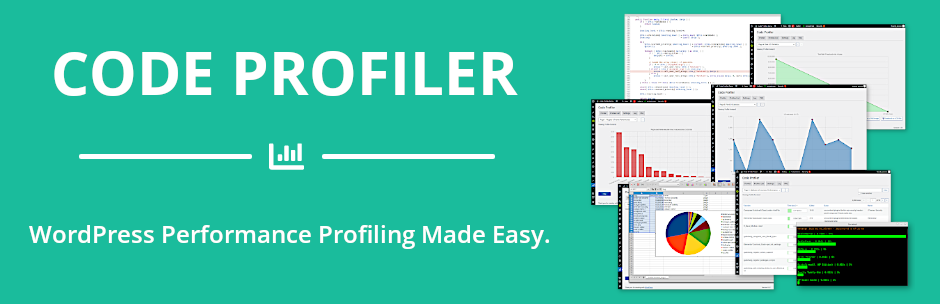
它以圖表和表格的方式呈現極度詳細且易於閱讀的分析,不僅顯示哪個外掛或佈景主題,還顯示哪個 PHP 腳本、類別、方法和函式導致您的網站速度變慢,並且也顯示許多有用的額外資訊,例如資料庫查詢、檔案 I/O 操作和磁碟 I/O 使用情況。
它可以很容易地定位佈景主題或外掛中的任何瓶頸問題,以解決它並加速您的網站。
安裝並啟用 Code Profiler 後,您便可以立即開始對您的網站進行分析。
功能
外掛和佈景主題效能分析。
[Pro] 腳本效能分析。
[Pro] 方法和函式效能分析。
[Pro] 資料庫查詢效能分析。
[Pro] 檔案 I/O 操作監控。
檔案 I/O 統計資料。
磁碟 I/O 監控。
WP-CLI 整合。
匯出圖表為 PNG 圖像格式。
GET/POST 方法和自訂 cookies。
[Pro] 匯出所有表格和圖表為 CSV 檔案格式。
[Pro] 篩選選項
了解更多關於 Code Profiler Pro。
外掛標籤
開發者團隊
② 後台搜尋「Code Profiler – WordPress Performance Profiling and Debugging Made Easy」→ 直接安裝(推薦)
📦 歷史版本下載
原文外掛簡介
A profiler to measure the performance of your WordPress plugins and themes.
Code Profiler helps you to measure the performance of your plugins and themes at the PHP level and to quickly find any potential problem in your WordPress installation.
You can profile the frontend and backend of WordPress, as well a cron events, a custom URL, send a POST payload, custom cookies and HTTP headers to profile a contact form, a checkout process or an AJAX action among many other possibilities.
It generates an extremely detailed and easy to read analysis in the form of charts and tables that shows not only which plugin or theme, but also which PHP script, class, method and function is slowing down your website. It displays many useful additional information such as database queries, file I/O operations and disk I/O usage as well.
It makes it very simple to locate any bottleneck problem in your themes or plugins in order to solve it and speed up your website.
Install, activate it and you can start profiling your site right away.
Features
Plugins & themes performance profiling.
[Pro] Scripts performance profiling.
[Pro] Methods & functions performance profiling.
[Pro] Database queries performance.
[Pro] Remote connections monitoring.
[Pro] File I/O operations monitoring.
File I/O statistics.
Disk I/O monitoring.
WP-CLI integration.
Export charts in PNG image format.
GET/POST methods, custom cookies and HTTP headers.
[Pro] Export all tables and charts in CSV file format.
[Pro] Filtering options
Learn more about Code Profiler Pro.