內容簡介
Clusterlane 將您的分類、標籤及其他分組轉換為主題集群,並為每個集群評分,指導您下一步該做什麼,幫助您優化內容連結和 SEO。
【主要功能】
• 集群概覽:一目瞭然的網站地圖
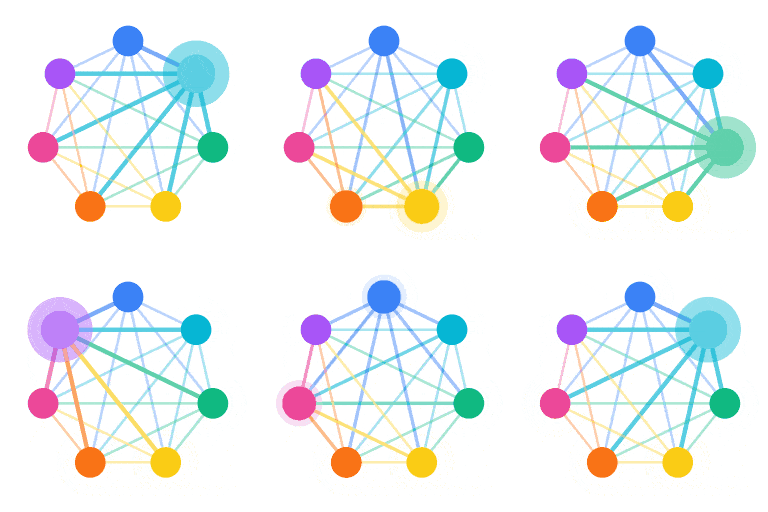
• 集群圖表:顯示支柱文章及孤立文章
• 連結優化:一鍵應用或撤銷連結
• SEO 預覽:檢查標題和描述的長度
• 角色與權限:管理使用者權限
• 自訂分類:支持任何分類法的集群
外掛標籤
開發者團隊
原文外掛簡介
Clusterlane turns your categories, tags and other groupings — even pages your custom post types point to — into topic clusters, scores each one, and tells you on every screen what to do next: which articles nothing links to, which mentions can become links in one click, and which article should be the main one.
Free, with no limit on articles:
Site map — every cluster at a glance, sized by articles and coloured by health.
Cluster graphs — the pillar, supporting articles and orphans of each cluster, and every link between them.
Focus next — the clusters where a few links make the biggest difference.
Improve this cluster and Improve this article — what to fix, most important first, with the fixes one click away.
Text Match — finds places where an article already names another article without linking to it. Apply links one by one, per article, or the whole list in one run; undo any link, or the whole run.
Cluster quick view — health and its trend, links, orphans, pillar and the articles to start with, for any cluster in the list.
Choose each cluster’s pillar — Clusterlane picks the best-linked article, or you choose it yourself.
SEO title and description preview — from your SEO plugin (Yoast, Rank Math, SEOPress, All in One SEO, The SEO Framework) or your own fields and ACF fields, with length checks and a filter for missing or weak descriptions.
SEO Titles — every article’s SEO title and meta description on one page, weakest first: filter by cluster, missing or weak descriptions, long titles and duplicates, edit by hand and apply to your own fields, with undo. The first time Clusterlane changes a title or description it keeps the original, so Restore original brings it back.
Roles and capabilities — decide who can use Clusterlane and who can change its settings.
Theme links — reads your published pages too, so links your theme adds through lists, cards and related sections count. Pages are read in the background, through the WordPress HTTP API.
Pages as clusters — for sites built from custom post types that point to each other (areas and their region, hotels and their destination): Clusterlane finds the custom fields by itself, and each page becomes a cluster with the pages pointing to it.
Clusters from any taxonomy — regions, types, genres: not only categories and tags.
Clusterlane never changes your content by itself. Links, SEO fields and pillars only change when you click Apply or choose them, and links and SEO fields can be undone for 30 minutes after you apply them.
See it fix a real article — one article nothing linked to, connected in five steps:
Clusterlane Pro and Agency add the Report — a printable summary of your site with its history: cluster health and orphans over time, the work done and what to fix next (the history is collected in every edition, so it is there when you upgrade) — a link to the pillar at the end of every article in a cluster, which follows the pillar you choose — and AI features: a site analysis whose recommendations open the right tool, a pillar and split check for every cluster — which are too broad and should be split, and which have no natural main article, content gap analysis and briefs, AI-written link sentences and SEO title and description suggestions (one article at a time, or many at once in SEO Titles, choosing field by field what to keep) and an AI review of every SEO title and description against its article, ten articles per call — on your own OpenAI or Anthropic API key. See https://clusterlane.app/pricing/.