內容簡介
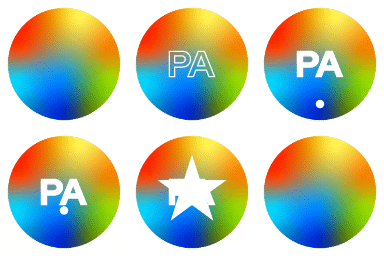
總結:Clump是一個現代且視覺動態的WordPress外掛程式,適用於需要透過多個滑塊展示內容的網站。適用於作品集、創意機構、產品展示和登陸頁面。Clump提供流暢的轉換效果、響應式設計和可自訂的佈局選項。
1. Clump外掛的用途為何?
- Clump是一個設計用於需要透過多個滑塊展示內容的網站的WordPress外掛程式。
2. Clump提供哪些設計選項?
- Clump提供15個獨特的滑塊,具有多種設計和顏色組合。
3. Clump外掛的設計特色有哪些?
- 全響應佈局,適用於所有設備(手機、平板、筆記本電腦、桌面電腦)。
- 15個豐富的設計,所有設計均為網站獨特的高需求設計。
- 完全可自訂,包括自動播放、滑動速度、按鈕、圖示以及許多其他動畫等。
- 多種類型的動畫,如smartSpeed、animateIn、animateOut、mouseDrag等。
- 使用多種Google字體。
- 終身免費更新。
4. 如何使用Clump外掛?
- 前往欲編輯的頁面或貼文,點擊「使用Elementor進行編輯」。
- 在Elementor編輯器的左側,您將找到小工具面板,其中包含可添加到您的頁面的Clump元素(小工具)。
- 流覽此特定小工具,或使用搜尋條搜尋Slider。
- 從面板中點擊並按住所需的小工具,將其拖放到您想放置它的頁面畫布上。藍線將指示元素將被插入的位置。
- 或者,您可以在畫布上點擊要添加元素的位置,然後在小工具面板中點擊該元素。根據您是否使用容器或部分,Elementor將自動將元素放置在所選位置。
- 一旦元素位於畫布上,您可以點擊它以訪問左側面板中的設置。在這裡,您可以自訂其內容、樣式和進階設置。
外掛標籤
開發者團隊
② 後台搜尋「Clump – Multiple Elementor Website Slider」→ 直接安裝(推薦)
原文外掛簡介
Clump is a modern and visually dynamic WordPress Plugin designed for websites that require showcasing content through multiple sliders. Ideal for portfolios, creative agencies, product showcases, and landing pages, Clump offers sleek transitions, responsive design, and customizable layout options.
You will get 15 unique sliders with multiple designs and color combinations. All the designs of plugin is separated from others so that you can easily implement them in your website. Additionally, we provide proper documentation with step-by-step instructions to help you install and using the plugin.
Live Demo: Check here
Buy Pro Version: Check here
Features List:
Responsive Layout: All of the designs are 100% mobile responsive on all devices as mobile, tablet, laptop, desktop, etc.
15 Resourceful Designs: These 15 designs are high-demand designs, and all of them are unique for your website.
Fully Customizable: You can customize as much as you want, such as autoplay, sliding speed, buttons, icons, and many more animations etc.
Animations: There are various types of animations, such as smartSpeed, animateIn, animateOut, mouseDrag, etc.
Google Fonts: All designs of this plugin use multiple types of Google fonts. There is an option for using any Google fonts easily.
Lifetime Update: Our plugin will be updated day by day, and you will get all updates anytime without any cost.
Use of Plugin:
Navigate to the page or post you wish to edit and click “Edit with Elementor.”
On the left side of the Elementor Editor, you will find the widgets panel, which contains Clump element (widget) you can add to your page.
Browse through this specific widget, or use the search bar by searching Slider.
Click and hold the desired widget from the panel and drag it onto the page canvas where you want to place it. A blue line will indicate where the element will be inserted.
Alternatively, you can click on the desired location on the canvas where you want to add the element. Then, click the element in the widgets panel. Elementor will automatically place the element at the selected location, depending on whether you are using containers or sections.
Once the element is on the canvas, you can click on it to access its settings in the left panel. Here, you can customize its content, style, and advanced settings.