
內容簡介
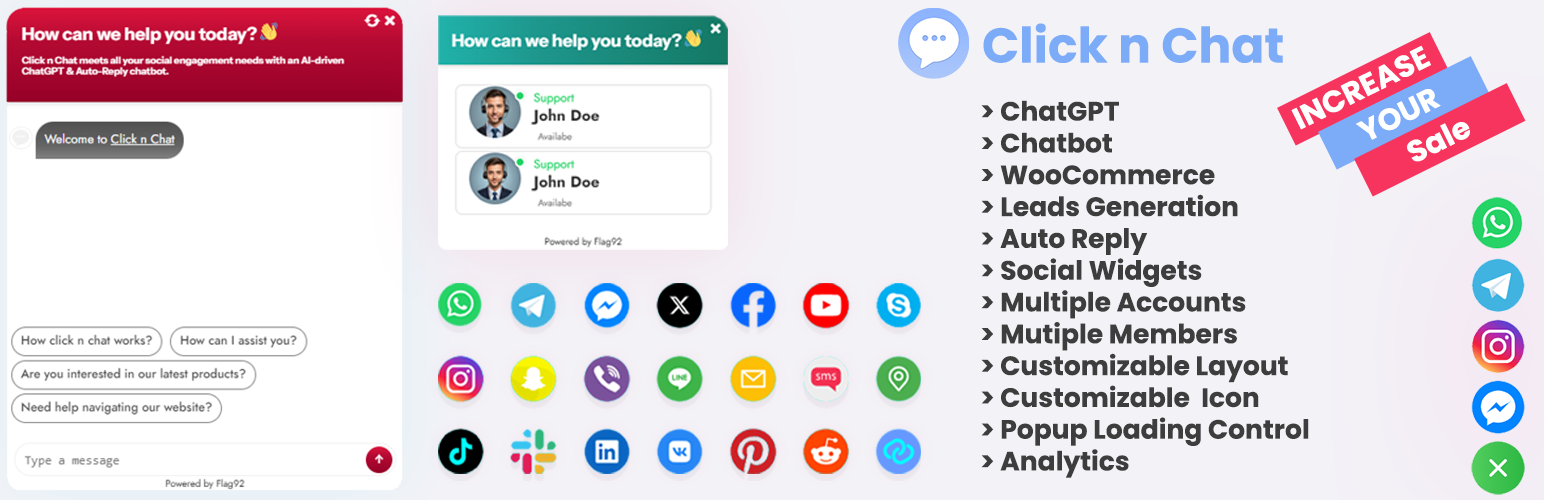
Click n Chat 是一款 100% 免費的 WordPress 聊天小工具外掛,讓您透過浮動聊天按鈕與網站訪客連接。支援多種社交及通訊平台,並提供智能自動回覆、可排程的可用性設定,幫助提升訪客互動與溝通效率。
【主要功能】
• 支援多平台聊天:WhatsApp、Telegram、Facebook Messenger 等
• AI 驅動的聊天機器人功能
• 可自訂的聊天小工具設計
• 自動回覆功能,提升回應效率
• Google Analytics 整合,追蹤互動數據
• 浮動聊天按鈕,非侵入式介面
外掛標籤
開發者團隊
② 後台搜尋「Click n Chat (Chat Widget Integration)」→ 直接安裝(推薦)
原文外掛簡介
Click n Chat is a 100% FREE WordPress chat widget plugin that allows you to connect with your website visitors through popular messaging and social platforms using a floating chat button.
With Click n Chat, you can add WhatsApp chat, Telegram chat, Facebook Messenger, Instagram, Email, SMS, and many other platforms to your website — all in one lightweight and customizable chat widget.
The plugin includes smart auto-replies, availability scheduling, drag-and-drop profile management, and Google Analytics tracking to help you engage visitors and improve communication without any subscriptions or hidden costs.
🔹 Key Benefits
Fully FREE – no Pro version, no paid upgrades
Floating chat widget for instant communication
Supports multiple social and messaging platforms
Smart auto-reply chatbot functionality
Easy customization with no coding required
Mobile-friendly and responsive
Google Analytics (GA4 & Universal) support
Features
1. Multi-Platform Chat Support
Connect your visitors using their preferred platform:
– WhatsApp
– Telegram
– Facebook Messenger
– Instagram
– Skype
– Snapchat
– Viber
– Line
– Email
– SMS
– Google Maps
– TikTok
– Slack
– LinkedIn
– VK
2. AI-Powered Chatbot (Multi-Provider)
Enhance conversations using modern AI providers
Supported AI Providers
OpenAI (ChatGPT)
Claude (Anthropic)
Google Gemini
HuggingFace Inference API
Cohere
DeepSeek
Key Highlights
Switch AI providers anytime from settings
Only required API fields appear dynamically
Unified AI engine (single backend class)
HTML-formatted AI responses for clean chat display
Compatible with PHP 7.4+
3. Social User Profile Management
Create multiple chat profiles
Set agent name, role, and description
Enable or disable profiles anytime
Drag & drop profile sorting
Set availability times per weekday
Choose custom icons for each platform
4. Floating Chat Widget
Clean bottom-right popup chat button
Displays all active chat platforms
Opens chat instantly with pre-filled details
Non-intrusive and fast loading
5. Auto-Reply Chatbot
Keyword and query-based auto replies
Percentage-based matching for accuracy
Works even when agents are offline
Fully customizable responses
6. Design & Customization
Popup header text and colors
Padding, borders, and icons
Pre-defined widget styles
Custom greeting message
7. Google Analytics Integration
Track chat widget clicks
Supports GA4 and Universal Analytics
Measure user engagement easily
8. Responsive & Developer-Friendly
Works on desktop, tablet, and mobile
Cross-browser compatible
Lightweight and optimized
Hooks and filters for developers














