
內容簡介
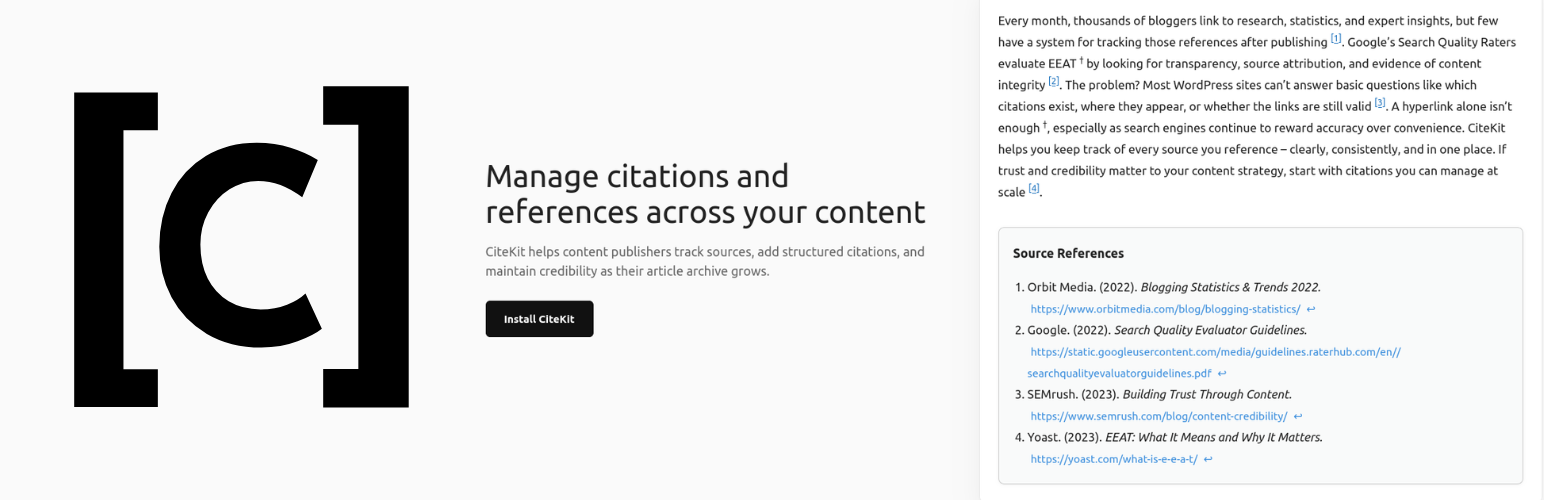
CiteKit 是一款專為 WordPress 設計的引用與參考管理外掛,讓使用者能輕鬆地在內容中添加專業的內文引用,並自動生成格式化的參考書目,支援多種引用格式如 APA、MLA、Chicago 等。
【主要功能】
• 內嵌引用短碼 [cite],自動生成唯一 ID
• 引用庫,集中管理所有引用資料
• 自動生成格式化的參考書目
• 手動編輯參考書目,支援靜態列表
• 連結健康檢查,確保來源網址可用
• 多種引用格式支援,滿足不同需求
外掛標籤
開發者團隊
② 後台搜尋「CiteKit – Citation and Reference Manager」→ 直接安裝(推薦)
原文外掛簡介
CiteKit makes it easy to add professional in-text footnotes & citations to your WordPress content using simple shortcodes or Gutenberg blocks. Automatically generate a bibliography at the end of any post with [bibliography] or the Bibliography block, styled in APA, MLA, Chicago, Harvard, and more.
Use a custom ID like [cite id=”who-2024″] to keep references memorable and reusable across your site, or let CiteKit auto-assign a unique ID. Use the Reference Library to track, audit, and manage every citation across your entire site – and check whether your source URLs are still live.
Features
Inline Citation & Tooltip Formats in Block Editor: Use the CiteKit Citation and CiteKit Tooltip buttons on the block toolbar to insert and manage inline citations and hover tooltips directly within any paragraph, heading, list, or quote block. Click an existing inline citation or tooltip badge to open that reference for editing, or place your cursor and click the toolbar button to insert a new one — no separate block needed.
Inline [cite] Shortcode with Auto-ID
Insert citations directly into post content using [cite]. Unique IDs are automatically assigned on first save, or set a custom human-readable ID with [cite id=”who-2024″].
CiteBox — Post-Level Citation Editor
A dedicated metabox in the post and page editor shows every citation in the current post. Fill in author, title, year, and URL without leaving the editor. Fields save instantly via AJAX and metadata is shared across all posts that reference the same ID.
Bibliography Block & Shortcode
Insert a formatted, backlinked bibliography anywhere in your content using the native CiteKit Bibliography block or the [bibliography] shortcode. Entries are ordered by appearance in the post, each with a back-reference to its inline citation, and style and heading are configurable per block or per shortcode.
Manual Bibliography Composition
Create a standalone bibliography with [bibliography title=”References”] Source 1 ; Source 2 [/bibliography] — ideal for static lists or non-[cite] workflows.
Reference Library
A central admin page listing every citation used across your site. Citations appear in the library the moment they are inserted into any post or page. See which posts use each reference, sort and filter by status, and manage everything from one place.
Link Health Checker
Check whether your source URLs are still reachable. Each reference is marked Live, Broken, or Unchecked. Results are saved per citation so you can spot dead links before your readers do.
Multiple Citation Style Support
Output in APA, MLA, Chicago (Author-Date and Notes-Bibliography), Harvard, or IEEE using [bibliography style=”apa|mla|chicago-ad|chicago-nb|harvard|ieee”].
Default Style Setting
Set your preferred citation style and bibliography heading once in Settings → CiteKit. All [bibliography] shortcodes and Bibliography blocks site-wide use this default unless overridden per post.
Tooltip-Style Inline Notes
Add lightweight footnotes, definitions, or asides with [tooltip]…[/tooltip] or the Tooltip block. Renders as a clean superscript that reveals a hover popup — no visual clutter until the reader needs it. Use the optional style attribute to set a custom superscript symbol: [tooltip style=”*”]…[/tooltip]. Defaults to † if omitted. Supported markers include †, *, ‡, §, ¶, or any short string such as “note”.
CiteKit Blocks & Formats
Bibliography Block — available in the CiteKit category in the block inserter. Renders a formatted, backlinked bibliography for the current post. Configure citation style and heading in the block sidebar.
Citation Format — the CiteKit Citation button on the block toolbar. Click an existing citation badge to open its reference details for editing, or place your cursor and click the button to insert a new one. Enter the citation ID and reference details in the block options panel.
Tooltip Format — the CiteKit Tooltip button on the block toolbar. Click an existing tooltip badge to edit its text and marker symbol, or place your cursor and click the button to insert a new one. Enter your note text and choose a marker symbol.
CiteKit Shortcodes
Inline Citations
[cite] — Inline citation with auto-generated UUID
[cite id=”custom-id”] — Inline citation with a user-defined ID
Bibliography
[bibliography] — Auto-generated bibliography for the current post
[bibliography style=”mla” title=”Article Sources”] — Override style and heading per post
[bibliography style=”chicago-ad”] — Override style only; heading uses your site default
[bibliography] Smith, 2026; John Jacobs, The Red Roof, 2021 [/bibliography] — Manual entry list
Tooltips
[tooltip]Note text here[/tooltip] — Inline hover tooltip with default † superscript
[tooltip style=”*”]Note text here[/tooltip] — Tooltip with custom superscript symbol
Supported bibliography styles: apa, mla, chicago-ad, chicago-nb, harvard, ieee