內容簡介
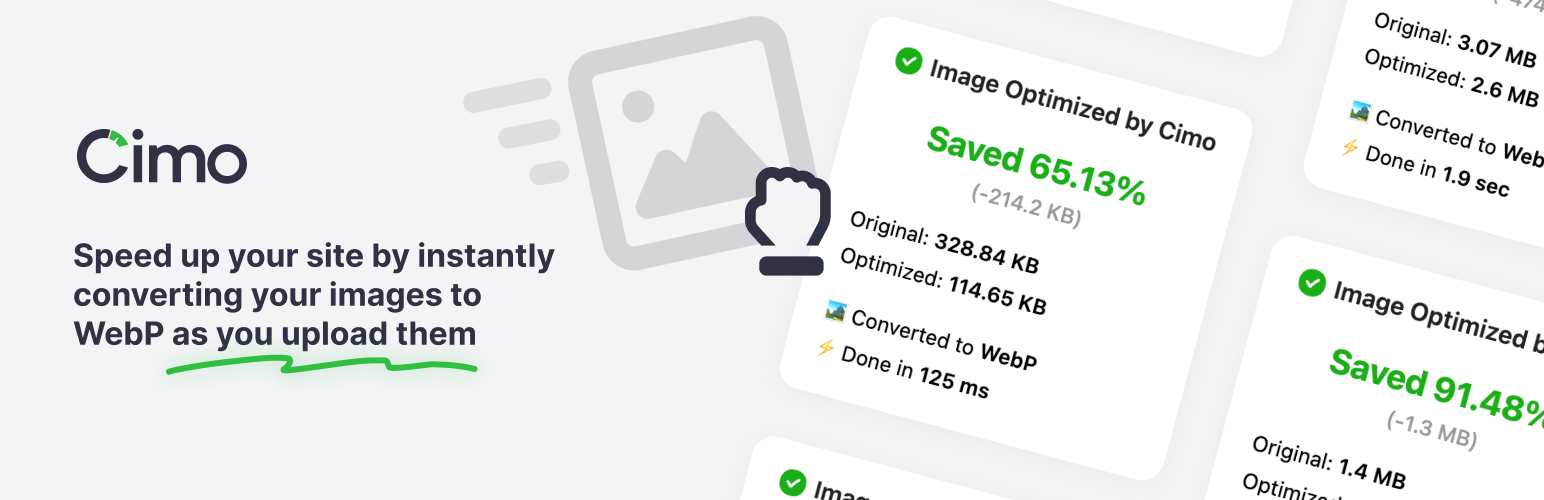
Cimo 是一款免費的即時圖片優化與 WebP 轉換外掛,能在上傳圖片時自動優化、調整大小及轉換格式,提升網站載入速度,並確保圖片品質不受影響。
【主要功能】
• 即時優化:上傳時自動優化圖片
• 無限使用:可上傳任意數量的圖片
• 支援 WebP 轉換:可設定轉換品質
• 自動調整尺寸:保持比例自動調整最大尺寸
• 縮圖生成選項:選擇性啟用或停用縮圖大小
• 統計儀表板:查看儲存空間與壓縮比
外掛標籤
開發者團隊
② 後台搜尋「Cimo – Free Instant Image Optimizer & WebP Converter」→ 直接安裝(推薦)
原文外掛簡介
Optimize all your images instantly and for free.
Cimo is a game-changer for media optimization. It optimizes, resizes, and converts your images instantly as you upload — even before the files are added to your Media Library.
Visit Cimo’s website to learn more about how Cimo does things.
From WordPress’ point of view, it’s as if you optimized your image BEFORE your uploaded it. Now, this is next-next-gen image optimization.
Cimo works like magic, drag your large image file, and an optimized image will automatically appear in your Media Library. This ensures your website load speed is perfectly optimized by keeping image sizes minimal, without compromising quality.
Unlimited usage – upload as many images as you want
Instant optimization – virtually no waiting time
No extra server load
No extra bandwidth
No external image-processing services
Note: Cimo works in all modern browsers (Chrome, Firefox, Edge, Opera). Image optimization currently doesn’t work in Safari, images would just upload as they normally would, please use any of the browsers listed.
Image Optimization options:
WebP quality – set the quality level for WebP conversion (1-100), defaults at 80%
Max image dimension – automatically resize images to a maximum dimension while preserving aspect ratio
WordPress automatic scaling – disable WordPress’s built-in 2560px image scaling
Thumbnail generation – disable all WordPress thumbnail generation to save disk space
Individual thumbnail sizes – selectively enable/disable specific thumbnail sizes
Preset configurations – one-click “Recommended” settings for optimal performance
Statistics dashboard – view total storage saved, compression ratio, and optimization metrics
How to use
Just upload images to your Media Manager as you normally would, then Cimo instantly optimizes the images to the next-gen format WebP on your browser during the upload process, the resulting optimized file is the one saved to your WordPress site. It’s amazing!
Why use Cimo?
Completely Free & Unlimited – Image optimization and compression are completely free with no quotas, no limits, and no paywalls. Optimize as many images as you want, forever.
Instant, Lightning-Fast Processing – Images are optimized instantly in your browser as you upload, with no waiting for server-side or external processing.
Privacy-First – Your images never leave your device until they’re uploaded to WordPress. No third-party servers, no external processing, complete control over your media.
Zero Server Load – All optimization happens in your browser, so your website and server stay fast and responsive.
Smart Optimization – Advanced compression algorithms deliver the best quality-to-size ratio, with automatic WebP conversion for maximum efficiency.
Future-Proof Format – Automatic WebP conversion ensures your images use the most efficient format, reducing file sizes by up to 80%.
Instant Results – Experience faster uploads, smaller file sizes, and optimized images that load faster on your website.
Universal Compatibility – Works seamlessly with the WordPress Block Editor, Elementor, Beaver Builder, and all major page builders.
Developer Friendly – Clean, lightweight code that won’t interfere with other plugins or slow down your WordPress admin.
Features
Unlimited optimization – compress and optimize without quotas
WebP conversion – next‑gen format without external services
Client‑side processing – faster uploads, no server load
Privacy‑first – nothing sent to third‑party servers
Lightweight – no API keys, no background jobs, no server processing
Advanced settings – full control over quality, dimensions, and thumbnail generation
Statistics dashboard – track storage savings and optimization performance
Smart presets – one-click recommended or default configurations
Works with
The native WordPress Block Editor / Gutenberg
Should work with any plugin, but we made sure it works with these:
Popular Page Builders
Elementor
Divi (partial: dropping files is not yet supported)
Breakdance
Bricks Builder
Oxygen
Beaver Builder
WP Bakery
Popular Block Editor Builders
Stackable
Spectra
Kadence
Greenshift
GenerateBlocks
Popular plugins
WooCommerce
Since Cimo’s optimization works during the upload process, Cimo should be compatible with any plugin that uses images
What’s in Cimo Premium?
If you upgrade to Cimo Premium, you will get the following:
Bulk Optimization – optimize your existing media in your Media Library in one click, no server processing as well
Optimize Files Uploaded via Form Plugins – automatically optimize images, videos, and audio uploaded through popular form plugins (Gravity Forms, WPForms, Ninja Forms, Formidable, Fluent Forms, etc.)
Video Optimization – automatically optimize and optionally downscale the resolution of videos as you upload them
Audio Optimization – auotmatically optimize audio files as you upload them
Low Quality Image Placeholders (LQIP) – for native image blocks, display a subtle image placeholder while waiting for images to load, then fade the loaded image in.
Stealth Mode – completely hides all Cimo branding and interface elements, while all optimization features continue to work seamlessly in the background.
Visit our website to learn more
Video & Audio optimization are also performed as you upload your files, even before the files are added to your Media Library.
Technical Details
Client-Side Processing: All optimization happens in the user’s browser
Zero Server Load: No background processes or server-side optimization
Instant Results: No waiting for external APIs or server processing
Privacy-First: Images never leave the user’s device until uploaded
Browser Compatibility: Works in Chrome, Firefox, Edge, Opera (Safari support not currently available)
Perfect For
Website owners who want to reduce image file sizes without quality loss
Administrators who have content writers who always upload big images without converting them
Designers who always forget to convert images first before uploading to the site
Content creators who upload many images and want faster uploads
Developers building sites that need optimized images for better performance
Agencies managing multiple client sites with image optimization needs
Anyone wanting to convert images to WebP format automatically
Sites where server-side image processing isn’t available or desired
Users who want client-side image optimization for better privacy
Performance-focused websites that need instant image optimization
Developers who want zero server load from image processing
Privacy-conscious users who don’t want images sent to third-party servers