內容簡介
總結:使用ChatReact,您可以將您的WordPress網站轉變成一個強大的全天候客戶支援平台,搭載先進的人工智慧,擁有24種語言支援,並提供智能聊天機器人、防止垃圾郵件聯絡表單和動態常見問題解答區。
問題與答案:
問題:ChatReact可以學習哪些語言和提供什麼樣的服務?
答案:ChatReact可以學習來自您的知識庫,並即時回答訪客問題,支援24種歐盟語言。它提供智能聊天機器人、防止垃圾郵件聯絡表單和動態常見問題解答區服務。
問題:ChatReact的人工智慧如何幫助提供更好的客戶支援?
答案:ChatReact的人工智慧瞭解您的內容,因此聊天機器人不會提供通用回答,而是提供準確、具有上下文意識的答案。它還透過獨特的改進代理持續學習對話,並隨著時間提升回答品質。
問題:ChatReact的整合選項有哪些?
答案:ChatReact支援在Gutenberg Blocks中拖放小工具,提供專門為所有三種小工具類型設計的Elementor Widgets,以及在文章、頁面、模板或主題文件中放置短碼的Shortcodes。您可以透過插件設置直接將聊天機器人分配給特定頁面或文章類型,無需使用短碼。
外掛標籤
開發者團隊
② 後台搜尋「ChatReact – AI Chatbot, Smart Forms & FAQs」→ 直接安裝(推薦)
原文外掛簡介
ChatReact turns your WordPress site into a 24/7 customer support powerhouse. Powered by advanced AI, the chatbot learns from your knowledge base and answers visitor questions instantly — in 24 languages.
Whether you need a smart chatbot, an anti-spam contact form, or a dynamic FAQ section, ChatReact has you covered with one simple plugin.
Why ChatReact?
AI That Actually Understands — Trained on your content, your chatbot gives accurate, context-aware answers instead of generic responses
Self-Improving — The unique Improvement Agent continuously learns from conversations and improves answer quality over time
24 Languages — Reach a global audience with support for all 24 EU languages out of the box
SEO-Friendly FAQs — Automatically generate FAQ content that search engines love
Anti-Spam Contact Forms — AI-powered spam detection replaces annoying CAPTCHAs while blocking bots effectively
Beautiful & Fast — Lightweight, async-loading widgets that won’t slow down your site
Three Powerful Widgets in One Plugin
AI Chat Widget
Embed an intelligent chatbot that answers customer questions automatically. Assign different chatbots to different pages, or show one chatbot everywhere. Visitors get instant help — day or night.
AI-Powered Anti-Spam Contact Forms
Add intelligent contact forms with built-in AI spam detection — no CAPTCHAs needed. Spam is filtered automatically while real messages go straight to your ChatReact dashboard. Track submissions, respond from one place.
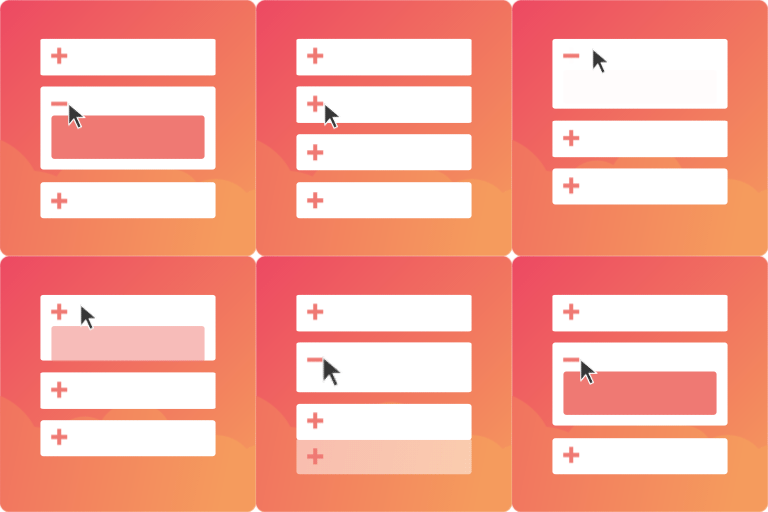
FAQ Accordion
Display your FAQs in a clean, accessible accordion format. Categories, custom styling, and automatic generation from your knowledge base.
Flexible Integration Options
Gutenberg Blocks — Drag and drop widgets right into the block editor
Elementor Widgets — Dedicated Elementor widgets for all three widget types
Shortcodes — Drop a shortcode anywhere: posts, pages, templates, or theme files
Widget Assignments — Assign chatbots to specific pages or post types directly from the plugin settings — no shortcodes needed
Shortcodes
Chat Widget:
[chatreact id=”YOUR_CHATBOT_ID”]
Contact Form:
[chatreact_form id=”YOUR_FORM_ID”]
FAQ Accordion:
[chatreact_faq id=”YOUR_CHATBOT_ID”]
Works With Your Favorite Tools
ChatReact is fully compatible with popular caching and optimization plugins, including WP Super Cache, WP Rocket, Autoptimize, LiteSpeed Cache, and more.
Get Started in Minutes
Sign up for a free ChatReact account
Create your chatbot and train it on your content
Install this plugin and enter your Chatbot ID
That’s it — your AI assistant is live!
Links
ChatReact Website
Documentation
Support
Development
The unminified source code for the Gutenberg blocks is included in the src/ directory of this plugin. The compiled files in build/ are generated from those sources using @wordpress/scripts (webpack).
To build from source:
Install Node.js and npm
Navigate to the plugin directory
Run npm install
Run npm run build
Build tools: Node.js, npm, @wordpress/scripts (webpack)