內容簡介
總結:
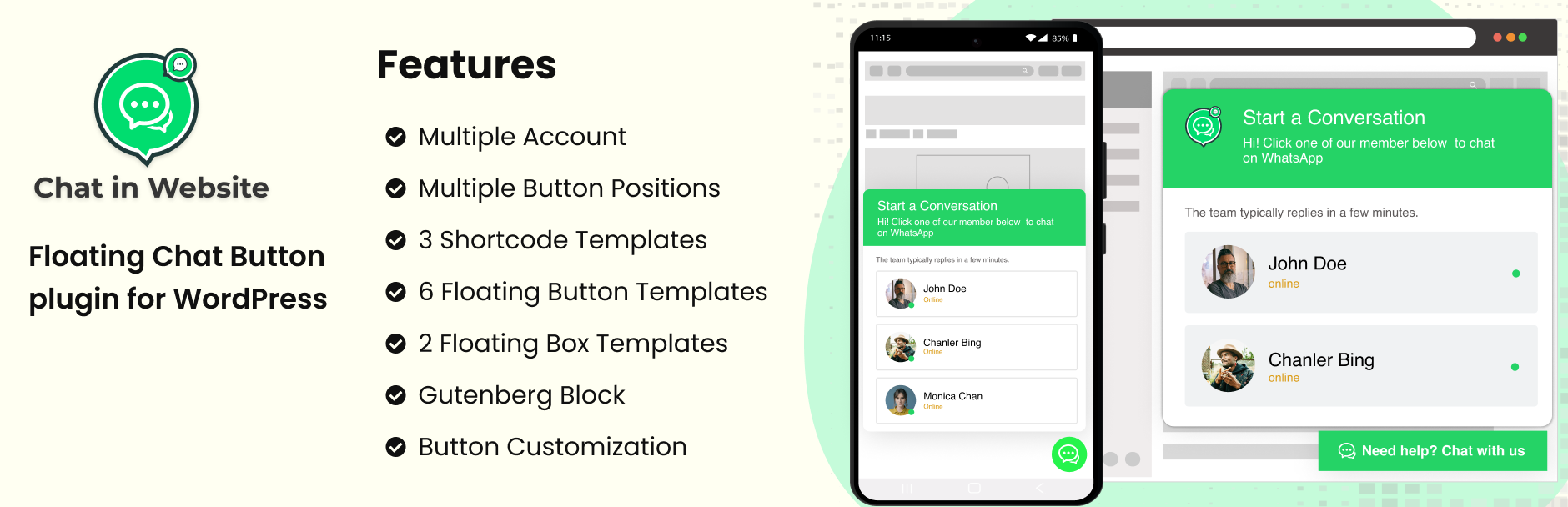
Chat in Website 是 WordPress 的最佳 WhatsApp 聊天外掛程式,讓您能即時透過 WhatsApp 與網站訪客聯繫。您可以建立無限個 WhatsApp 聊天帳號,並使用 shortcodes、Gutenberg 區塊或精美設計的懸浮聊天框架模板來展示它們。無論您是單打獨鬥的自由工作者、具有多位代理人的企業或支援團隊,這個外掛讓使用者可以輕鬆地透過 WhatsApp 以單一點擊方式與您聯繫。
問題與答案:
- Chat in Website 的功能有哪些?
- 可建立無限個 WhatsApp 聊天帳號
- 提供 5 種懸浮聊天框架模板、3 種 shortcodes 模板以及 3 種 Gutenberg 區塊模板
- 提供多帳號連結的懸浮圖示
- 可設定懸浮圖示在畫面底部左側或右側的位置
- 提供完整的顏色自訂設定
- 快速且簡易的安裝步驟
- 完全響應式,並兼容各種瀏覽器
- Chat in Website 外掛如何使用外部服務?
- 透過重新導向使用者到 WhatsApp Web 或 WhatsApp 行動應用程式來啟動 WhatsApp 對話
- 采用 WhatsApp 的官方網址:
- https://web.whatsapp.com/send?phone=
- https://api.whatsapp.com/send?phone=
- 何時傳送資料:
- 當使用者點擊 WhatsApp 的懸浮圖示或通過 generated link 生成的 shortcode 時,外掛程式會將他們重新導向到提供的電話號碼的 WhatsApp 服務
- 外掛程式不會收集、儲存或處理任何使用者資料
- 重新導向僅在客戶端進行,無使用者資訊被發送至外掛程式處理
- Chat in Website 何時會使用外部服務提供商?
- WhatsApp(由 Meta 擁有)
- 服務條款:https://www.whatsapp.com/legal/terms-of-service
- 隱私條款:https://www.whatsapp.com/legal/privacy-policy
外掛標籤
開發者團隊
原文外掛簡介
Chat in Website is the ultimate WhatsApp chat plugin for WordPress. It helps you instantly connect with your website visitors through WhatsApp. Create unlimited WhatsApp chat accounts, display them using shortcodes, Gutenberg blocks, or beautifully designed floating chatbox templates.
Whether you’re a solo freelancer, a business with multiple agents, or a support team, this plugin makes it effortless for users to reach you on WhatsApp with a single click.
📌 Want to see it in action?
👉 Check out the Demo Playground
🎯 Why Choose Chat in Website?
Unlimited WhatsApp Chat Accounts – Add as many WhatsApp numbers as you need.
Floating Chatbox with Multiple Accounts – Display a floating icon on your website that expands to show multiple chat accounts.
Shortcode & Gutenberg Support – Use chat buttons anywhere with shortcodes or Gutenberg blocks.
Ready-to-use Templates – Choose from 5 floating templates, 3 shortcode templates, and 3 Gutenberg block templates.
Highly Customizable – Adjust button position, colors, and styles to match your brand.
Responsive Design – Works perfectly on all screen sizes and major browsers.
Quick Setup – Get started in minutes without any coding knowledge.
The perfect WhatsApp support plugin to boost customer engagement and increase conversions.
Features
✅ Unlimited WhatsApp Chat Accounts
🧩 5 Floating Chatbox Templates
🧩 3 Shortcode Templates
🧩 3 Gutenberg Block Templates
🧲 Floating Icon with Multiple Account Linking
📌 Position on Bottom Left or Right
🎨 Full Color Customization
⚡ Easy and Quick Setup
📱 Fully Responsive & Cross-Browser Compatible
External Services
This plugin provides a feature to initiate WhatsApp conversations by redirecting users to WhatsApp Web or the WhatsApp mobile app.
The plugin uses the official WhatsApp URLs:
– https://web.whatsapp.com/send?phone=
– https://api.whatsapp.com/send?phone=
What data is sent and when:
When users click on the WhatsApp floating icon or shortcode-generated link, the plugin redirects them to the WhatsApp service with the provided phone number.
The plugin does not collect, store, or process any user data.
The redirection is purely client-side, and no user information is sent to or processed by the plugin.
External service provider:
WhatsApp (owned by Meta)
Terms of Service: https://www.whatsapp.com/legal/terms-of-service
Privacy Policy: https://www.whatsapp.com/legal/privacy-policy
Usage
To display a single chat button, use the generated shortcode in any post, page, or widget.
Use the Gutenberg block for easy visual editing and placement.
To display the floating icon, go to the plugin settings and choose the position (bottom left/right), then select the accounts to display.