內容簡介
ChairIt 是專為美容院設計的預約外掛,讓客戶能輕鬆在線預約,並提供共享日程讓團隊管理所有預約。此外掛確保僅顯示真正可用的時間,適用於各類美容服務。
【主要功能】
• 客戶可在線選擇服務、時間及人員
• 團隊日程管理,支持電話及現場預約
• 客戶記錄與隱私保護功能
• 自訂價格表與開放時間顯示
• ChairIt Pro 提供線上支付與簡訊通知
外掛標籤
開發者團隊
② 後台搜尋「ChairIt – Salon Booking & Appointment Scheduling」→ 直接安裝(推薦)
原文外掛簡介
ChairIt is the appointment booking plugin made for salons. Clients book online in a few taps, your team sees every appointment in one shared agenda, and ChairIt only offers times that are truly free: with the right staff member, within opening hours and around breaks.
Made for hair salons, barbershops, beauty, nail, brow and lash studios, massage salons, make-up artists and dog groomers: anywhere clients book a treatment with a staff member. One location or several, one staff member or a whole team: there are no limits on staff, locations, treatments or bookings.
Try it yourself in the live demo salon: demo.chair-it.nl.
Online booking that clients love
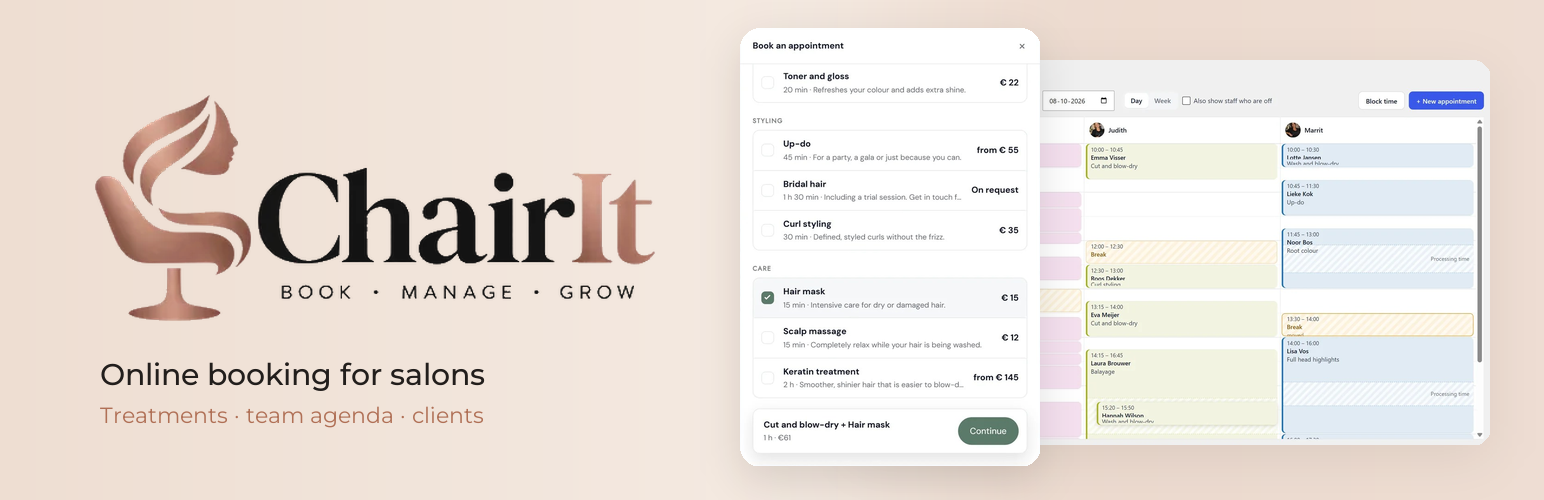
Book an appointment block: clients choose one or more treatments, a favourite staff member (or no preference), a date and a time. ChairIt adds up duration and price.
Show it step by step, on one screen, or as a compact pop-up behind a button. Works on every phone, tablet and computer.
Only truly available times: ChairIt checks staff schedules, opening hours, breaks, days off and existing appointments.
Processing time for treatments such as colour: while it develops, the staff member is free for another client, online and in the agenda.
Confirm bookings instantly or approve them first. Clients receive an email with a calendar file and can cancel online until a time you choose.
A team agenda for the salon desk
All colleagues side by side per day, or a week per person.
Add phone and walk-in appointments, drag appointments to another time or colleague, and block time for lunch or meetings.
Use it in the WordPress admin or on a page of your site, for example on a tablet at the desk. Staff get the “Salon staff” role; clients never see the agenda.
Staff schedules per location, with days off, holidays and a daily break you can move per day.
Clients, no-shows and privacy
Client records with visit history, notes, newsletter permission and “book again” for returning clients.
Mark no-shows and see them per client.
Privacy-friendly: client details stay in your own WordPress database, are removed automatically after a retention period you choose, and work with the WordPress privacy tools.
Show your salon on your website
Price list block with tabs for women, men and kids.
Team block that introduces your staff with a photo and a short story.
Opening hours block that shows whether you are open now, with exceptions for holidays.
Every block also works as a shortcode, so ChairIt fits any theme and page builder.
About 20 currencies, and translated into 10 languages: Dutch (Netherlands and Belgium), German, French, Spanish, Portuguese (Brazil), Polish, Swedish, Danish and Norwegian.
ChairIt Pro: payments, SMS and more
Everything above stays free. ChairIt Pro adds tools for growing salons:
Online payments with Mollie: cards, Apple Pay, PayPal and the other methods you enable in Mollie. Let clients choose between paying online or at the salon, or require payment in advance for everyone, for new clients or for clients who did not show up before. Refunds are automatic when a client cancels in time or you cancel. Uses your own Mollie account; the client pays on Mollie’s payment page and ChairIt only sends the amount and a description of the appointment to Mollie (https://www.mollie.com, privacy: https://www.mollie.com/privacy).
SMS text messages through your own Twilio account, with your own triggers: a reminder 24 hours before, a message on confirmation or cancellation, or a follow-up after the visit. Only clients who leave a phone number and keep the SMS checkbox ticked receive them; ChairIt only sends the phone number and the message text to Twilio (https://www.twilio.com, privacy: https://www.twilio.com/legal/privacy).
Reminder emails with a cancel button, and a no-show rule for repeat no-shows.
A review request: a thank-you email after the visit that invites clients to leave a review, for example on Google.
Statistics: revenue, occupancy, busiest times, popular treatments, staff performance and a CSV export.
Your own email texts and logo, with a test email for every message.
A Locations block with photo, “open now”, route and booking button for each location.
Export newsletter subscribers (CSV).
More information and ChairIt Pro: chair-it.nl.
Privacy
When a client books an appointment, ChairIt stores the name, email address, optional phone number and note, together with the appointment, in your own database. Appointments with the same email address are grouped into a client record, where the salon can add notes. Client data is never sent to external services. The only external service in the free version is Freemius, and only after you agree to it (see External services below).
Newsletter permission is only stored when the client ticks the (optional, unticked) checkbox, together with the date. You can export these addresses yourself.
Client details are deleted automatically a set number of months after the last visit (default 24, adjustable). Appointments planned without an email address are anonymized after the same period.
The team agenda shows client details only to logged-in staff members; its pages are never cached.
ChairIt works with the WordPress privacy tools (Tools > Export / Erase Personal Data) and suggests a text for your privacy policy.
“Remember my details on this device” stores the details only in the client’s own browser (localStorage), and only when ticked.
Uninstalling the plugin removes all clients and appointments.
External services
ChairIt uses Freemius (https://freemius.com) for the optional usage opt-in and for buying, activating and updating ChairIt Pro. ChairIt never sends client data or appointments to Freemius.
Opt-in: after activation ChairIt asks whether you want to share basic data with Freemius, to receive notices about security and feature updates. Nothing is sent unless you choose “Allow & Continue”; you can skip this and use ChairIt as usual. When you opt in, Freemius receives your WordPress user’s first and last name and email address, the homepage URL and title, the WordPress and PHP versions and the site language, and the ChairIt and SDK versions and whether ChairIt is active or uninstalled. The list of plugins and themes (names, slugs, versions and whether they are active) is only shared if you allow it. You can opt out at any time with the “Opt Out” link on the Plugins screen.
Deactivation feedback: when you deactivate ChairIt, you can tell why in a short form. The answer is only sent to Freemius when you submit it; you can skip the form.
ChairIt Pro: when you choose to upgrade, the Freemius checkout opens and the details you enter there (name, email address and payment details) go to Freemius, which handles the payment, the licence and the Pro downloads. When you activate a licence, Freemius receives the homepage URL and the ChairIt and SDK versions, so the licence can be linked to your site.
Freemius terms of service: https://freemius.com/terms/
Freemius privacy policy: https://freemius.com/privacy/