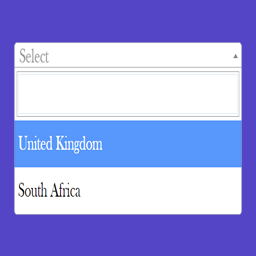
內容簡介
**總結:** Chained Selects for Contact Form 7 外掛讓您在 Contact Form 7 中建立依賴性下拉選項,例如當用戶選擇一個國家時,下一個選項將只顯示該國家的州/省份。
**問題與答案:**
1. 什麼是 Chained Selects for Contact Form 7?
- Chained Selects for Contact Form 7 是一個外掛,允許您在 Contact Form 7 中建立依賴性下拉選項。
2. 使用這個外掛的示例是什麼?
- 當用戶選擇一個國家時,下一個選項將只顯示該國家的州/省份。
3. 這個外掛的特點是什麼?
- 提供依賴性下拉選項,與前一個選項關聯;可輕鬆將依賴性選項添加到 Contact Form 7;基於父字段值動態過濾選項;支持在單個表單中使用多個鏈接選項;可從WordPress數據庫提取數據或手動輸入。
4. 有哪些表格適合使用這個外掛?
- 需要多級選擇的表格,如國家→州/省→城市;父類別→子類別;產品→變體。
5. Pro Version 的功能有哪些?
- 支持廣播和復選框類型;支持 .Csv、Google Sheets 數據源。
外掛標籤
開發者團隊
② 後台搜尋「Chained Selects for Chained Selects for Contact Form 7」→ 直接安裝(推薦)
原文外掛簡介
Chained Selects for Chained Selects for Contact Form 7 lets you create dependent select fields inside Chained Selects for Contact Form 7.
For example: when a user selects a Country, the next field will only show the States/Provinces of that country.
Demo: https://demo.add-ons.org/demo-chained-selects/
Document: https://add-ons.org/document-chained-selects-for-contact-form-7/
Pro Version: https://add-ons.org/plugin/chained-selects-for-contact-form-7-pro/
Perfect for forms that require multi-level selections such as:
– Country → State → City
– Parent Category → Subcategory
– Product → Variation
Features
Dependent fields: Each select field is linked to the previous one. When the user chooses an option, the next field is automatically filtered to show only matching values.
Easily add dependent selects to Contact Form 7.
Dynamically filter options based on the parent field value.
Support for multiple chained selects in a single form.
Fetch data from the WordPress database or enter manually.
Pro Version
Radio and Checkbox type support
Source .Csv, Google Sheets data