內容簡介
CBX Tour 是一款幫助用戶創建互動式功能導覽的外掛,適用於產品、服務或任何功能的逐步演示。透過此外掛,使用者能夠輕鬆展示服務或產品的步驟,提升用戶體驗。
【主要功能】
• 創建、刪除及更新導覽
• 添加多個導覽步驟及描述
• 自訂導覽按鈕文字與對齊
• 提供多種導覽佈局選擇
• 支援短碼與小工具顯示導覽
外掛標籤
開發者團隊
② 後台搜尋「CBX Tour – User Walkthroughs & Guided Tours」→ 直接安裝(推薦)
原文外掛簡介
CBX Tour – User Walkthroughs/Guided Tours helps to create interactive feature tour for product, service or simply step by step feature demonstration of anything. Now a days it’s really important to display any service or product step by step. Any kind of take a tour type implementation can help or solve this problem.
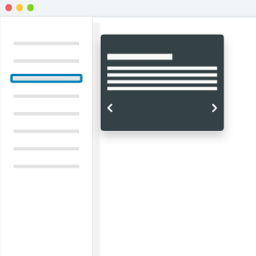
Here comes CBX Tour to solve step by step feature walk though with next prev button, little pop info.
CBX Tour by Codeboxr
📺 Live Demo | 🌟 Upgrade to PRO | 📋 Documentation | 👨💻 Free Support | 🤴 Pro Support | 📱 Contact
🛄 Core Plugin Features
Create Tours
– Create, Delete, Update tour from WordPress native post creating and listing window
– Add Multiple tour steps with title, mini description and html element id
– Redirect url as optional after tour is ended.
– Single Tour Setting
– Show/Hide tour button
– Tour Button Text custom input
– Tour Block Button (full width)
– Tour Button alignment
– Auto start tour
– Tour Layout choose
– Display Tour Once (Pro Feature)
Tour Layout
– Core version includes 4 ready made layouts and can be extended
– Basic layout
– Red layout
– Green layout
– Blue layout
– Pro addon has lots of ready layouts and custom layout(Custom color chooser)
Tour Display & Shortcode
Tour can be display in different ways
Tour display shortcode [cbxtakeatour id=”tour post id here”]
Tour display widget
Custom function call
🀄 Widgets
Classic Widgets
Dynamic Tours (Select the source from which the tour will display the content)
Show/Hide tour button
Tour Button Text custom input
Tour Block Button (full width)
Tour Button alignment
Auto start tour
Elementor Widgets
Dynamic Tours (Select the source from which the tour will display the content)
Show/Hide tour button
Tour Button Text custom input
Tour Block Button (full width)
Tour Button alignment
Auto start tour
WPBakery Addon
Dynamic Tours (Select the source from which the tour will display the content )
Show/Hide tour button
Tour Button Text custom input
Tour Block Button (full width)
Tour Button alignment
Auto start tour
Our Core plugin is free and will always be free. To extends the features we have Pro addon called CBX Tour – User Walkthroughs/Guided Tours Pro
Using the pro addons we have added some cool features and more controls.
💎 CBX Tour – User Walkthroughs/Guided Tours Pro Features
👉 Get the new
Pro Layouts
Pro Layouts
Tour Usages Tracking
Google Analytics Tracking
Available Pro Layouts
There are 10+ pro layouts including custom layout. Custom layout helps to choose custom colors and everything custom style needed.
Custom layout helps to style both the tour button and the tour popup box all elements.
Basic(core)
Red(core)
Green(core)
Blue(core)
Pink(pro)
Purple(pro)
Indigo(pro)
Teal(pro)
Yellow(pro)
Amber(pro)
Orange(pro)
Brown(pro)
Deep Orange(pro)
Blue Grey(pro)
Custom Layout(pro)
Tour Button Custom Style
Tour button custom font size
Tour button custom padding
Tour layout custom color
Google Analytics Integration
Enable/disable tour start event with google analytics event tracking
Track tour start
Prevent Bounce Rate
Tour Usages Logging
Enable/disable tour tour usages log
Enable/disable tour repeat visit log
Track IP Address
Anonymize IP Address
Guest Cookie Stay Day(s)
Display tour button once(Per tour configuration basis)
Other Pro Feature
Unlimited Tours
Reset custom styles to default
Copy any ready layout styles to custom style settings
👍 Liked Codeboxr?
Join our Facebook Page
Learn from our tutorials on Youtube Channel
Or Rate us on WordPress
🔩 Installation
[WordPress has clear documentation about how to install a plugin].(https://codex.wordpress.org/Managing_Plugins)
After install activate the plugin “CBX Interactive Feature Tour” through the ‘Plugins’ menu in WordPress
You’ll now see a menu called “CBX Tour” in left menu, start from there, create new tour
Use shortcode or widget or other custom features as you need to display tour
Try our pro and free addons for more extra features