內容簡介
總結:Category Maps是一個功能強大且易於使用的地圖外掛,讓您可以基於任何(自訂)文章類型創建非常漂亮且完全可自定義的地圖 - 完全符合法律數據保護規則。
HTML Bulleted List:
<ul>
<li>可以基於任何(自訂)文章類型創建高質量的類別地圖。</li>
<li>使用外掛輕鬆添加位置數據,可以選擇(自訂)文章類型和相關分類來自動創建標記。</li>
<li>集成簡單易用的短碼生成器,可幫助您配置地圖設置。</li>
<li>可在任何頁面或文章上放置短碼以向訪客展示漂亮的類別地圖。</li>
<li>無需地圖API密鑰,完全遵守法律數據保護規則。</li>
</ul>
外掛標籤
開發者團隊
原文外掛簡介
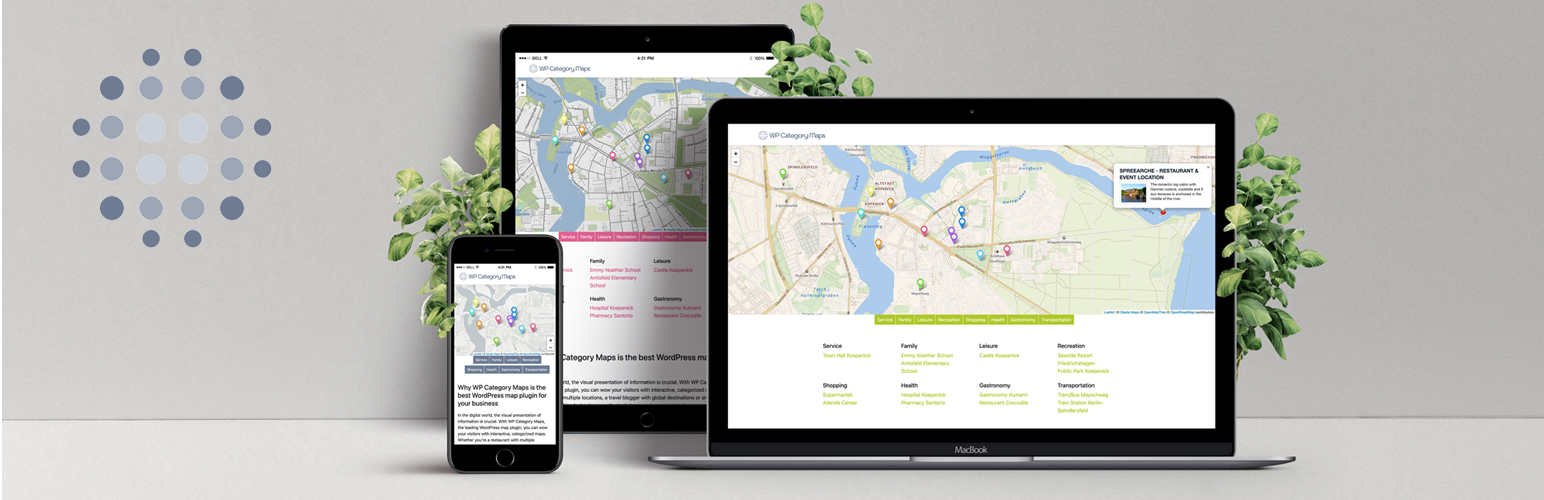
Category Maps is a powerful and easy-to-use maps plugin that let’s you create very nice and completely customizable maps based on any (custom) post type – fully compliant with legal data protection rules.
Create high quality category maps based on any (custom) post type that stores location data in its meta information. Location data can be added easily through the plugin. Just select a (custom) post type and the related taxonomy. The plugin will automatically create markers based on the location data of the related posts. Location data may consist of latitude / longitude pairs or addresses (depending on the post type definitions). An open source geocoder will resolve addresses or determine them from the given geo-coordinates.
The integrated easy-to-use shortcode generator will help you to configure your maps settings. It lets you customize the appearance of the maps and decide if you want to have an additional category overview beneath the map.
Putting the resulting shortcode on any page or post will display a pretty nice category map to your site visitors. Allow your visitors to pick what they want to see by filtering markers based on their category.
Since this plugin works completely with OSM / leaflet no maps API key is needed. Furthermore, it’s fully compliant with legal obligations for data protection – no personal data will be passed on.
Use Cases
Local businesses: Show your branches with categories such as “Sales”, ‘Service’ or “Partners”.
Travel blogs: Showcase travel destinations with filters for “Beaches”, ‘Museums’ or “Adventure”.
E-commerce: Visualize delivery areas or pick-up stations for your customers.
Map Data and GeoCoding
This plugin uses Leaflet as map tile service. Leaflet (https://leafletjs.com/) is a JavaScript library used to build web mapping applications. It allows developers without a GIS background to display tiled web maps hosted on a public server, with optional tiled overlays.
Furthermore, this plugin uses the Nominatim geocoding API of OpenStreetMap (https://nominatim.org/). Use of all OSMF provided services is subject to the OpenStreetMap Foundation privacy policy (https://osmfoundation.org/wiki/Privacy_Policy). Use of any OSM’s Nominatim service is further governed by the OSMF Terms of Use (https://osmfoundation.org/wiki/Terms_of_Use).
PRO Version
If you’re interested in enhancing your plugin instance, you can purchase a PRO version at https://wpwoodo.com/.
With the PRO version of the plugin you can colorize your categories (markers), add individual and independent markers apart from the category markers, choose more than just one map layer or even add individual map tile layers. For more information take a look at https://leaflet-extras.github.io/leaflet-providers/preview/ where you can find a large number of map title providers that can be integrated with this plugin.
Features
Powerful and easy-to-use maps plugin
Completely customizable maps for your posts and pages
Works with any (custom) post type that stores location data in its metas
Location related meta data can easily be added through the plugin
OpenSource geocoder included – no API key needed!
Easy-to-use shortcode generator with a familiar interface
Category list beneath the map (optional)
Fully compliant with legal data protection rules
Different map layers available (PRO)
Add an individual map tile layer (PRO)
Customizable category colors (PRO)
Add category independent markers to your map (PRO)