內容簡介
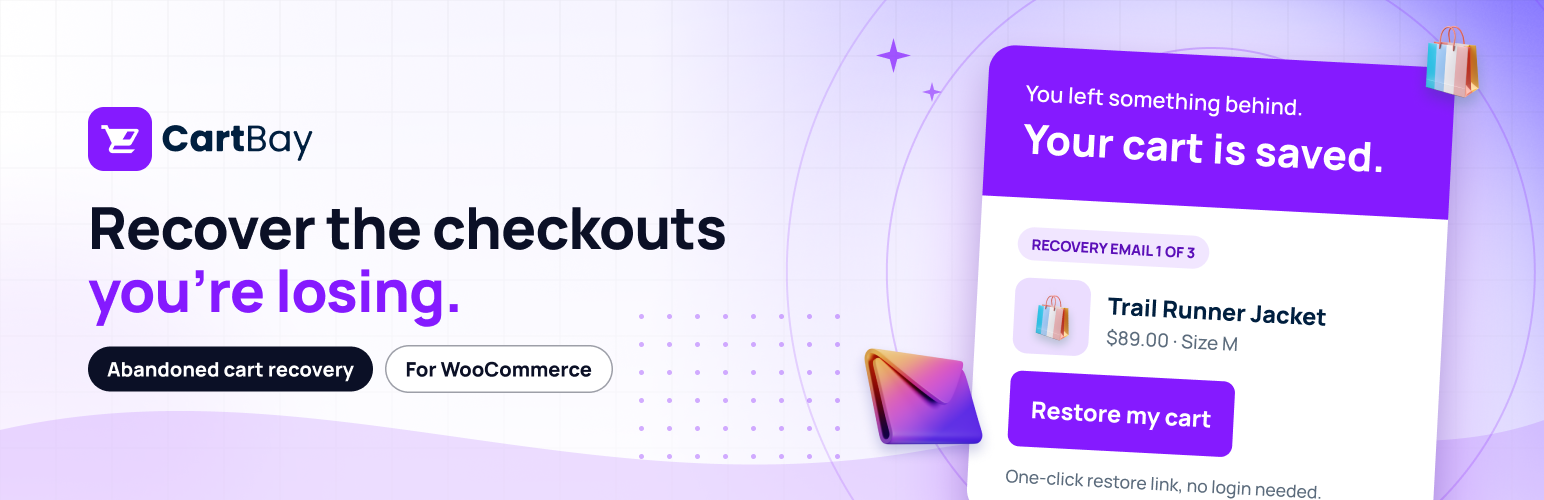
CartBay 是一款專為 WooCommerce 設計的放棄購物車恢復外掛,透過簡單的三步驟電子郵件序列,幫助商家重新吸引已放棄購物車的顧客。它以性能和隱私為核心,無需額外的資料庫表格,並與 WooCommerce 完美兼容。
【主要功能】
• 同意式電子郵件捕捉,適用於經典和 WooCommerce Block 結帳
• 可配置的放棄檢測與超時設定
• 三步驟恢復電子郵件序列,透過 WooCommerce 郵件系統發送
• 完全可編輯的電子郵件內容,支援即時預覽
• 安全的購物車恢復連結,重建顧客的購物車
• 精準的恢復追蹤,將完成的訂單與放棄會話匹配
外掛標籤
開發者團隊
② 後台搜尋「CartBay – Abandoned Cart Recovery for WooCommerce」→ 直接安裝(推薦)
原文外掛簡介
Product Page | Documentation | Support
Every abandoned cart is a shopper who already wanted to buy. CartBay brings them back with a simple, focused abandoned cart recovery workflow for WooCommerce: it captures consented checkout emails, detects when a cart goes quiet, and sends a configured 3-step recovery email sequence through your existing WooCommerce email setup.
CartBay is built for performance and privacy. It stores everything in WooCommerce-native order objects – no custom database tables to bloat your site, and full compatibility with WooCommerce HPOS (High-Performance Order Storage). Setup takes under 5 minutes with the built-in wizard, and the whole plugin is open source with un-minified, human-readable code included in the package.
How CartBay works
A shopper reaches checkout and sees a clear, consent-based recovery checkbox (classic and WooCommerce Block Checkout).
When they consent and a valid email is available, CartBay captures the cart as a recovery session.
After your configurable inactivity timeout, the session is marked abandoned.
CartBay schedules up to 3 recovery emails with delays you control, sent through WooCommerce’s native email system.
Each email can include a secure restore link that rebuilds the shopper’s exact cart, an unsubscribe link, and an optional coupon code.
When the shopper completes checkout, CartBay matches the order back to the abandoned session, attributes the recovered revenue, and cancels any remaining emails.
Key features
Consent-first email capture on both classic checkout and the WooCommerce Block Checkout
Abandonment detection via Action Scheduler with a configurable timeout
3-step recovery email sequence with per-step delays, sent through your existing WooCommerce/WordPress mail (your SMTP)
Fully editable emails – customize each email’s subject, heading, preheader, body, button text, and additional content in the native WooCommerce email editor, using your store’s WooCommerce logo, colors, and footer, with live preview and test send
Secure cart restore – a hashed-token restore link rebuilds the exact cart, including variable product attributes
One-click unsubscribe backed by a hashed suppression list, so opted-out shoppers are never emailed again
Coupon in recovery emails – reference a coupon you created in WooCommerce and include it in your emails as plain text
Accurate recovery tracking – completed orders are matched back to abandoned sessions with recovered-revenue attribution
Analytics overview – tracked, abandoned, and recovered carts, abandoned cart value, recovered revenue, and recovery rate, with 7/30/90-day filters
Session list – filter recovery sessions by status and inspect individual captured carts and their recovery progress
Setup wizard for guided first-run configuration in a few minutes
Email delivery health checks (SMTP detection) plus a built-in Send Test Email tool
Test Mode with a one-click Trigger Test Flow that schedules a sample recovery email about 30 seconds out, so you can preview an email and its restore link before going live
Privacy-conscious storage – data stays on your site in WooCommerce-native records; no custom tables, HPOS compatible
What CartBay does NOT do (by design)
CartBay intentionally stays focused on doing one job well. It does not include:
SMS or push notifications
A/B testing
Exit-intent popups
Works alongside WooCommerce 11’s built-in cart recovery
WooCommerce 11 added an experimental Abandoned cart recovery option under WooCommerce > Settings > Advanced > Features. It sends one email, two hours after a shopper places an order that then goes unpaid.
CartBay covers the much larger group that comes earlier: shoppers who reach your checkout and leave without ever placing an order. No order is created, so there is nothing for WooCommerce’s feature to act on. For those shoppers CartBay captures a consented email at the checkout, runs a three-email sequence on your own schedule, and rebuilds their actual cart when they return.
You can run both. While CartBay’s capture is enabled, CartBay automatically tells WooCommerce to stand down, so no shopper is ever emailed twice. See the FAQ below for a full comparison.
Upgrade to CartBay Pro
Everything above is included in the free plugin. CartBay Pro is an optional licensed add-on that installs on top of CartBay and adds:
Dynamic recovery coupons – a unique, single-use, expiring coupon generated for each cart session, instead of one static code
Auto-apply on restore – each coupon is restricted to the shopper’s own email and applied automatically when they return via the restore link (subscription carts excluded)
Advanced recovery analytics – restore-link clicks, click-to-recovery rate, failed restores, and per-step email performance, plus CSV export of sessions and recovery emails
Licensed automatic updates delivered outside WordPress.org and tied to your license key
License management in Settings and the setup wizard, plus a REST API for programmatic activation
On the roadmap for Pro: a visual drag-and-drop email builder, and more. Learn more at https://wpanchorbay.com/plugins/cartbay-abandoned-cart-recovery-for-woocommerce/.
Open source and privacy-friendly
CartBay is fully GPL, contains no obfuscated code, and ships its JavaScript source in the package. The free plugin does not phone home to any WPAnchorBay licensing service and makes no external API calls – capture requests go only to your own site’s local REST endpoint. See the FAQ below for exactly what data is stored and where.
Source Code
CartBay is fully open source under GPL-2.0-or-later and contains no obfuscated code. The plugin’s JavaScript is written in an un-minified, human-readable form and is included in this package under the src/ directory:
src/capture/index.js – classic checkout capture (compiled to assets/js/cartbay-capture.js).
src/block/index.js – block checkout capture (compiled to assets/js/cartbay-block.js).
The compiled files in assets/js/ are generated from these sources with the official WordPress build tooling (@wordpress/scripts, which uses webpack). The build tooling and configuration are also included in this package as package.json and webpack.config.js.
To regenerate the compiled assets from source, run these commands in the plugin directory:
npm install
npm run build