
內容簡介
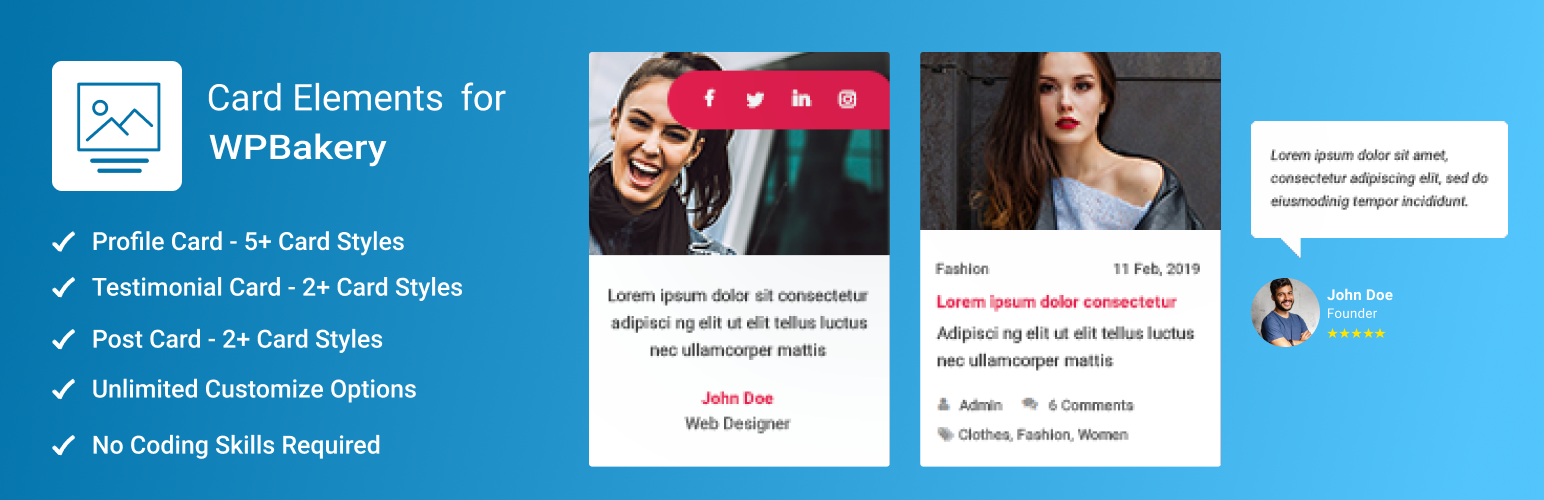
Card Elements for WPBakery 是一款專為 WPBakery Page Builder 設計的外掛,提供多種精美的卡片小工具,讓使用者能輕鬆拖放至頁面,快速建立團隊頁面、客戶評價區或部落格文章網格,並可完全自訂樣式。
【主要功能】
• 多種現成卡片樣式可選擇
• 完全自訂顏色、字型與間距
• 即時視覺效果,快速預覽變更
• 支援社交媒體圖示與連結
• 簡單易用,適合初學者與開發者
• 定期更新,確保安全與相容性
外掛標籤
開發者團隊
原文外掛簡介
Card Elements for WPBakery gives you a library of beautifully designed card widgets that plug straight into the WPBakery Page Builder drag-and-drop editor. Pick a card style, drop it onto your page, fill in your content, and you’re done.
Whether you’re building a team page, a client reviews section, or a blog post grid, Card Elements has a card style that fits — and every style is fully customisable with colour pickers, font controls, spacing options, and hover animations directly inside the WPBakery editor. Zero code, zero CSS knowledge needed.
Works only with WPBakery Page Builder (v5.0 or above). WPBakery is a premium plugin sold separately.
Why Choose Card Elements for WPBakery?
Instant visual results — drag a card widget onto the canvas and see a live preview in seconds.
Pixel-perfect control — adjust colours, fonts, spacing, border radius, and hover animations through point-and-click controls, not code.
Multiple ready-made card styles — each widget ships with several distinct design options so you’re never locked into one look.
Lightweight & fast — no bloated frameworks; only the CSS your active card styles actually need is loaded.
Beginner to developer friendly — simple enough for first-time WordPress users, flexible enough for experienced developers.
Actively maintained — regularly tested against new WordPress releases, with security and compatibility updates delivered promptly.
🃏 Profile Card
Showcase your team, freelancers, contributors, or any group of people with polished profile cards. Each card supports:
Profile photo and background image
Name, job title, and biography
Social media icons (Facebook, Twitter, Google+, WordPress) with links
Full colour control — card background, text, social icon and hover colours
Icon hover animations (Grow, Shrink, Pulse, Rotate, Float, Wobble, Buzz, and more)
6 unique card styles — pick the one that matches your brand
Perfect for: Team pages, About Us sections, speaker listings, author bios, freelancer portfolios.
💬 Testimonial Card
Turn customer reviews into trust-building social proof with eye-catching testimonial cards. Each card supports:
Customer photo, name, and position
Review text with full typography control (font family, size, colour, alignment)
Card background colour
3 distinct layout styles
Perfect for: Client reviews, case study pages, product testimonials, service page credibility sections.
📰 Post Card
Display your blog posts, news, or any WordPress posts in a responsive card grid. Each card supports:
Featured image with border radius and overlay controls
Post title with HTML tag selection (H1–H6, div, span, p)
Excerpt (from content or manual excerpt) with length control
Meta data — author, date, comments, tags, category
Read More button with custom text and colour
Column layout: 1, 2, 3, 4 or 6 columns
Grid gap and row gap controls
3 distinct card styles
Perfect for: Blog index pages, news sections, magazine layouts, content hubs.
Full Customisation Controls
Every card widget exposes a rich set of design options inside the WPBakery editor:
Colours — background, text, icon, hover states — all via colour picker
Typography — Google Fonts integration with font family and style selectors
Spacing — fine-grained margin and padding control per element
Alignment — left, centre, right, or justify for each text element
Animations — 25+ hover animation styles for social icons
Design Options tab — WPBakery’s standard margin/padding/border/background panel
Getting Started in 3 Steps
Install and activate WPBakery Page Builder (if not already active).
Install and activate Card Elements for WPBakery from the WordPress plugin directory.
Edit any page with WPBakery, look for the Card Elements category in the element picker, and drag your first card onto the canvas.
Technical Support
Found a bug or have a feature request? Open a thread on the Support Forum and we’ll respond promptly. You can also contact us directly.
Love the Plugin?
If Card Elements for WPBakery is saving you time, please consider leaving a review on WordPress.org. It helps other WordPress users discover the plugin and motivates us to keep improving it. Thank you!