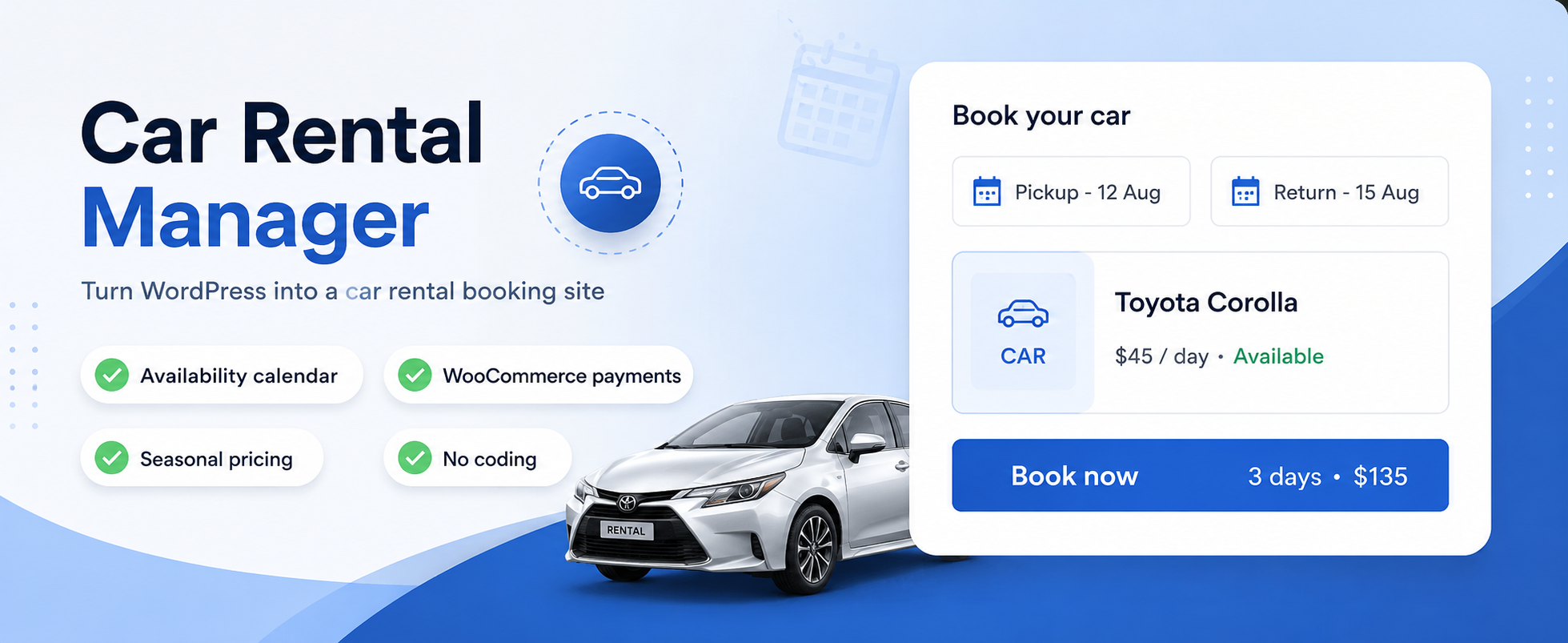
內容簡介
Car Rental Manager 是一款強大的免費 WordPress 外掛,讓您輕鬆建立專業的汽車租賃訂票系統。無論是租用汽車、機車或廂型車,此外掛都能直接從您的 WordPress 網站管理租賃業務,適合創業者、小型企業及網頁代理商使用。
【主要功能】
• 簡易設置:幾分鐘內啟動租賃系統,無需編碼技能
• WooCommerce 整合(選用):輕鬆管理訂單並接受安全付款
• 無需 WooCommerce:可使用自訂付款模式進行訂票
• 彈性定價選項:根據租期或訂單量自動折扣
• 每日定價:為特定工作日設定不同價格
• 季節性定價:根據季節調整租金
外掛標籤
開發者團隊
② 後台搜尋「Car Rental Manager – Online Vehicle Booking System」→ 直接安裝(推薦)
原文外掛簡介
Launch your car rental business effortlessly with Car Rental Manager, a powerful and free WordPress plugin that lets you create a professional car rental booking system in just a few steps!
Whether you’re renting cars, scooters, vans, or any other vehicles, Car Rental Manager offers a robust and user-friendly solution to manage your rental business directly from your WordPress website. Perfect for entrepreneurs, small businesses, or web agencies, this plugin empowers you to set up a seamless booking system without coding expertise. Take payments either through WooCommerce or through the plugin’s own built-in Custom Payment checkout — WooCommerce is optional, so you can launch with Offline Payment (bank transfer, cash or pay-on-pickup) and add a cart later if you need one.
The free version of Car Rental Manager includes a comprehensive set of features to get you started, with the option to upgrade to the Pro version for advanced functionality directly from your WordPress admin panel. Compatible with any WordPress theme, this plugin ensures a polished and professional booking experience that blends seamlessly into your website.
Car rental manager is an easy-to-use car rental booking management system that simplifies and streamlines car rental operations.
Let’s look at the key features that make the plugin more acceptable in its category.
Key Features:
⚡ Effortless Setup – Launch your rental system in minutes with a simple guided setup—no coding skills required.
🛒 WooCommerce Integration (optional) – Seamlessly manage bookings and accept secure payments via popular gateways.
💳 Works Without WooCommerce – Switch Booking Mode to Custom Payment and take bookings through the plugin’s own checkout, with free Offline Payment built in (PayPal and Stripe in Pro).
💵 Flexible Pricing Options
Tiered Discounts: Automatic discounts by rental duration or booking volume.
Day-wise Pricing: Set different rates for specific weekdays.
Seasonal Pricing (Free): Adjust prices for holidays or peak seasons.
🔁 Recurring Bookings – Allow customers to schedule repeat rentals for consistent business.
📅 Advanced Booking Control – Define how far in advance customers can book.
⏰ 24/7 Availability – Support round-the-clock rentals for maximum convenience.
🚗 Vehicle Management – Create detailed vehicle profiles with images, features, and descriptions.
📆 Availability Calendar – Show real-time availability with an interactive monthly calendar.
✅ Streamlined Booking Flow – User-friendly, customizable front-end booking process, powered by WooCommerce or by the plugin’s own checkout.
📦 Order & Admin Management – Track and manage reservations with an intuitive back-end dashboard.
💰 Partial Payment / Deposit Compatibility (Pro) – When used alongside the “Advanced Partial Payment or Deposit for WooCommerce” plugin, a deposit-only booking (order status “Partially Paid”) shows the amount already paid and the balance still due — right in the Order List, the Order Details screen, and the booking confirmation PDF/email — instead of just the full price. The balance clears to zero on its own once the customer pays the rest.
💬 Request a Better Price – Let checkout customers who feel the price is too high ask for a custom price instead of leaving. The request lands in Quote Requests in wp-admin, where you can reply with a personal one-time discount coupon emailed straight to them.
🌍 Multi-Language Ready – Reach global customers with built-in translation and localization support.
🔗 Shortcode Support – Embed booking forms, calendars, and listings anywhere on your site.
📱 Responsive by Design – Optimized for desktops, tablets, and mobile devices.
Explore The Demo:
✅ Live Demo for Car Rental
✅ Online Documentation
Buy Pro Version:
✅ Get Pro Version
Guideline
Shortcode:
[mpcrbm_booking form='inline' progressbar='no']
This is a simple shortcode that will display only the search form, similar to our homepage
[mpcrbm_booking form='inline' title='yes' progressbar='no' search_result='yes' ajax_search='yes']
This is a shortcode that you will decide when the title will show or not. If title=no, then the search form title bar will not show, and if search_result=’yes’ then the default search result will show with form, and if ajax_search=’yes’ then the search result will show as ajax, not a redirection.
This shortcode will show the form as an inline form, and it can also be a horizontal form, and the progressbar can be yes or no
[mpcrbm_booking form='horizontal' progressbar='no']
and also
[mpcrbm_car_list mpcrbm_left_filter='yes' style='grid' show='6' ]
This is a shortcode to display the car list with a left filter.
With Car Rental Manager, you can transform your WordPress site into a fully functional car rental platform in just a few steps:
Install the free plugin from the WordPress repository.
Add your vehicles, set pricing rules, then pick a Booking Mode under Payments — WooCommerce, or Custom Payment with no WooCommerce required.
Embed the booking system on your site using shortcodes.
Start accepting bookings and managing your rental business with ease!
This free plugin provides all the tools you need to kickstart your car rental business at no cost.
Features like tiered discounts, day-wise pricing, and seasonal pricing give you the flexibility to compete in any market.
Flexible payments — WooCommerce’s gateways, or the built-in Custom Payment checkout, whichever suits your business.
For advanced features like PDF export and form support, the Pro version is available directly from your WordPress dashboard.
External Services
This plugin utilizes several external services and libraries to provide its functionality. Here’s a detailed breakdown of what services are used and how:
Appneck
This Plugin uses Appneck SDK to collect some telemetry data upon the user’s confirmation to troubleshoot problems faster & make product improvements.
Appneck SDK does not gather any data by default. The SDK only starts gathering basic telemetry data when a user allows it via the admin notice. We collect the data to ensure a great user experience for all our users. Integrating Appneck SDK DOES NOT IMMEDIATELY start gathering data, without confirmation from users in any case.
Learn more about how Appneck collects and uses this data.
Note: All external services are used only when necessary for the functionality requested by the user. No personal data is transmitted without user consent, and all data transmissions are done securely over HTTPS connections.