
內容簡介
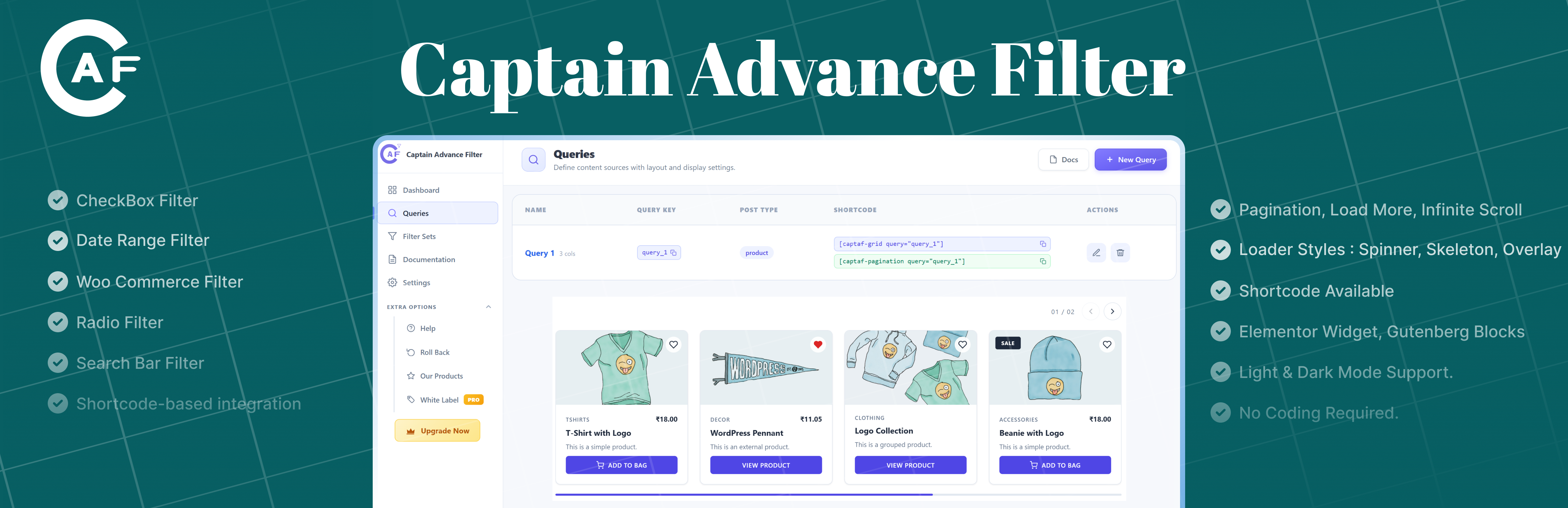
Captain Advance Filter 是一款輕量級的 WordPress 搜尋與篩選外掛,讓使用者能夠為文章、頁面、自訂文章類型及 WooCommerce 產品創建強大的 AJAX 篩選功能。無需編碼即可建立進階的搜尋與篩選體驗,並即時顯示篩選結果。
【主要功能】
• AJAX 搜尋與篩選:無需重新載入頁面即時更新結果
• 視覺查詢生成器:為文章及產品創建自訂查詢
• 篩選集合生成器:結合多個篩選並連接可重用查詢
• 多種篩選類型:支援多種篩選選項如核取方塊、下拉選單等
• WooCommerce 產品篩選:依屬性、價格及庫存狀態篩選產品
• 共享篩選網址:輕鬆分享與書籤篩選結果
外掛標籤
開發者團隊
原文外掛簡介
Captain Advance Filter is a lightweight WordPress search and filter plugin that lets you create powerful AJAX powered filters for posts, pages, custom post types, and WooCommerce products.
Create advanced search and filtering experiences without coding. Build custom queries and filter sets, choose from multiple filter types and display styles, and show filtered results instantly without reloading the page.
Filter your content by categories, tags, custom taxonomies, post meta, product attributes, price, stock status, ratings, dates, and more. Display filter options using checkboxes, radio buttons, dropdowns, search fields, range sliders, A Z navigation, date pickers, WooCommerce ratings, or a frontend view switcher.
Use the visual Query Builder and Filter Set Builder to create reusable filtering systems, then display them anywhere using shortcodes, Gutenberg blocks, or Elementor widgets.
Watch the Plugin Overview Video | YouTube Tutorials | Facebook Community | X | Free Support
✨ Core Features:
AJAX Search & Filtering: Update results instantly without a page reload.
Visual Query Builder: Create custom queries for posts, pages, custom post types, and products.
Filter Set Builder: Combine multiple filters and connect them to a reusable query.
Multiple Filter Types: Checkbox, Radio, Pill Tabs, Dropdown, Search, Range, A Z, Date Picker, Woo Rating, and View Switcher.
Taxonomy & Meta Filtering: Filter content using categories, tags, custom taxonomies, custom fields, and post meta.
WooCommerce Product Filters: Filter products by attributes, price, stock status, and star ratings.
Multiple Display Styles: List, Buttons, Color Swatches, Image Swatches, Tabs, and Pill Tabs for supported filters.
AJAX Pagination: Choose from numbered Pagination, Load More, Infinite Scroll, or None.
SEO-Friendly Server-Side Rendering: The first page of results, pagination links, result counts, and filters are part of the page HTML, so search engines can read every result and visitors see content without waiting. Every results page has its own crawlable URL.
AJAX Loader Styles: Choose Spinner, Overlay, Skeleton, or None for AJAX result loading.
Frontend View Switcher: Let visitors switch between available grid column layouts.
Category & Search Archives: Place a grid in a category, tag, or WooCommerce product category template, or on the search results page, and it automatically shows only that archive’s posts.
Shareable Filter URLs: Share and bookmark filtered results with selected filter values preserved in the URL.
Result Count: Display the number of matching results with a dedicated shortcode.
Custom Result Cards: Choose from predefined card styles, including the new Boutique product card, or create custom card templates.
Wishlist: Let visitors save items with a heart icon and view them on a Wishlist page using a shortcode or Elementor widget.
Responsive Grid Layouts: Control desktop, tablet, and mobile columns.
Slider Layout: Show your cards as a slider with three styles: Equal Cards, Spotlight, and Carousel.
Style Controls: Design your cards from the Style tab with color pickers, responsive typography, borders, shadows, spacing, and slider arrow, dot, and progress styling.
Elementor Support: Dedicated Filter, Grid, Pagination, and Wishlist widgets.
Gutenberg Support: Native blocks for Filter, Grid, and Pagination.
Shortcode Support: Easily embed filters, grids, pagination, result counts, and the wishlist anywhere.
Query Caching: Optional caching using WordPress transients for faster repeated queries, set per query with its own cache duration and a one-click Clear Cache button.
Dark Mode: Clean and modern React powered admin dashboard with Dark Mode support.
No Coding Required: Build queries and filters directly from the WordPress admin dashboard.
🔎 Filter Types:
Checkbox: Select one or multiple options.
Radio: Select a single option.
Pill Tabs: A row of rounded tabs with an “All” tab first, ideal for a category switcher above your results.
Dropdown: Choose filter values from a dropdown.
Search: Search and filter content using keywords.
Range: Create numeric range filters such as price ranges, as Min / Max number fields or a two-handle slider.
A Z: Browse content alphabetically.
Date Picker: Filter content by publish date ranges.
Woo Rating: Filter WooCommerce products by star rating.
View Switcher: Allow visitors to switch between available result grid layouts.
🎨 Display Styles:
Checkbox and Radio filters can use multiple display styles depending on the selected data source:
List
Buttons
Color Swatches
Image Swatches
Tabs
Pill Tabs
Color and Image Swatches can automatically use WooCommerce attribute swatch data when available, with fallback options when swatch data is not configured.
📄 Pagination & Loading:
Choose how filtered results are displayed and loaded:
Pagination: Standard numbered pagination.
Load More: Load additional results without leaving the page.
Infinite Scroll: Automatically load more results while scrolling.
None: Display results without pagination controls.
Choose an AJAX loading indicator for each query:
Spinner
Overlay
Skeleton
None
🛒 WooCommerce Compatibility:
Captain Advance Filter works with WooCommerce and provides dedicated product filtering features.
Woo Rating: Filter products by N stars & up using WooCommerce product ratings.
Price Range: Filter products using WooCommerce price data.
Stock Status: Filter products by available stock status.
Product Attributes: Filter by attributes such as color, brand, size, and more.
Color Swatches: Display product attribute options as color swatches.
Image Swatches: Display product attribute options using images.
Shop Card: Display WooCommerce product price, sale badge, and Add to Cart button.
Boutique Card: A product card with a category label, badges, wishlist heart, price, description, and an Add to Bag button whose label you can change. Captain Advance Filter Pro adds a second, more refined style called Elegant Boutique.
Custom Product Templates: Use WooCommerce specific tokens such as {{price}}, {{sale_badge}}, and {{add_to_cart}}.
🧩 Custom Post Type Support:
Use Captain Advance Filter with any publicly viewable WordPress post type. Create custom queries and filter results using taxonomies, post meta, dates, search terms, and other supported filter sources.
🔌 Builder Integrations:
Elementor: Dedicated Filter, Grid, Pagination, and Wishlist widgets with Elementor styling controls.
Gutenberg: Native blocks for Filter, Grid, and Pagination.
Shortcodes: Use Captain Advance Filter with any WordPress page builder or theme that supports shortcodes.
Bricks Builder: Support coming soon.
⚡ Performance:
Lightweight frontend implementation.
AJAX powered filtering without full page reloads.
Frontend assets are loaded only on pages where Captain Advance Filter is used.
No jQuery dependency on the frontend.
Optional query result caching using WordPress transients.
Native lazy loading support for result card images.
🔗 Shortcodes:
[captaf-filter id="1"] : Display a filter set.
[captaf-grid query="query_key"] : Display the filtered content grid.
[captaf-pagination query="query_key"] : Display pagination controls.
[captaf-count query="query_key"] : Display the matching result count.
[captaf-wishlist] : Display the visitor’s saved wishlist items.
[captaf-clear-filters query="query_key"] : A standalone “Clear Filters” button you can place anywhere on the page – top, bottom, wherever – instead of relying on the automatic active-filters bar above the filter widget. Optional text="Reset" for custom button text, hide_empty="no" to keep it always visible instead of only appearing once a filter is active.
You can also display individual filters from a Filter Set using the only attribute.
YouTube Tutorials
Plugin Overview: Build Filters in 3 Minutes : A quick walkthrough of how to create a query and a filter set, and place them on your site with shortcodes, Gutenberg blocks, or Elementor widgets.
How to Set Up the Wishlist : Learn how to turn on the Wishlist, choose where saved items are kept, and show the Wishlist page on your site.
