外掛標籤
開發者團隊
原文外掛簡介
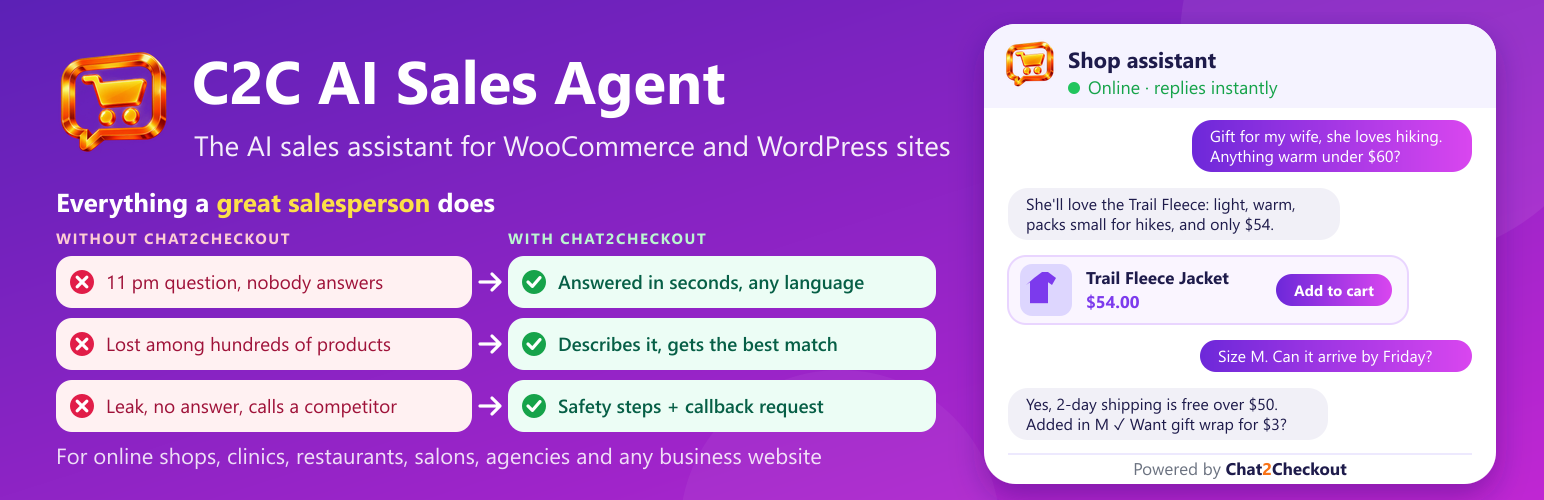
C2C AI Sales Agent turns your website visitors into customers. It takes each visitor from the first question in the chat all the way to checkout: it answers, recommends the right product, handles doubts, adds it to the cart and points the way to pay, like your best salesperson, on every page, around the clock. A real sales booster for your shop.
It learns your products, shipping, payment options and pages by itself, then chats with each visitor in their own language and guides them to buy or get in touch. The plugin connects your site to Chat2Checkout (chat2checkout.com), the service that runs the agent.
For WooCommerce stores
Product cards with photo, price, sale price and stock, right in the chat.
Visitors pick size or colour and add to their real cart without leaving the page.
“What’s new?”, “Do you deliver to my city?”, “Where is my order?” answered from your own store data.
Orders placed after chatting show up in your reports, with the revenue the chat brought in.
For any website
Answers questions from your own pages and the notes you give it.
Collects quote and booking requests for service businesses.
“Talk to a person” buttons for your WhatsApp, phone or email.
Built to be safe and light
Your API keys and store keys never sit in WordPress: the assistant runs on Chat2Checkout.
The chat script is small and loads after your page, so it doesn’t slow your site down.
Test mode (on by default) shows the chat only to logged-in administrators until you’re ready.
Free to start
Chat2Checkout has a free plan: the chat answers with your own AI key (a free Google Gemini key works, no card needed). Paid plans add more features, such as smarter search, photo search, voice and full reports, and plans with AI included need no AI key of your own. See pricing.
External services
This plugin connects your site to the Chat2Checkout service (https://chat2checkout.com), which runs the AI sales assistant. It does nothing until you paste a widget key from your Chat2Checkout account.
The chat widget. On the public pages of your site (only for administrators while Test mode is on), the plugin loads the chat script from https://chat2checkout.com/widget/v1.js. When a visitor opens or uses the chat, the chat sends their messages, any photo they attach or voice message they record, the page they are on, an anonymous visitor id (also kept in a cookie named “salesagent_vid”) and, for WooCommerce, cart actions to Chat2Checkout so the assistant can answer. Contact details a visitor types into a chat form go to you, the site owner, through Chat2Checkout.
Your own chat images. If you upload your own chat button or avatar image in your Chat2Checkout dashboard, visitors’ browsers load that image from Chat2Checkout’s file storage, which is hosted by Supabase (https://supabase.com). As with any image on a web page, the browser sends its IP address and browser details with that request; nothing else is sent. Supabase terms: https://supabase.com/terms, privacy policy: https://supabase.com/privacy
Order reports (WooCommerce). When a visitor who used the chat places an order, or such an order changes status, the plugin sends the order number and your widget key to https://chat2checkout.com/api/widget/orders. Chat2Checkout then reads that order through the WooCommerce connection you set up, to show orders and revenue from the chat in your reports.
Chat2Checkout terms of service: https://chat2checkout.com/legal/terms
Chat2Checkout privacy policy: https://chat2checkout.com/legal/privacy