
內容簡介
Business Bloomer Advanced Manual Orders for WooCommerce 是一款專為 WooCommerce 管理後台設計的外掛,旨在簡化手動訂單的創建過程,提升效率並改善用戶體驗。
【主要功能】
• 新訂單表單:快速從過去的訂單創建新訂單
• 快速客戶搜尋:依姓名、電話等多種方式搜尋客戶
• 一鍵新增產品:輕鬆添加產品至訂單中
• 訂單貨幣選擇:可選擇不同貨幣進行手動訂單
• 自動稅金更新:變更項目或地址時自動重新計算稅金
• 複製訂單:一鍵複製現有訂單
外掛標籤
開發者團隊
② 後台搜尋「Business Bloomer Advanced Manual Orders for WooCommerce」→ 直接安裝(推薦)
原文外掛簡介
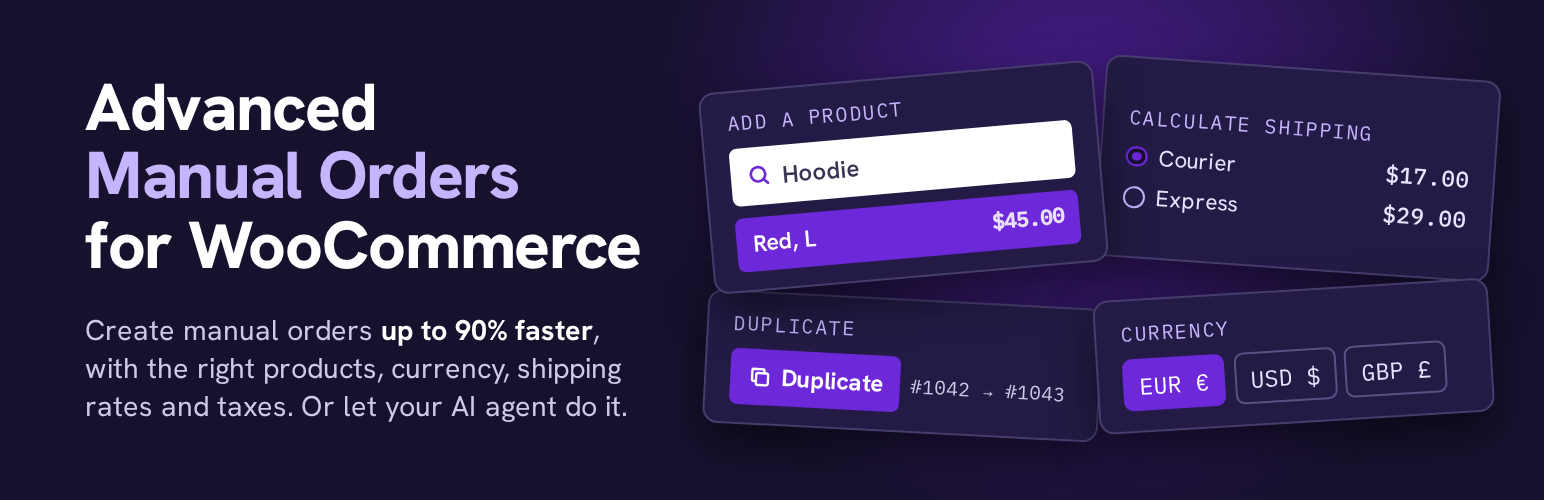
Creating a manual order from the WooCommerce admin is slow. The customer search misses phone numbers typed a different way and never lists past guests. Adding a product means a popup and a search with no prices. Shipping costs are typed by hand, and taxes only update when you click Recalculate. Advanced Manual Orders fixes the order screen you already use.
What it adds
New order form: click “Add order”, on the orders list or on an order. Start from a past order (pick from your latest 10 or search by name, email or number) and repeat it whole, or copy its products for a customer and currency you choose. Saved addresses are filled in.
Find any customer, fast: search by name, email, phone, company or address (billing or shipping: street, city, postcode), on the new order form and in the order’s Customer field. Registered customers and past guests are both listed, and phone numbers match however they were typed (“0915550101” finds “091-555-0101”). Pick one and their billing and shipping addresses are filled in on the spot. Pick a guest and the order stays a guest order.
Add products in one click: an “Add a product” box always sits above the order items. Best sellers come first, or type a name or SKU. Each pick adds one, pick it again for more. Every variation is listed on its own, “Any” attributes included, so there’s nothing else to pick. Pick a product that’s already on the order and its quantity goes up.
Currency per order: turn on the currency selector (one click, or in the settings) and pick any currency for a manual order, on the form or on the order screen while the order is unpaid. The currencies your store sells in come first, read from WooPayments, WPML, Aelia, CURCY, FOX, YayCurrency, TIV.NET, Price Based on Country and Booster.
Real shipping rates: “Calculate shipping”, next to Recalculate, shows the rates of your shipping zones for these items and this address, the same ones checkout would show. Pick one and it’s added with its tax.
Taxes that update on their own: add or remove items, change quantities or the address, and taxes and totals are recalculated. No more Recalculate button.
Duplicate order: one click from the orders list, the order preview or the order screen. An exact copy, same customer, items, prices, shipping, fees and coupons, saved as a new order (Pending payment by default, you choose the status in the settings) and no emails are sent. Payment details, invoices, license keys and order notes stay with the original.
Tips where you need them: WooCommerce’s own buttons (Add item, Add fee, Add tax, Recalculate) get a short tip on what the plugin now does for you, like percentage fees and automatic taxes.
New order for this customer: a fresh order with the same customer and addresses.
New order with these products: the same products and quantities at today’s prices.
Payment link that works: customers pay without logging in or confirming their email, and the pay page runs in the order’s currency. Under the order status, “Order Pay link: Copy” copies it and “Save & email” saves your changes and sends it to the customer with WooCommerce’s own invoice email.
Ready for AI agents: AI assistants connected to your store (through the Abilities API and MCP) can find a customer, create the order with shipping and taxes, email the payment link, check shipping rates and duplicate orders. “Make Mario an order for 2 red hoodies with the cheapest shipping and send him the pay link” just works. Only users who can edit orders can use them, and customer names, emails, phones and addresses are never sent to the AI service.
New orders open as drafts with WooCommerce’s own “Create” button, exactly like a normal new order. Drafts you never create are cleaned up by WooCommerce after a few days.
Settings
WooCommerce > Settings > Advanced > Advanced Manual Orders.