內容簡介
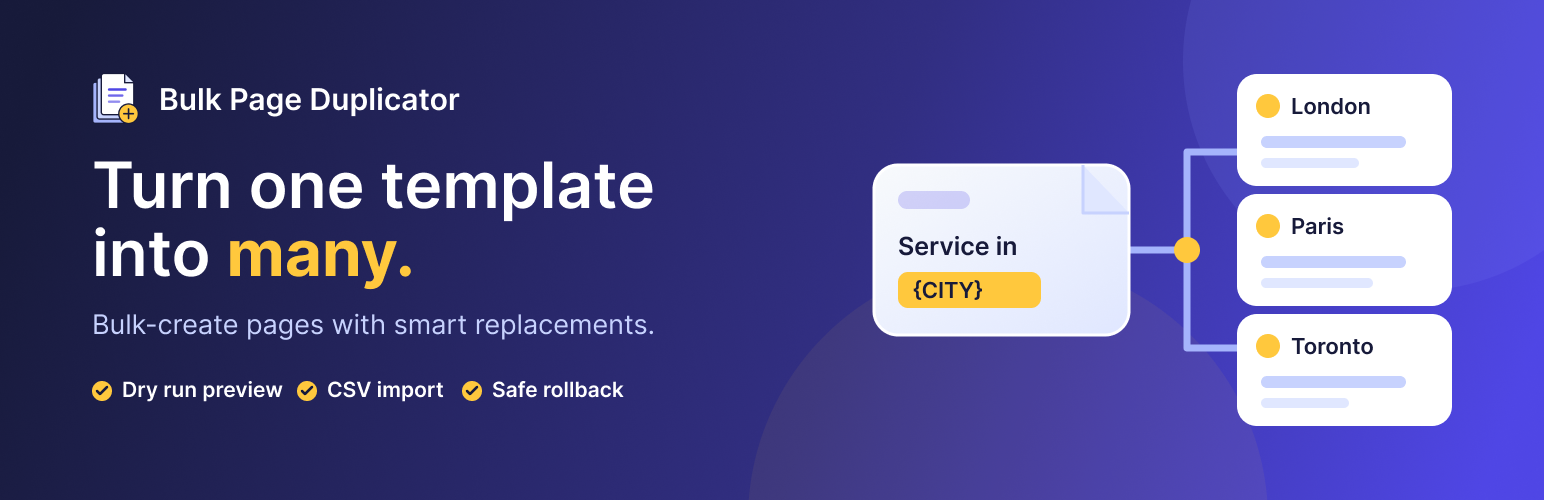
Bulk Page Duplicator 讓您快速發佈基於模板的內容,無需手動複製和粘貼。選擇模板項目、定義佔位符文本並添加替換值,便可一次生成多個項目,適合需要大量相似頁面的網站擁有者和團隊。
【主要功能】
• 支援批量複製任何公開的文章類型
• 允許替換標題、別名和內容中的佔位符
• 可從 .csv 或 .txt 檔案導入替換值
• 設定輸出狀態為發佈或草稿
• 複製特色圖片至所有生成項目
• 支援 SEO 元數據的替換
外掛標籤
開發者團隊
原文外掛簡介
Bulk Page Duplicator helps you publish template-based content faster without manual copy/paste. Select a template item, define placeholder text, add replacement values, and generate multiple items in one run.
Who this is for
Agencies building location or service pages at scale.
Site owners creating many similar pages, posts, or custom post types.
Teams using Elementor, Beaver Builder, or Bricks that need consistent template duplication.
SEO workflows that need metadata copied and replaced across many items.
What you can do
Duplicate any public post type (including custom post types).
Replace one or multiple placeholders across title, slug, and content.
Import replacement values from .csv or .txt, or paste values line by line.
Choose output status (Publish or Draft).
Set parent page behavior for hierarchical post types.
Copy featured image to all created items.
Assign taxonomy terms (such as categories and tags) to all generated items.
Export duplication results as CSV for reporting.
Why it is safer and faster
Dry Run preview shows what will be created before writing content.
Existing slugs are automatically skipped to prevent duplicates.
Real-time progress includes current item, percent complete, and ETA.
Cancel in-progress operation from the UI.
Recent operation history supports rollback (bulk delete created items).
Saved user preferences reduce repeated setup.
How It Works
Go to Tools > Bulk Page Duplicator.
Choose a post type and select the template item.
Enter placeholder text:
Single placeholder example: London
Multiple placeholder example: London, UK
Add replacement values in the textarea or import CSV/TXT.
Select where replacements should be applied (title, slug, content, builder data, SEO data).
Optionally set status, parent page, taxonomy terms, and featured image behavior.
Click Dry Run (Preview) to validate expected output.
Click Start Duplication to generate items in batches.
Review Results Log, filter statuses, export CSV, and use Recent Operations for rollback if needed.
Feature Highlights
Bulk generation core
Batch duplication workflow for large value sets.
Supports pages, posts, and any public custom post type.
Automatic skip when a generated slug already exists.
Smart replacement behavior
Multiple placeholders supported in one run.
Case-aware replacement behavior for more natural output.
Slug-safe handling for multi-word placeholders and replacement values.
Builder and SEO integrations
Page builder support:
Elementor
Beaver Builder
Bricks
SEO metadata replacement support:
Yoast SEO
Rank Math
All in One SEO
SEOPress
Workflow productivity
Searchable template selector with status, thumbnail, and metadata.
Placeholder and values validation feedback.
Dry Run summary with create vs skip counts.
Browser completion notifications (when permission is granted).
Results summary, filtering, and CSV export.
Recovery and control
Recent operation history with timestamp and counts.
Rollback action to delete items created by an operation.
User preferences persisted for faster repeat runs.
CSV/TXT Format Guide
Single placeholder
If placeholder is London, use one value per line:
New York
Paris
Chicago
Multiple placeholders
If placeholders are London, UK, each line must provide matching comma-separated values:
New York, USA
Paris, France
Toronto, Canada
Validation rules
For multi-placeholder mode, each line should contain the same number of values as placeholders.
Empty lines are ignored.
Duplicate values are flagged in validation feedback.
Compatibility
WordPress: 5.0+
Tested up to: 7.0
PHP: 7.2+
Works with public post types (excluding attachments in selector).
Supports taxonomy assignment for the selected post type.
Page builders: Elementor, Beaver Builder, Bricks.
SEO plugins: Yoast SEO, Rank Math, All in One SEO, SEOPress.
Usage Tips
Use unique placeholders (for example CITYNAME) to avoid accidental replacements.
Start with Draft status for review workflows.
Use Dry Run before large batches.
Keep the browser tab open during long runs for progress updates.
Use Recent Operations to rollback quickly if required.
License
Bulk Page Duplicator is free software released under the GPLv2 or later.